Gleem.AI Studio
Gleem.AI Studio is my favorite all-in-one workspace for generating and editing AI images without switching tools.
Visit
About Gleem.AI Studio
Let's be honest: the current state of AI image creation is a fragmented mess. You generate an image in one tool, only to realize you need to edit it, so you export it to another app, lose your prompt context, and start the tedious cycle all over again. Gleem.AI Studio is the breath of fresh air we've all been waiting for. It's a unified AI image workspace built on a single, powerful premise: let creators create, not configure. This platform elegantly combines AI image generation, sophisticated editing, and avatar management into one seamless environment. No more juggling tabs, wrestling with endless parameters, or losing your creative flow to technical complexity. It's designed specifically for marketers, content creators, and small teams who need to produce consistent, high-quality visuals at speed. Whether you're crafting social media assets, product mockups, or testing a dozen creative variations for a campaign, Gleem.AI Studio keeps you in the zone. Your ideas stay at the center, and the tool quietly handles the rest, making it one of the most intuitive and streamlined creative toolkits I've seen emerge in the AI space.
Features of Gleem.AI Studio
Unified Creative Workspace
This is the cornerstone feature and, in my opinion, Gleem's killer advantage. Everything—generation, editing, avatar posing—happens in a single, cohesive workspace. You no longer have to start from scratch every time you need a tweak. You can generate an image, then immediately use AI to edit it, add an object, or adjust a pose without ever leaving the project. This seamless workflow eliminates context-switching and preserves your creative momentum, making iteration incredibly fast and natural.
Intelligent Text-to-Image Generation
Gleem's text-to-image generator is built for real people, not prompt engineers. You can describe your vision in plain language, and the built-in Prompt Enhance feature intelligently refines your words for better, more consistent visual results. Coupled with straightforward aspect ratio and style controls, it removes the guesswork from generation. You get professional-grade imagery from simple, natural descriptions, which is a game-changer for teams without dedicated AI specialists.
All-in-One AI Image Editing
Forget complex layers and masks. Gleem's AI editing suite lets you make powerful changes with simple prompts. Need to remove an unwanted object, add an element, adjust a subject's pose, or apply a specific filter? You describe the edit naturally, and the AI executes it within the same project file. This integrated approach to editing is what transforms a static image generator into a dynamic creative studio, allowing for true refinement and customization.
Project-Centric Organization
Gleem organizes your work into dedicated project spaces, which is a lifesaver for managing multiple campaigns or ideas. Each project contains all its associated assets: the original prompts, every edit, and all previous versions. This creates a visual history of your creative process, making it easy to backtrack, reuse successful elements, and build upon iterations without losing anything. It turns chaotic creation into a manageable, organized workflow.
Use Cases of Gleem.AI Studio
Rapid Social Media Content Creation
For social media managers and content creators, speed and volume are everything. Gleem.AI Studio is perfect for quickly generating a week's worth of unique, on-brand visuals for Instagram, LinkedIn, or TikTok. You can create a base image, then use the integrated editor to swiftly produce multiple variations—changing backgrounds, adding text callouts, or applying different filters—all within minutes and without leaving the app.
Marketing Asset Production & Iteration
Marketing teams can use Gleem to prototype and finalize assets for ads, blog graphics, email headers, and landing pages. The ability to generate an initial concept and then iteratively edit it based on stakeholder feedback in one place drastically cuts down revision cycles. Testing different creative directions (like changing a model's outfit or a product's setting) becomes a task of minutes, not hours.
Personalized Avatar Scenarios
This is a standout use case. Professionals, influencers, or anyone needing a personal brand can generate a custom AI avatar. Then, they can place that avatar into any scene—be it a professional conference setting, a tropical vacation backdrop, or wearing different outfits—without a single photoshoot. It's incredibly powerful for creating relatable, personalized content at scale.
Product Visualization & Mockups
E-commerce teams and product designers can generate realistic lifestyle images of their products. Imagine creating a scene of your new coffee mug on a rustic kitchen table, then using AI editing to change the table's wood finish or add steam rising from the mug. It allows for endless, cost-effective visual testing and asset creation for product pages and promotional materials.
Frequently Asked Questions
What makes Gleem.AI Studio different from other AI image tools?
Most AI tools are siloed: one app for generation, another for editing, a third for upscaling. Gleem's fundamental difference is its unified workspace. It combines generation and advanced, prompt-based editing into a single, fluid environment. This eliminates the export/import shuffle and allows for true step-by-step iteration, making the entire creative process faster and more intuitive.
Do I need to be good at prompt engineering to use Gleem?
Absolutely not. In fact, Gleem is explicitly designed for people who aren't prompt experts. Its Prompt Enhance feature is built to take your natural language descriptions and optimize them for the AI model to produce high-quality results. You focus on the creative idea; Gleem helps with the technical translation.
What is the "Project" organization system?
Think of a Project in Gleem as a dedicated container for a single creative idea or campaign. Inside it, you'll find all the generated images, every edit you've made using AI tools, and a complete version history. This keeps your work incredibly organized, makes collaboration and iteration easier, and ensures you never lose a previous version you might want to revisit.
Can I really edit images with just a text prompt?
Yes, that's the core of the integrated editing experience. Instead of manual brushes or complex selection tools, you describe the change you want. For example, you can type "remove the trash can in the background," "add a golden retriever sitting on the left," or "make the sky more dramatic at sunset." The AI interprets your request and applies the edit directly to your image within the project.
Explore more in this category:
Similar to Gleem.AI Studio
Z Image Turbo
Create photorealistic images, bilingual posters, ecommerce visuals, and social content online with Z Image Turbo.
AI UGC Video Generator
Create AI UGC video ads from product URLs, images, or scripts with lifelike creators, voices, captions, and clear calls to action.

ContextBolt SEO
Research keywords, competitors, backlinks and AI visibility inside Claude or Codex, with findings saved to your SEO dashboard.


UpSearch
AI-powered SEO growth platform that turns search evidence into prioritized actions.
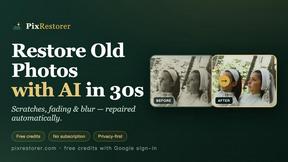
PixRestorer
Restore and colorize old photos with AI in seconds. PixRestorer repairs scratches, fading, blur, and tears, brings black-and-white prints to life in n