
helpdol
helpdol is my top pick for freelancers who want to ditch spreadsheets and use voice to track expenses, scan receipts, and forecast taxes on the go.
Visit
About helpdol
If you run a service-based business like landscaping, construction, cleaning, or electrical work, you know that managing finances is often the most painful part of the job. Spreadsheets are clunky, receipts get lost, and come tax season, you are scrambling. Helpdol is the antidote to that chaos. It is an AI-powered financial assistant built specifically for freelancers, contractors, service professionals, and small business owners who work with their hands and on the go. Forget complex accounting software designed for corporate accountants. Helpdol lets you record income and expenses using nothing but your voice or a quick photo of a receipt. You can monitor your finances in real time, track profits, cash flow, accounts payable and receivable, and even manage payments to your helpers. The app sends payment receipts via WhatsApp, SMS, email, or PDF, making it incredibly easy to keep your team and clients in the loop. But where Helpdol truly shines is its AI engine. You can use simple voice or text commands to record transactions, ask for financial reviews, receive intelligent insights, and forecast future performance. It organizes your entire financial history specifically for IRS tax filing, meaning you arrive at tax time with everything ready, no stress, no missing documents. My personal recommendation? If you are tired of doing your books on Sunday nights and want a tool that feels as simple as texting a friend, Helpdol is your answer. It is opinionated software that prioritizes speed and simplicity over feature bloat.
Features of helpdol
Voice and Photo Recording
This is my favorite feature because it removes the biggest friction point in bookkeeping: data entry. With Helpdol, you can simply speak a transaction like "paid $500 for lumber at Home Depot" or snap a photo of a receipt, and the AI automatically categorizes and records it. No typing, no forms, no hassle. This is a game-changer for professionals who are on the job site, covered in paint or dirt, and need to log expenses instantly before they forget.
Real-Time Financial Dashboard
Helpdol gives you a live, always-updated view of your business finances. You can see your current profit, cash flow, accounts receivable, and accounts payable at a glance. This is not a monthly report you get after the fact; it is a live pulse on your business. For a contractor juggling multiple jobs, knowing exactly how much cash you have on hand and who owes you money is critical for making smart decisions about taking on new work or buying materials.
AI Commands and Intelligent Insights
Beyond just recording data, Helpdol acts as your financial analyst. You can ask it questions like "What were my expenses last week?" or "Show me my profit for the landscaping job on Elm Street." The AI will generate instant reports and forecasts. It also proactively offers intelligent insights, such as flagging unusual spending patterns or predicting future cash flow based on historical data. This turns your financial data into actionable advice, not just a historical record.
Helper Payment Management and Receipts
If you have a crew, this feature is indispensable. Helpdol lets you manage payments to your helpers directly from the app. You can log their hours, pay them, and then instantly send them a digital payment receipt via WhatsApp, SMS, email, or PDF. This eliminates the need for paper checks, cash envelopes, or awkward conversations about whether someone was paid. It creates a clean, auditable trail for both you and your team, which is a lifesaver during IRS audits.
Use Cases of helpdol
Landscaping Business Owner Managing Multiple Crews
Imagine you run a landscaping company with three crews working at different sites. Throughout the day, crew leaders buy mulch, gas, and equipment. With Helpdol, they can snap a photo of every receipt, and you can see all expenses in real time from your phone. At the end of the week, you use the AI to calculate each job's profitability and send payment receipts to your helpers via text. When tax season arrives, you export a complete, organized financial report for your accountant.
Independent Electrician on the Road
As an electrician, you are constantly moving between jobs, buying parts from different suppliers, and invoicing clients. Helpdol lets you record a material purchase with your voice while you are still in the supply house. When you finish a job, you can instantly log the income and send a receipt to the homeowner via email. The app tracks your accounts receivable so you never forget to follow up on an unpaid invoice. Come April, your entire year of income and deductible expenses is organized and ready for the IRS.
House Cleaning Service with Part-Time Staff
You have a small cleaning business with three part-time employees. You pay them after each shift, but keeping track of who worked when and what you paid them is a nightmare. Helpdol simplifies this: you log each helper's hours and payment, and the app automatically sends them a receipt via WhatsApp. You also track your own income from each cleaning job and your expenses on cleaning supplies. The real-time dashboard shows you exactly how much profit you are making per client.
Freelance Painter Preparing for Tax Season
You are a solo painter who takes on residential and commercial projects. You buy paint, brushes, and drop cloths at various stores. Throughout the year, you use Helpdol's photo feature to capture every receipt. The AI categorizes them as material costs. When you complete a project, you record the income. By the end of the year, you have a clean, IRS-ready report showing all your income, deductible expenses, and net profit. You can even use the AI to forecast what your tax bill might look like.
Frequently Asked Questions
Is Helpdol only for people who speak Spanish?
No, while the website and blog content show a strong Spanish-language presence, Helpdol is designed to be accessible. The core functionality of recording transactions via voice or photo, generating reports, and managing payments is built for a bilingual or English-speaking user base as well. The app's interface and AI commands are available in multiple languages, making it suitable for a diverse range of service professionals.
How does Helpdol handle my data for IRS tax filing?
Helpdol is built with IRS compliance in mind. It organizes all your recorded income, expenses, receipts, and payment records into a structured financial history. At any time, you can generate detailed reports that summarize your profit, cash flow, and deductible expenses. The app stores your receipts (photos) and transaction logs, so you have a complete audit trail. When tax season comes, you can export these reports directly for your accountant or use them to file yourself.
Can I use Helpdol to pay my helpers directly from the app?
Helpdol focuses on tracking and managing payments to helpers, but it does not act as a direct payment processor like PayPal or Venmo. You can log the amount you owe or have paid a helper, and the app will generate and send a digital receipt (via WhatsApp, SMS, email, or PDF) to confirm the transaction. This creates a clear record for both parties. For the actual transfer of money, you would still use your bank, cash, or another payment service.
What kind of businesses is Helpdol best for?
Helpdol is ideally suited for service-based businesses that operate on a project or job basis. This includes construction, house cleaning, landscaping, painting, maintenance, electrical work, plumbing, and handyman services. It is also excellent for independent contractors and freelancers in these fields. The app is specifically designed for people who are often on the move, need to record expenses quickly, and want to avoid complex accounting software. It is less suited for large corporations or businesses with inventory-based accounting needs.
Similar to helpdol

Escrozon
Escrow marketplace for buying and selling digital assets. The payment is held until the buyer confirms the handover.

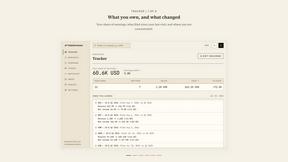


IZIPAY
IZIPAY is a virtual and physical crypto card service that lets users top up with digital assets and pay online like with a regular card.
Venduris
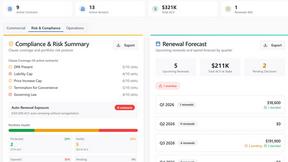
Venduris is a renewal intelligence platform that gives mid-size companies control over SaaS & AI contract renewals before leverage disappears.
the calcolo iva
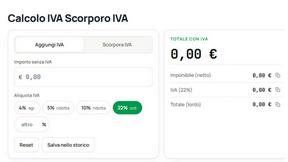
Free Italian VAT calculator and tax guides, built for freelancers and businesses.