
Published on:
August 21, 2025
Pricing:
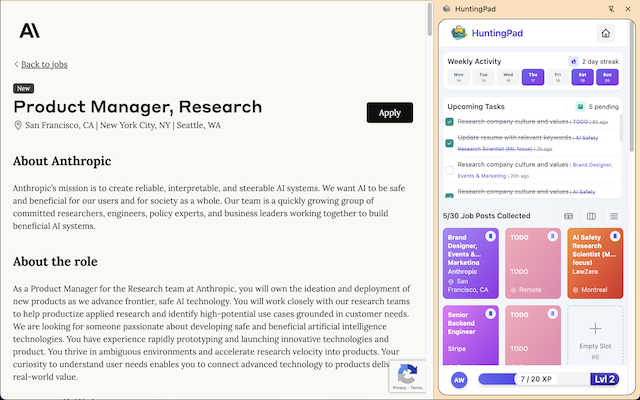
About HuntingPad
Let's be brutally honest: the modern job search is broken. You're a high-achieving professional, yet you're forced to fight for attention in a sea of 200+ applicants using tools from the last decade—spreadsheets, bookmarks, and a prayer. HuntingPad is the surgical strike against this chaos. It's a Chrome extension that installs a command center directly into your browser, right where you're already hunting for jobs on LinkedIn, Indeed, and Glassdoor. Its core genius is in transforming the frantic, multi-tab, copy-paste nightmare into a streamlined, intelligent process. With one click, it captures any job posting, saving all the crucial details so you never lose track. Its AI doesn't just organize; it actively coaches you, providing instant resume compatibility scores and insights to tailor your application. Crucially, it respects your privacy by storing everything locally on your device. For developers, managers, and any ambitious professional tired of their job search feeling like a second, unpaid job, HuntingPad is the essential upgrade. It turns your hunt from a game of administrative survival into a strategic, organized campaign.
Features of HuntingPad
One-Click Job Capture
This is the foundational feature that eliminates the tab explosion. Instead of manually copying job details, company names, and URLs into a separate document, you simply click the HuntingPad icon on any job posting. It instantly saves the full job description, link, company, and role title into your organized, local dashboard. This single action saves hours of tedious data entry and prevents the all-too-common "Where did I see that role?" panic.
AI-Powered Resume Matching & Insights
Going beyond simple storage, HuntingPad's AI analyzes the job description you've saved and compares it against your uploaded resume. It provides an instant compatibility score and, more importantly, specific, actionable insights. It will highlight missing keywords, suggest areas to emphasize, and guide you on how to tailor your resume for that specific opportunity, dramatically increasing your chances of passing automated screenings and catching a recruiter's eye.
Smart Application Tracking & Reminders
HuntingPad automatically creates a centralized tracker for every job you save. It moves beyond a static spreadsheet by allowing you to update the status (Applied, Interviewing, Offer, etc.) and set smart, customizable reminders for critical follow-ups. Never miss a deadline to apply or forget to send a thank-you note after an interview again. The dashboard gives you a crystal-clear, real-time overview of your entire search campaign.
Local-First Data Storage & Privacy
In an era of data breaches, HuntingPad takes a principled stand. All your data—your saved jobs, your resume, your notes—is stored locally on your computer, not on a cloud server. This means your sensitive career information remains completely private and secure. You maintain full control, with the peace of mind that your job search strategy isn't being mined or exposed.
Use Cases of HuntingPad
The Strategic Mass Applicant
For the professional who knows that landing a role today requires sending 100-150 targeted applications, HuntingPad is non-negotiable. It provides the infrastructure to manage this volume without collapsing into chaos. You can systematically save, prioritize, and track dozens of applications per week, ensuring consistent follow-up and allowing you to focus energy on customization rather than organization.
The Senior Professional Re-Entering the Market
If you haven't job-hunted in years, the process has changed dramatically. HuntingPad acts as your modern co-pilot. It helps you efficiently capture opportunities across multiple new platforms, uses AI to help translate your extensive experience into the right keywords for today's market, and provides the organizational framework you're accustomed to in your professional life, applied directly to your search.
The Passive Job Seeker
Even if you're just casually browsing to see what's out there, HuntingPad is perfect. That interesting role you see but aren't ready to apply for? One click saves it for later review. Over time, you build a private, curated list of potential opportunities and companies, allowing you to make a move strategically and quickly when the time is right, with all the research already done.
The Networked Candidate with Multiple Leads
When you're combining direct applications with referrals and recruiter conversations, details blur fast. HuntingPad becomes your single source of truth. You can attach notes to each saved job ("Referred by Sarah in Engineering," "Spoke with recruiter John on 10/21"), keeping every interaction and application detail linked and immediately accessible for any surprise call or interview.
Frequently Asked Questions
Is my data safe with HuntingPad?
Absolutely. This is a core tenet of HuntingPad's design. The extension operates on a local-first principle. All the information you save—job posts, your resume, your notes—is stored directly on your own computer. Nothing is sent to or stored on HuntingPad's servers unless you explicitly choose to use a cloud sync feature (if offered in future plans). Your privacy is fully protected.
How does the AI resume matching work?
After you save a job posting, you can upload your resume (stored locally) for analysis. HuntingPad's AI scans the job description for key skills, technologies, and qualifications. It then compares this against your resume to identify matches, gaps, and suggested keywords. It provides a compatibility score and concrete recommendations to help you tailor your resume, making it more relevant for that specific role and applicant tracking systems (ATS).
Can I use HuntingPad on sites other than LinkedIn?
Yes. While LinkedIn, Indeed, and Glassdoor are primary targets, the one-click capture feature is designed to work on most major job boards and even company career pages. If you can view a job posting in your Chrome browser, there's a very high likelihood HuntingPad can capture it cleanly and organize the details for you automatically.
Do I need to create another account and password?
No, and this is a beautiful part of the design. Because HuntingPad stores your data locally on your device, there is no central account to create or password to remember. You install the Chrome extension, and it's ready to use. This eliminates friction and aligns with the tool's philosophy of integrating seamlessly into your existing workflow without adding more logins to your life.
Pricing of HuntingPad
HuntingPad offers a free version to get started. The website emphasizes a "Start Organizing for Free" approach with no credit card required. While specific tier details or premium feature lists are not provided in the given context, the core value proposition of one-click capture, local storage, and basic organization is accessible at no cost, allowing users to set up and experience the fundamental benefits immediately.
Similar to HuntingPad
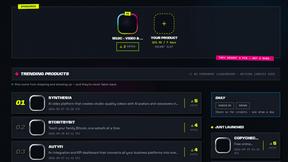
DebutPin
A launch platform where products keep collecting visibility, feedback and connections long after launch day.
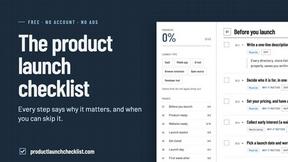
Product Launch Checklist
A free launch checklist for SaaS, apps, AI tools and more. Every step says why it matters and when you can skip it.
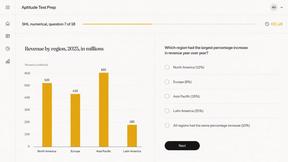
Aptitude Test Prep
Free timed practice for real employer aptitude tests

Solve Game Prep
Practice the McKinsey Solve game before it practices you.

HireVue Practice
Practice the HireVue before it practices you.
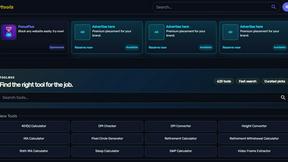
Kody Tools
Free collection of online developer utilities, code formatters, and digital converters designed to streamline your daily workflow.
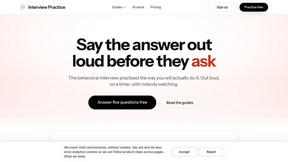
Interview Practice
Rehearse behavioral interview answers out loud on a timer, then an AI mock scores each answer and shows a stronger one.
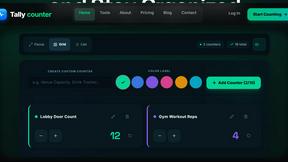
tallycounterweb.com
Online tally counter for tracking attendance, workouts, inventory, sports scores, visitors, habits, and everyday counting tasks.