
Juntos
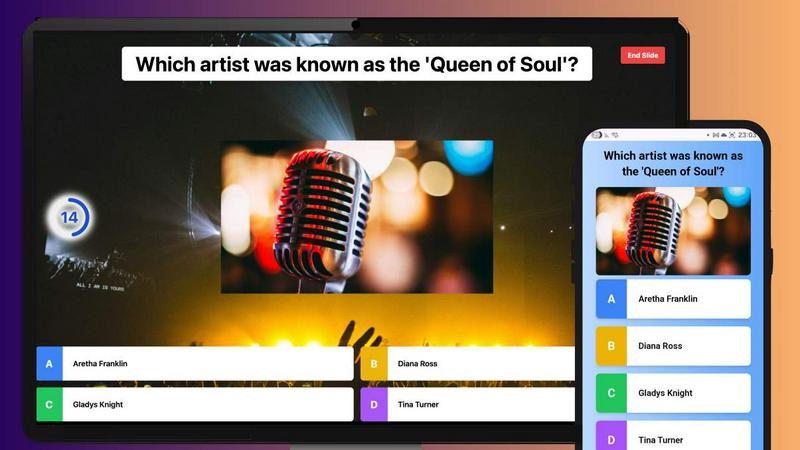
Juntos is a free, instant platform for hosting live multiplayer quizzes that everyone can join without an app.
VisitPublished on:
January 20, 2026
Pricing:
About Juntos
Juntos is an innovative interactive quiz platform designed for the modern, often remote world. Unlike typical quiz platforms like Kahoot, Juntos emphasizes seamless integration into existing virtual environments such as Zoom, Google Meet, and Microsoft Teams. Its primary goal is to transform passive listeners into active participants, making it ideal for a wide range of settings—classrooms, corporate workshops, or even casual family gatherings. What makes Juntos truly remarkable is its ability to engage users without the cumbersome tab-switching that often hampers virtual interactions. By enabling participants to respond directly in the chat, it keeps the energy alive and fosters a sense of community. The platform allows hosts to create custom quizzes with timers and scoring systems, while players can join effortlessly via a game code on any device, eliminating the need for app downloads or accounts. This free-to-use model positions Juntos as the go-to "free forever Kahoot alternative," offering a wealth of pre-made quizzes on diverse topics from World Cuisine to 90s Pop Culture. With its user-friendly interface and engaging features, Juntos stands out as the definitive tool for anyone looking to bring people together through interactive play.
Features of Juntos
Interactive Quiz Platform
The heart of Juntos lies in its interactive quiz platform, where hosts can create engaging quizzes that encourage participation. The platform supports a variety of question types and allows live scoring, making it easy to keep participants engaged and competitive.
Seamless Integration
Juntos integrates effortlessly into popular video conferencing platforms like Zoom, Google Meet, and Microsoft Teams. This feature eliminates the need for participants to switch tabs or platforms, enabling a smoother and more engaging experience during virtual gatherings.
Pre-Made Quiz Library
The platform boasts a vast library of ready-to-play community quizzes covering topics ranging from World Cuisine to 90s Pop Culture. This feature allows users to jump straight into the fun without having to create a quiz from scratch, making it accessible for all ages and interests.
Custom Quiz Creation
With Juntos, users can easily create their own quizzes using an intuitive editor. This feature allows for customization in terms of themes, questions, and scoring, enabling hosts to tailor quizzes to their specific audience and preferences.
Use Cases of Juntos
Educational Settings
Teachers can leverage Juntos to create engaging quizzes that reinforce learning objectives and promote active participation among students. The platform's ease of use makes it a perfect fit for both in-person and remote classrooms.
Corporate Training
In corporate environments, Juntos can be used for training sessions or team-building exercises. It transforms traditional meetings into interactive experiences, helping employees to engage with the material and each other.
Family Gatherings
Juntos is ideal for family reunions or gatherings, where it can serve as a fun way to connect with relatives across distances. The platform's diverse quiz topics ensure there is something for everyone, fostering camaraderie and shared enjoyment.
Social Events
Whether it's a birthday party, a game night, or a casual get-together, Juntos can add a spark of fun to any social event. Hosts can create themed quizzes that resonate with the interests of their guests, ensuring an entertaining experience for all.
Frequently Asked Questions
Is Juntos really free to use?
Yes, Juntos is completely free to use forever. There are no hidden fees or subscriptions required to access its features, making it an excellent choice for anyone looking to engage in fun and interactive quizzes.
Do I need to download an app to use Juntos?
No, Juntos is designed for convenience and accessibility. Participants can join quizzes through any web browser on their device using a simple game code, with no app downloads or account registrations necessary.
Can I create my own quizzes on Juntos?
Absolutely! Juntos offers an intuitive quiz creation tool that allows users to build custom quizzes in just minutes. You can tailor your quizzes to any topic or theme that suits your audience.
What platforms does Juntos integrate with?
Juntos seamlessly integrates with popular video conferencing platforms such as Zoom, Google Meet, and Microsoft Teams. This feature enhances user experience by keeping all participants engaged in a single window without the hassle of switching tabs.
Similar to Juntos
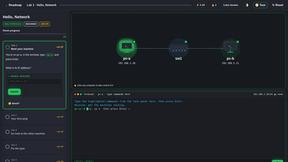
PracticeNetworking
Master networking with interactive, hands-on practice directly in your browser. Solve real terminal challenges, debug routes, and build core IT skills

Tip Toe AI
Upload a Dancer photo and a Partner photo and get your own AI Tip Toe barn-dance video. Free 5s preview, 12s HD from $4.90. No subscription.

Ozil Goal AI
Turn one photo into the viral Özil goal meme video: you, your dog, a toy or a drawing scores. Free 5s preview, 10s 720p from $4.90. No subscription.

9bot
WhatsApp group bot for moderation, automation and reports: welcomes, anti-spam, link filtering, scheduling, RSS, API and MCP.
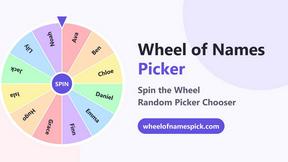
Wheel of Names Picker AI
Wheel of Names Spin Wheel Picker tool for classrooms or events
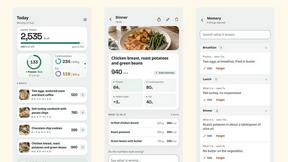
Snapkin
Snapkin is a calorie tracker you use by photographing your plate.
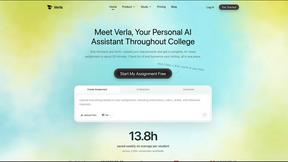
Verla AI
Verla is an AI academic assistant for university and college students, combining AI essay writing, academic research, AI detection, AI humanization.
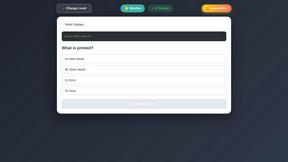
PythonExercise.com
An interactive coding platform featuring bite-sized Python exercises designed to build real coding skills through hands-on practice directly.