
Magic Hour
Magic Hour brings AI video, image, editing, and talking-photo tools together, with templates for creators and an API for supported workflows.
Visit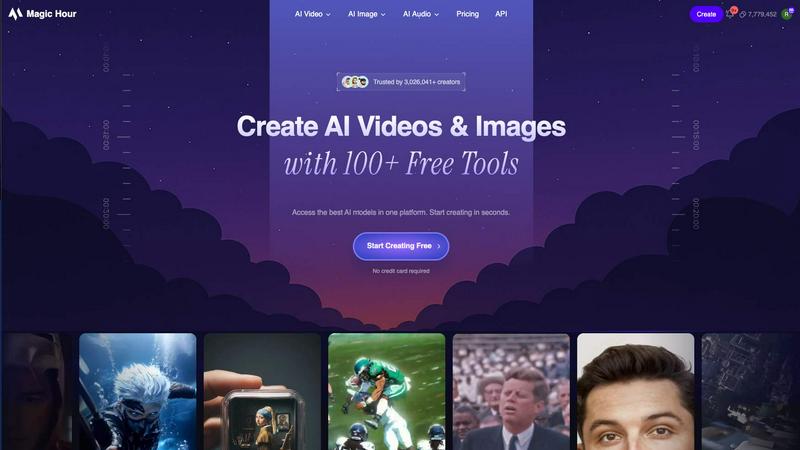
About Magic Hour
Magic Hour is designed for projects that mix generated media with edits to existing files. Start from a prompt to create a video or image, upload a photo to animate it, or use instructions to edit an image. Other workflows restyle video or add speech and lip movement to portraits. Templates can provide a ready-made content starting point.
The platform is free to try on supported tools, which makes it possible to explore a workflow before creating an account. Production requirements deserve a closer look: model access, input support, watermark behavior, export resolution, and queue speed are not uniform across tools and plans. Teams can use a REST API and SDKs for supported generation tasks. Commercial use requires a paid arrangement, and the user must have rights to the media they upload.
Features of Magic Hour
- Generate video and images from prompts.
- Animate photos, edit images, and restyle existing clips.
- Create face swaps, lip sync, and talking-photo videos.
- Use templates or connect to supported workflows with API/SDKs.
Use Cases of Magic Hour
- Turn a scene description into a video draft.
- Adapt an existing image with a prompt-guided edit.
- Make talking portrait content from a photo and audio.
- Use templates to accelerate campaign asset creation.
Frequently Asked Questions
Can I start with my own media?
Yes, workflows can use uploads such as images or video, though supported inputs depend on the selected tool.
Are outputs watermark-free?
Watermark behavior varies. Many image tools offer watermark-free outputs for free users, while free video and audio may include a watermark.
Does the API cover every tool?
The evidence describes API and SDK access for supported image and video workflows; check the available endpoints for the task you need.
Pricing of Magic Hour
Free-to-try workflows are available, with subscriptions and one-time credit packs for expanded use. The displayed annual Creator plan is PEN 600 billed yearly, or PEN 50 per month.
Explore more in this category:
Similar to Magic Hour

FoxyLab
FoxyLab uses chat prompts and product websites to create videos or banner sets, with revisions and code access for teams.

AI Photo Editor
Describe changes to a photo or create an image from text, with dedicated tools for cleanup, restoration, background changes and portrait styles.

Flux3Max.io
Create 5 to 20 second videos with sound from prompts, photos, or keyframes in a browser studio.
Clean Audio
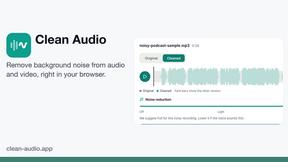
Clean Audio reduces background noise in voice recordings and video using adjustable, local browser processing.

AgentFabrica
AgentFabrica combines AI-generated marketing content with approvals, publishing and campaign rules for teams managing multiple digital channels.

Infograph
Infograph turns articles, lessons, and meeting notes into visual stories with source-checked figures and shareable exports.