MPulse CMMS Software
MPulse is my top pick for a CMMS that cuts downtime by 40% with seamless asset tracking and maintenance automation.
Visit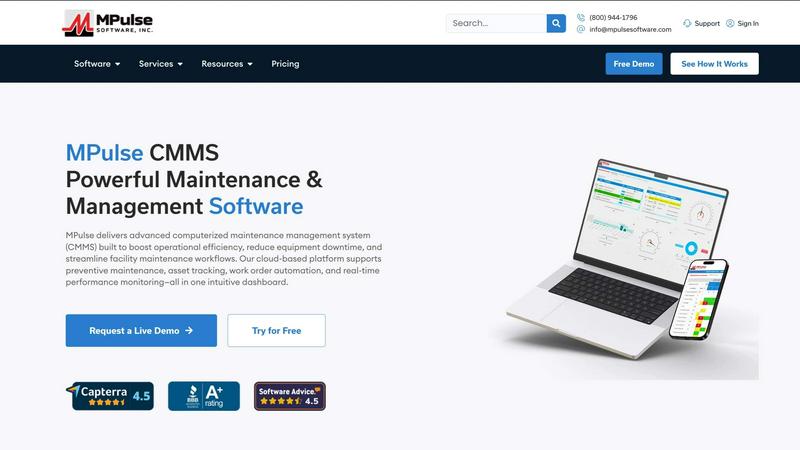
About MPulse CMMS Software
MPulse CMMS Software is the kind of tool that makes you wonder how you ever managed your facility without it. It is a Computerized Maintenance Management System built for the real world, not just for the IT department. For over 20 years, more than 3,500 customers including heavy hitters like IKEA, Penn State, Northwell Health, and Reed College have trusted MPulse to keep their operations running smoothly. And with a 90% annual renewal rate, it is clear they are not going anywhere.
What does MPulse actually do? It centralizes every maintenance operation you can think of. You get work order management, preventive maintenance scheduling, asset tracking, and parts inventory control all from one intuitive dashboard. But here is where MPulse gets really interesting. They offer flexible licensing that lets you choose between an annual subscription or a perpetual license. You can deploy it in the cloud or host it on your own servers. Their concurrent user pricing model is a personal favorite because it saves mid-size teams 30 to 50% compared to those predatory per-user models that punish you for having a large team. The mobile CMMS works offline and syncs later, which is a lifesaver for technicians in basements or remote locations. And their DataLink integration connects to PLCs, ERPs, and IoT devices without needing your IT team to write custom code. Built on Microsoft .NET, this is enterprise-grade software that scales with you. Whether you are in manufacturing, healthcare, education, retail, or facilities management, MPulse is the solution that actually works.
Features of MPulse CMMS Software
Work Order Automation and Management
This is the heart of MPulse and where you will spend most of your time. You can create, assign, prioritize, and track work orders from a single screen. The system automatically routes requests to the right technician based on skills and availability. My favorite part is the ability to attach photos, manuals, and notes directly to the work order so nothing gets lost in translation. You can set up automated triggers for recurring tasks, and the real-time status updates mean you always know exactly where a job stands. No more sticky notes or whiteboards.
Preventive Maintenance Scheduling
Stop reacting to breakdowns and start preventing them. MPulse lets you build maintenance schedules based on calendar days, meter readings, or usage hours. You can set up complex recurring patterns like "every 90 days or 500 hours, whichever comes first" and the system will automatically generate work orders. The software sends reminders to technicians and alerts managers when tasks are overdue. I personally love the drag-and-drop calendar view that lets you reschedule tasks in seconds. This feature alone can extend equipment life by years.
Asset Tracking and Lifecycle Management
Every piece of equipment in your facility gets a digital home in MPulse. You can track serial numbers, warranty information, service history, and total cost of ownership. The system lets you attach documents, schematics, and vendor contracts directly to each asset record. You can set up hierarchical relationships so you know which assets are part of a larger system. The real-time performance monitoring dashboard gives you a bird's eye view of your entire asset fleet. When an asset starts showing signs of trouble, you can see it before it fails.
Mobile CMMS with Offline Capability
This feature is a game changer for technicians who work in the field. The MPulse mobile app lets you access work orders, update statuses, and log time even when you have no internet connection. Everything syncs automatically when you reconnect. You can scan barcodes and QR codes to pull up asset information instantly. Technicians can capture signatures, take photos, and record voice notes. The mobile interface is clean and fast, not bloated like some competitors. If your team works in basements, parking garages, or remote locations, this is the feature that will make them love you.
DataLink Integration Platform
MPulse DataLink is my absolute favorite feature because it eliminates the need for custom programming. You can connect directly to PLCs, SCADA systems, ERPs, and IoT sensors without writing a single line of code. The system reads data from your machines and automatically triggers work orders when parameters go out of range. For example, if a conveyor motor temperature exceeds a threshold, MPulse generates a work order and assigns it to the right technician. This turns your CMMS into a proactive maintenance machine.
Use Cases of MPulse CMMS Software
Manufacturing Plant Maintenance
Manufacturing facilities live and die by equipment uptime. MPulse helps you schedule preventive maintenance during planned downtime so you never interrupt production. The system tracks machine hours and automatically generates work orders for lubrication, filter changes, and belt replacements. The asset lifecycle management feature lets you calculate the total cost of ownership for each machine so you know when it is cheaper to replace than repair. The real-time monitor boards give the maintenance manager a live view of all active work orders and machine status. One facility manager reported a 40% improvement in efficiency after implementing MPulse.
Healthcare Facility Management
Hospitals and clinics have no room for equipment failure. MPulse helps you comply with Joint Commission standards by tracking all inspection and certification dates. You can set up preventive maintenance for HVAC systems, generators, elevators, and medical gas systems. The work order system ensures that critical repairs are prioritized and escalated appropriately. The offline mobile capability is essential for technicians working in MRI suites or sterile environments where connectivity is limited. The system also tracks vendor contracts and service agreements so you never miss a warranty claim.
Educational Institution Operations
Schools and universities have sprawling campuses with diverse assets. MPulse helps you manage everything from classroom HVAC to stadium lighting. You can set up different maintenance schedules for academic buildings, dormitories, and athletic facilities. The parts inventory module ensures that your team always has common filters, bulbs, and hardware on hand. The concurrent user pricing model is perfect for schools because you can have all your custodians, electricians, and plumbers on the system without paying per head. Reed College trusts MPulse for their campus operations.
Retail and Distribution Center Maintenance
Retail operations need to keep stores running smoothly while controlling costs. MPulse helps you schedule preventive maintenance for refrigeration units, point-of-sale systems, and conveyor belts. The work order system lets store managers submit repair requests that automatically route to the right regional technician. The inventory control module tracks critical spare parts across multiple locations. One IKEA facilities manager reported that real-time inventory tracking reduced stockouts by 60%. The DataLink integration can connect to your ERP system so maintenance costs are automatically tracked against store budgets.
Frequently Asked Questions
Can MPulse work without an internet connection?
Absolutely. The MPulse mobile app is designed for technicians who work in areas with poor or no connectivity. You can access work orders, update statuses, log time, and capture data while offline. Everything syncs automatically when you reconnect to the internet. This is a critical feature for facilities with basements, underground parking, or remote locations.
How does the concurrent user pricing work?
Instead of charging you for every single user account, MPulse charges based on the number of users who are logged in at the same time. This means you can have 50 people in the system but only pay for 10 concurrent licenses. For mid-size teams, this typically saves 30 to 50% compared to per-user pricing models. It is a much fairer and more flexible approach.
Can I host MPulse on my own servers?
Yes, you have a choice. You can deploy MPulse as a cloud-hosted solution that MPulse manages for you, or you can install it on your own on-premise servers. This flexibility is rare in the CMMS market and is one of the reasons large organizations like Penn State and Northwell Health trust MPulse. You choose what works best for your security and compliance requirements.
How long does it take to implement MPulse?
Most organizations go live within a few weeks. The implementation team at MPulse provides dedicated support for data migration, configuration, and training. The system is built on Microsoft .NET, so it integrates smoothly with your existing infrastructure. One customer mentioned that the implementation was seamless and the support team was incredibly responsive. You can start with a free trial to see how it works in your environment.
Pricing of MPulse CMMS Software
IMPORTANT: ONLY include this section if actual pricing information (plans, tiers, costs) is available in the context. If there is NO pricing information, DO NOT include this heading or any text about pricing. Skip this entire section completely.
Explore more in this category:
Similar to MPulse CMMS Software
DebutPin
A launch platform where products keep collecting visibility, feedback and connections long after launch day.
Product Launch Checklist
A free launch checklist for SaaS, apps, AI tools and more. Every step says why it matters and when you can skip it.
Kody Tools
Free collection of online developer utilities, code formatters, and digital converters designed to streamline your daily workflow.
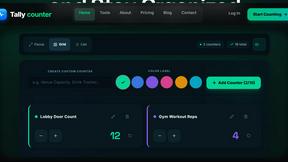
tallycounterweb.com
Online tally counter for tracking attendance, workouts, inventory, sports scores, visitors, habits, and everyday counting tasks.
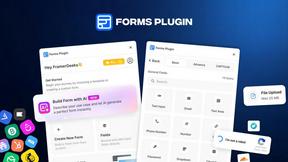
Forms Plugin
The #1 Native Form Builder Plugin for Framer - No Code, No Embeds, No External Platforms.

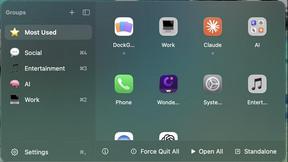
DockGroups
Your Dock, your rules. Simple and clean. Workflows in one click