
poseup
Elevate your photography effortlessly with PoseUp's AI, transforming posture and composition for stunning results in.
Visit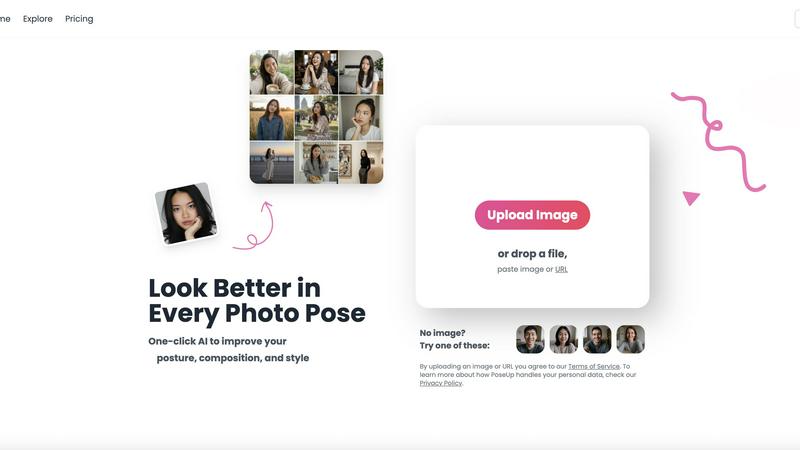
About poseup
PoseUp is a cutting-edge AI-driven tool that revolutionizes photo enhancement by improving poses, posture, and overall composition effortlessly. This tool is tailored for a wide audience, ranging from casual selfie-takers to seasoned photographers aiming to perfect their portrait techniques. Additionally, social media influencers seeking to elevate their visual content will find PoseUp indispensable. By harnessing the power of advanced AI technology, PoseUp analyzes uploaded images and provides automatic suggestions for enhancing poor poses, correcting posture, and optimizing composition. The beauty of PoseUp lies in its one-click functionality, allowing users without extensive photography training to achieve professional-quality results easily. With PoseUp, transforming ordinary photos into breathtaking visual masterpieces becomes a seamless experience, enabling users to present themselves or their subjects in the most flattering light possible.
Features of poseup
AI Pose Enhancement
PoseUp utilizes sophisticated AI algorithms to automatically analyze your images and enhance photo poses in an instant. This feature is perfect for users looking to quickly improve their photography without needing technical skills.
Posture Correction Technology
With advanced posture correction capabilities, PoseUp identifies and suggests optimal positioning for your subjects. This ensures that your photos not only look good but also convey the right message and emotion.
Composition Optimization
PoseUp goes beyond simple pose enhancement by optimizing the overall composition of your images. The tool evaluates factors like lighting and framing to offer suggestions that elevate the visual appeal of your photos.
Versatile Photo Support
Supporting multiple formats, PoseUp can handle JPG, PNG, WEBP, and HEIC images, allowing users to upload photos up to 5MB with ease. This versatility makes it accessible for a wide range of users and use cases.
Use Cases of poseup
Casual Selfies
For individuals capturing everyday moments, PoseUp provides quick enhancements that make casual selfies stand out. Users can upload their images and instantly receive suggestions to improve their poses and composition, resulting in eye-catching photos.
Professional Portraits
Photographers can leverage PoseUp to refine their portrait techniques. With automatic enhancements, they can focus on creativity and artistry while the tool handles the technical aspects of pose and composition.
Social Media Content Creation
Influencers and content creators can use PoseUp to elevate their visual storytelling. By achieving professional-looking images with ease, they can maintain a high standard of content that engages their audience effectively.
Fitness and Wellness Photography
Fitness enthusiasts can benefit from PoseUp’s ability to optimize poses and posture in workout photos. This ensures that their images not only showcase their physique but also convey strength and confidence, perfect for social media sharing.
Frequently Asked Questions
How does PoseUp enhance my photos?
PoseUp uses advanced AI algorithms to analyze your uploaded images, suggesting improvements in pose, posture, and composition to elevate the overall quality of your photographs.
Is PoseUp suitable for beginners?
Absolutely! PoseUp is designed for users of all skill levels, enabling even those without professional photography training to achieve stunning results effortlessly.
What image formats does PoseUp support?
PoseUp supports multiple image formats including JPG, PNG, WEBP, and HEIC, allowing you to upload your photos easily regardless of their original format.
Do I need to create an account to use PoseUp?
While you can start using PoseUp without an account, signing up allows you to access additional features, manage your credits, and join the community for tips and support.
Explore more in this category:
Similar to poseup
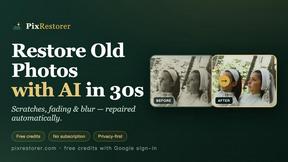
PixRestorer
Restore and colorize old photos with AI in seconds. PixRestorer repairs scratches, fading, blur, and tears, brings black-and-white prints to life in n
Nano AI Prompts
NanoAIPrompts is a free AI image prompt library built for creators, photographers, designers, and AI enthusiasts. It offers ready-to-use prompts.
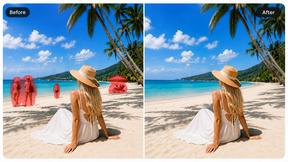
Magic Eraser
AI photo editor for removing objects and backgrounds, enhancing images, and creating visuals on web and mobile.
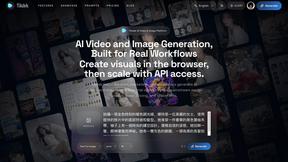
Seedance 2.5 Free
Create polished AI videos from text or images with Seedance 2.5 Free.
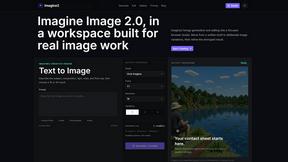
Imagine2
Private browser-based AI image generation and editing with text-to-image, targeted edits, and multi-image references.

Kogashitsuka AI
An online AI image tool that enhances photos and illustrations at their original size or upscales them by 2x or 4x.

PerchanceAI
PerchanceAI is an AI creative studio for image generation, editing, background removal, product photos, and image-to-video creation.
