
Push My App
Push My App is my go-to for shipping search-optimized App Store and Play Store listings in one afternoon without the busywork.
Visit
About Push My App
Push My App is my favorite new weapon for indie developers and small studios who want to reclaim their launch weeks. It is an all-in-one platform that handles everything between finishing your code and hitting submit on the App Store and Google Play. Instead of spending days writing metadata, resizing screenshots, and nervously hoping you do not get rejected, you get a single dashboard that automates the entire process. The core value proposition is simple: what used to take days by hand now takes minutes. The platform writes your app name, keywords, description, and release notes using AI optimized for App Store Optimization (ASO). It scans your build and listing against over 80 known rejection reasons before you ever submit, so you catch problems like a missing privacy manifest early. You can drop in one set of screenshots and automatically generate every required device size for both stores. It even translates your full listing into 14 languages with keywords re-optimized per locale. For anyone who would rather be coding than wrestling with store dashboards, this is the tool you have been waiting for. It is built by an indie developer for other indies, and that shows in every feature.
Features of Push My App
AI-Generated ASO Metadata
This is the feature I recommend most to new users. Instead of staring at a blank text field trying to guess what keywords will rank, you simply tell Push My App about your app and it generates optimized names, subtitles, keywords, descriptions, and release notes in seconds. The AI scores each element so you can see exactly how your title and keywords perform against App Store and Play Store algorithms. It is like having an ASO expert on retainer, but without the hourly rate.
Pre-Flight Rejection Scanner
Nothing kills momentum like a rejection email two days after you submit. This feature scans your binary and listing against over 80 known rejection reasons from Apple and Google before you hit the submit button. It flags issues like missing privacy manifests, improper use of APIs, or problematic metadata phrasing. I have personally used this to catch a privacy manifest issue that would have definitely bounced my app, and it saved me at least a week of resubmission hell.
Screenshot Resizer
Designing screenshots for every required device size is one of the most tedious parts of app launch. With Push My App, you upload one set of iPhone screenshots and the tool automatically generates every required size for both iOS and Android. It adds device frames and lets you overlay dynamic marketing text. The result is a consistent, professional look across all store listings without spending hours in Photoshop or Sketch.
Direct Submission
This is the feature that ties everything together. After you have generated metadata, resized screenshots, and passed the rejection scanner, you can submit directly to App Store Connect and Google Play with one click. The tool handles pre-submission validation, uploads your binary, and tracks the status automatically. No more switching between browser tabs and wrestling with Apple’s Transporter or Google’s Play Console. It just works.
Use Cases of Push My App
Solo Indie Developer Launching a New App
If you are a solo developer shipping your first or fifth app, your time is too valuable to spend on store listing busywork. Push My App lets you focus on coding while it handles metadata generation, screenshot resizing, and direct submission. I have seen developers go from finishing their code to having a live store listing in under two hours, compared to the usual two to three days of manual work.
Small Studio Managing Multiple Apps
For studios juggling several apps across both iOS and Android, keeping track of metadata versions, rejection history, and submission status is a nightmare. Push My App provides a single dashboard where you can see all your app profiles side by side. You can manage versions, track submission history, and ensure consistency across your entire portfolio without relying on spreadsheets or scattered notes.
Team Shipping Updates via CI/CD
If your team uses tools like Fastlane, GitHub Actions, or Xcode Cloud, Push My App integrates smoothly into your existing pipeline. You can automate the metadata generation and rejection scanning as part of your build process. This means every release gets the same quality checks and optimizations without manual intervention, making it ideal for teams that ship frequently and need reliability.
Freelancer or Agency Client Launches
When you are launching apps for clients, you need to look professional and deliver quickly. Push My App helps you generate polished store listings, translate them into multiple languages, and submit without errors. The AI metadata is particularly useful when you need to quickly produce keyword-optimized content for a client who does not have a marketing team. It makes you look like you have a whole department behind you.
Frequently Asked Questions
What file types does Push My App support for direct submission?
Push My App supports .ipa files for iOS and .apk or .aab files for Android. When you drop your file into the dashboard, the tool automatically extracts the bundle ID, version number, and app icon. It then validates compliance with store requirements before uploading directly to App Store Connect and Google Play Console. This saves you from having to manually enter metadata that already exists in your binary.
How does the Pre-Flight Rejection Scanner work?
The scanner checks your binary and store listing against a database of over 80 known rejection reasons from both Apple and Google. It looks for issues like missing privacy manifests, improper use of background modes, deprecated APIs, and problematic keyword stuffing in metadata. The scan runs in seconds and gives you a clear pass or fail status with specific details about what needs fixing. I recommend running this scan before every submission, even for updates, because store policies change frequently.
Can I translate my app listing into multiple languages?
Yes, absolutely. Push My App supports translation into 14 languages including Spanish, German, French, Japanese, Portuguese, and more. The critical difference from other translation tools is that it does not just translate your text word for word. It re-optimizes your keywords for each locale, ensuring that your app ranks well in different regional App Stores. You can review and edit each translation before finalizing, giving you full control over the localized listing.
Is there a free trial and do I need a credit card?
Yes, Push My App offers a free Starter plan that requires no credit card. You can use it immediately to test the core features. For users who want the full Growth experience, there is a 30-day free trial that unlocks all features including unlimited submissions, advanced rejection scanning, and full translation support. The pricing is designed to be affordable for indie developers, and you can cancel anytime during the trial with no commitment.
Pricing of Push My App
Push My App offers a free Starter plan that requires no credit card, giving you immediate access to core features. For those ready to ship more frequently, the Growth plan provides a 30-day free trial with unlimited submissions, full rejection scanning, and complete translation support. The pricing is structured to be affordable for indie developers and small studios, with no hidden fees or long-term contracts. You can upgrade, downgrade, or cancel at any time.
Similar to Push My App
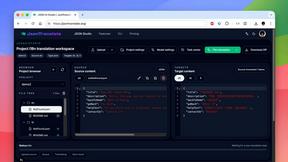
JsonTranslate
A structured JSON, Markdown, and TXT translator that preserves keys, nested paths, and project structure.
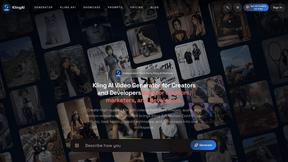
TryKlingAI
Independent Kling AI video generator for text, image, audio, and motion references with Kling 3.0, Lip Sync, and API access.
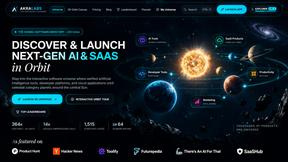
AkraLabs
Where modern software products get discovered, launched, and distributed. Explore verified AI tools, SaaS startups, and developer software.
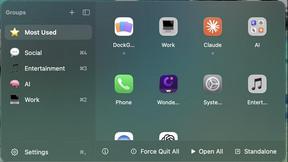
DockGroups
Your Dock, your rules. Simple and clean. Workflows in one click
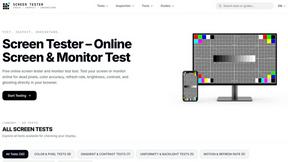
Screen Tester
Free online screen tester for checking dead pixels, colors, brightness, contrast, refresh rate, and display quality.

Clipy
Free, no-watermark screen recorder + instant share links. A Loom alternative: record, stop, share. No signup, no time cap, no app to watch.
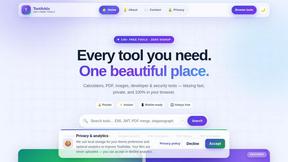
Tooladda
ToolAdda offers a collection of over 138 free, browser-based tools for calculations, PDF manipulation, image editing, and more. All tools run client-s