

About qtrl.ai
In the chaotic world of software quality assurance, most teams are stuck between a rock and a hard place. On one side, manual testing is a reliable but painfully slow grind that simply doesn't scale. On the other, traditional test automation is a brittle, code-heavy beast that's expensive to build and a nightmare to maintain. Then came the wave of "AI-first" promises, which often felt like handing your quality gates over to a risky black box. This is the exact problem qtrl.ai was built to solve. qtrl is a modern, opinionated QA platform that offers a third path: progressive intelligence. It starts with a rock-solid foundation of enterprise-grade test management—giving you a centralized hub for test cases, plans, runs, and real-time dashboards. This isn't an afterthought; it's the core that ensures governance, traceability, and control. Then, and only when you're ready, it layers on powerful, trustworthy AI automation. Think of it as autonomous QA agents that can generate and maintain UI tests from plain English, executing them at scale across real browsers. It’s perfect for product-led engineering teams, QA groups moving beyond manual testing, and any enterprise that values audit trails as much as it values speed. qtrl’s mission isn't to replace you with AI; it's to augment your team with a tool that earns its autonomy, bridging the gap between control and velocity in a way that finally feels sustainable.
Features of qtrl.ai
Enterprise-Grade Test Management
This is the unsung hero of the platform and my personal favorite for teams seeking stability. qtrl provides a centralized, structured command center for all your QA activities. You can organize test cases, plan detailed test runs, trace requirements directly to test coverage, and track everything through live dashboards. It’s built with compliance and auditability in mind, offering full traceability for manual and automated workflows alike. This foundation is what prevents the AI features from becoming chaotic, ensuring you always have clear visibility into what’s been tested and what’s at risk.
Autonomous QA Agents
This is where qtrl truly separates itself from legacy tools. Instead of writing fragile Selenium scripts, you describe what to test in plain English. qtrl’s AI agents then execute those instructions on-demand or continuously across multiple real browser environments. They operate within your defined rules and permissions, performing real browser interactions—not simulations. It’s a game-changer for converting manual test scenarios into reliable, scalable automation without needing an army of automation engineers.
Progressive Automation & Adaptive Memory
This feature embodies qtrl’s core philosophy. You don’t start with a fully autonomous AI; you start with human-written instructions. As the platform's Adaptive Memory builds a living knowledge base of your application from every test run and exploration, it gets smarter. It can then suggest new tests to fill coverage gaps and help generate more tests over time. Every step is reviewable and approvable. This progressive approach builds trust and allows automation to grow organically with your team’s comfort level.
Governance by Design & Multi-Environment Execution
Built for enterprises that can’t afford surprises, qtrl bakes governance into every layer. You have full visibility into agent actions, with no black-box decisions. Permission levels control autonomy, and enterprise-grade security is a given. Coupled with robust multi-environment execution—allowing tests to run across dev, staging, and prod with per-environment variables and encrypted secrets—it ensures you can scale testing safely. The fact that secrets are never exposed to the AI agent is a critical, non-negotiable detail for serious teams.
Use Cases of qtrl.ai
Scaling Beyond Manual Testing
For QA teams drowning in repetitive manual regression tests, qtrl is a lifeline. They can start by simply documenting their manual test cases in the platform. Then, they can progressively use the autonomous agents to automate the most tedious flows by describing them in English. This allows the team to scale their coverage and frequency of testing without hiring more manual testers or requiring everyone to learn complex programming frameworks.
Modernizing Legacy QA Workflows
Companies stuck with outdated, siloed testing tools or homegrown frameworks can use qtrl as a unifying platform. It consolidates test management and automation into one system. Teams can import or recreate their existing test assets and begin integrating AI-powered execution incrementally. This provides a clear, low-risk migration path off of brittle automation scripts and towards a more intelligent, maintainable QA process.
Enabling Product-Led Engineering Teams
Engineering teams that own their own quality (a product-led model) need tools that are powerful but not overly complex. qtrl fits perfectly. Developers or product engineers can write high-level test instructions for features they build, and qtrl handles the execution. This embeds quality checks directly into the development workflow without creating a massive maintenance burden for engineers, fostering a true "shift-left" culture.
Ensuring Governance in Regulated Enterprises
For industries like finance or healthcare where audit trails and compliance are mandatory, qtrl’s structured foundation is essential. The platform provides full traceability from requirements to test cases to execution reports. Every action taken by an AI agent is logged and reviewable. This allows enterprises to leverage cutting-edge automation speed while maintaining the strict governance and demonstrable control required by auditors.
Frequently Asked Questions
How does qtrl.ai's AI differ from other "AI testing" tools?
The key difference is qtrl’s progressive, trust-first approach. Many tools force you into a fully autonomous, black-box AI model from day one, which can be risky and opaque. qtrl starts with a solid test management foundation and introduces AI as an assistive layer. Its agents operate on your instructions, their actions are fully visible, and you maintain approval power at every stage. It’s AI designed to augment and prove its value, not to take over unpredictably.
Can I use qtrl.ai if my team has no coding experience?
Absolutely, and this is one of its strongest suits. The primary interface for creating automated checks is plain English instructions. You describe the user journey (e.g., "Log in, navigate to the dashboard, and verify the welcome message appears"), and qtrl’s agent figures out how to execute it in a real browser. This dramatically lowers the barrier to entry for creating robust UI automation compared to traditional coding-based frameworks.
How does qtrl handle tests when my application UI changes?
This is where the Adaptive Memory and maintenance capabilities shine. The platform builds a contextual understanding of your application. When a UI change breaks a test, qtrl can often suggest a fix or update the test instructions based on the new layout. It significantly reduces the notorious "test maintenance tax" associated with traditional automation, as the AI helps keep your test suite aligned with the evolving application.
Is qtrl.ai suitable for a small startup or only for large enterprises?
It’s designed to scale with you, making it suitable for both. A small startup can begin using the robust test management features for free (on the Start plan) to organize their QA process. As they grow and feel the pain of manual testing, they can seamlessly activate the AI agents to automate without switching platforms. The enterprise-grade security and governance features are there when you need them, not forced on you from day one.
Explore more in this category:
Similar to qtrl.ai

xfiles
PDFs, images and audio. No uploads. No account. No added watermarks.
ConvertSheet
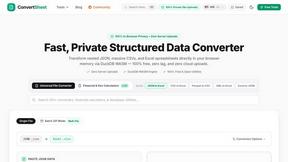
Fast, private client-side file converter and developer spreadsheet suite. Convert JSON, CSV, Excel, XML, and Parquet with zero server uploads.
TestNeo
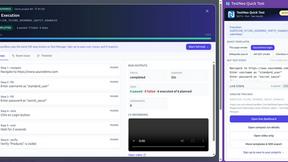
TestNeo.ai is an AI-native engineering and release assurance platform that helps teams automate web and API testing using natural language.
AFFLIGO
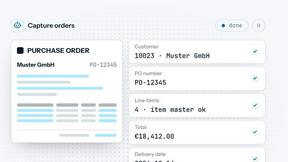
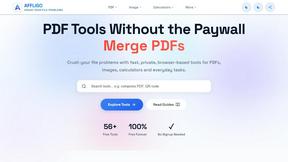
AFFLIGO makes everyday file tasks easier with free online tools to compress, convert, edit, and manage PDFs, images, and more.
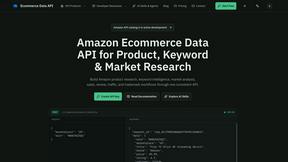
Ecommerce Data API
Amazon research data APIs for developers, sellers and AI agents. Integrate product, keyword and market research through REST APIs and MCP.

MD TO TEXT
Paste Markdown below to remove formatting, keep readable text, and copy clean output for AI workflows, docs cleanup, and publishing.
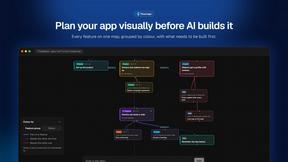
Flowmapp
Flowmaps turns your app idea into a visual map of every feature, checks it for gaps, and writes build steps for Lovable, Bolt, Cursor or Claude Code.