ScopeGuard
ScopeGuard helps freelancers prevent scope creep and recover lost earnings with instant AI contract verification.
Visit
About ScopeGuard
ScopeGuard is a cutting-edge tool tailored specifically for freelancers who often grapple with the detrimental effects of scope creep. Freelancers can lose an alarming average of $5,200 annually due to unbilled work caused by scope changes, which can severely diminish their earnings. ScopeGuard addresses this pressing issue by offering an intuitive dashboard that allows users to import contracts or Statements of Work (SOW) effortlessly and monitor client requests in real-time. Leveraging advanced AI technology, ScopeGuard provides immediate analysis to determine whether client requests fall within the agreed scope, are out-of-scope, or are borderline. This immediate feedback not only simplifies the billing process but also ensures freelancers receive compensation for every hour worked. With additional features such as client approval requests and automated invoice generation, ScopeGuard empowers freelancers to take charge of their projects and finances, enabling them to concentrate on delivering exceptional work without the constant worry of lost revenue.
Features of ScopeGuard
AI-Powered Scope Analysis
ScopeGuard's AI technology provides instant evaluations of client requests against the agreed project scope. This feature allows freelancers to quickly identify whether a request is in-scope or out-of-scope, saving them time and ensuring they bill accurately for their work.
Client Approval Portal
This built-in feature allows freelancers to send secure approval links to their clients. With just one click, clients can review and approve any scope changes, making the approval process seamless and efficient. This helps maintain transparency and reduces disputes over billing.
Real-Time Dashboard
Freelancers can view unbilled work across all their projects in one centralized command center. The dashboard provides a clear overview of any scope changes and unpaid requests, ensuring that freelancers never miss out on billing opportunities.
Chrome Extension Integration
With the ScopeGuard Chrome extension, users can check project scopes directly from any webpage. By simply right-clicking, freelancers can import contracts or verify requests instantly, making it convenient to stay on top of scope management without disrupting their workflow.
Use Cases of ScopeGuard
Freelance Web Designers
Web designers often face scope creep when clients request additional revisions or features beyond the original contract. With ScopeGuard, they can quickly assess whether these requests are billable, ensuring they get paid for every hour spent on client work.
Marketing Consultants
Marketing consultants frequently deal with changes in project deliverables as clients refine their goals. ScopeGuard enables them to track these adjustments accurately, providing clarity on what falls within the initial agreement and what requires additional billing.
Software Developers
Software developers may encounter client requests for new features that were not included in the initial scope. By using ScopeGuard, they can easily determine the financial implications of these requests and manage client expectations effectively.
Content Creators
Content creators, such as writers and graphic designers, can benefit from ScopeGuard by ensuring they recover costs for extra revisions or scope changes requested by clients. This tool helps maintain a fair compensation structure while fostering positive client relationships.
Frequently Asked Questions
How does the AI scope checking work?
ScopeGuard's AI analyzes the text of client requests against the original scope outlined in contracts or SOWs. It then categorizes the requests as in-scope, out-of-scope, or borderline, providing freelancers with instant clarity on billing implications.
What file formats can I import?
Freelancers can import various file formats, including PDFs and screenshots, making it easy to integrate existing contracts and agreements into ScopeGuard for analysis and tracking.
How does the Chrome extension work?
The Chrome extension allows users to check project scopes directly from any webpage. By right-clicking, freelancers can import contracts or assess client requests without needing to switch applications, streamlining their workflow.
Is my contract data secure?
Yes, ScopeGuard prioritizes data security with enterprise-grade protection. Your contracts and sensitive information are stored on secure servers, ensuring that your data remains private and protected at all times.
Explore more in this category:
Similar to ScopeGuard
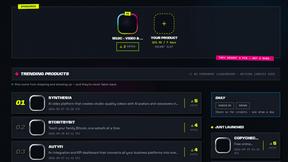
DebutPin
A launch platform where products keep collecting visibility, feedback and connections long after launch day.
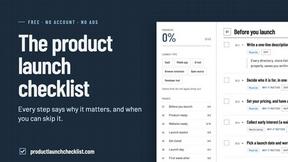
Product Launch Checklist
A free launch checklist for SaaS, apps, AI tools and more. Every step says why it matters and when you can skip it.
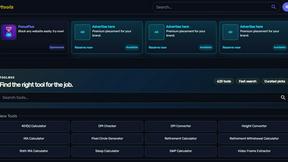
Kody Tools
Free collection of online developer utilities, code formatters, and digital converters designed to streamline your daily workflow.
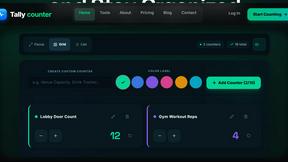
tallycounterweb.com
Online tally counter for tracking attendance, workouts, inventory, sports scores, visitors, habits, and everyday counting tasks.
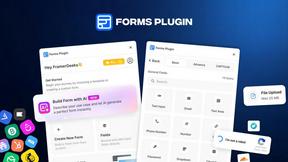
Forms Plugin
The #1 Native Form Builder Plugin for Framer - No Code, No Embeds, No External Platforms.

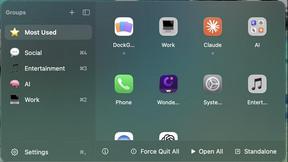
DockGroups
Your Dock, your rules. Simple and clean. Workflows in one click