
Seedance 2.0
Seedance 2.0 transforms text and images into stunning, high-quality videos with seamless motion and cinematic detail.
Visit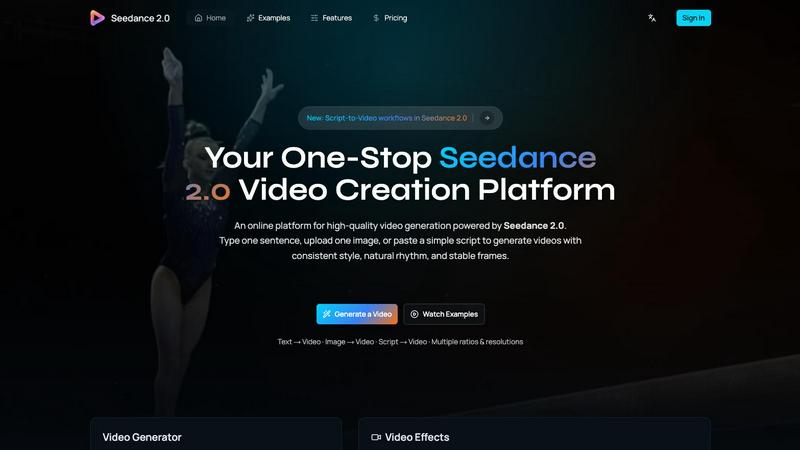
About Seedance 2.0
Seedance 2.0 is an advanced AI video generation model engineered by ByteDance's Seed research team, setting a new standard in video creation technology. It builds upon the foundations of its predecessor, Seedance, offering substantial enhancements in motion coherence, physical realism, and multimodal generation capabilities that are unmatched in the industry. Designed for content creators, marketers, filmmakers, and anyone looking to produce high-quality video content quickly, Seedance 2.0 transforms simple text or images into breathtaking cinematic scenes. Its unique architecture not only facilitates text-to-video and image-to-video generation but also integrates audio seamlessly, streamlining the creative process. This makes Seedance 2.0 an invaluable tool for anyone aiming to produce professional-grade videos with ease and efficiency.
Features of Seedance 2.0
Text-to-Video
Seedance 2.0 allows users to convert a single sentence into a fully realized cinematic scene. The model generates coherent motion that maintains continuity throughout the video, making it perfect for storytelling and marketing narratives.
Image-to-Video
This feature enables users to take reference images and transform them into animated videos. By guiding composition, identity, and visual style, it allows for a personalized touch in video creation, appealing especially to artists and designers.
Integrated Audio Generation
The Pro version of Seedance 2.0 seamlessly generates synchronized audio alongside video in a single pass. This includes sound effects, background music, speech synthesis, and multilingual lip-sync, simplifying the video creation process and enhancing the overall experience.
Physics-Aware Motion
Seedance 2.0 excels in simulating realistic physical dynamics, such as cloth movement, water splashes, and fire effects. This attention to detail elevates the realism of generated videos, making them visually stunning and immersive.
Use Cases of Seedance 2.0
Marketing Campaigns
Businesses can utilize Seedance 2.0 to create engaging promotional videos that capture attention through high-quality visuals and coherent narratives. This tool streamlines the video production process, allowing for rapid content generation.
Educational Content
Educators can develop instructional videos that visually demonstrate concepts using both text and imagery. This feature enhances learning experiences, making complex ideas easier to grasp through dynamic visuals.
Social Media Content Creation
Content creators can leverage Seedance 2.0 to produce captivating video snippets for platforms like Instagram and TikTok. The ability to generate quick, high-quality videos helps maintain audience engagement in a fast-paced digital environment.
Film and Animation Projects
Filmmakers and animators can utilize the platform to create storyboards or rough cuts from scripts and images. The ability to visualize scenes quickly allows for better planning and execution in larger production projects.
Frequently Asked Questions
What types of videos can I create with Seedance 2.0?
With Seedance 2.0, you can create a variety of videos including promotional content, educational videos, social media clips, and even complex narratives for film projects, all with high production quality.
How does the audio generation feature work?
The integrated audio generation feature in the Pro version creates synchronized audio tracks with the video. This includes background music, sound effects, and speech, all generated in one go, eliminating the need for separate audio editing.
Is Seedance 2.0 suitable for beginners?
Absolutely! Seedance 2.0 is designed to be user-friendly, allowing beginners to easily create professional-quality videos without requiring extensive technical knowledge or experience in video production.
Can I use my own images in the video generation process?
Yes, Seedance 2.0 allows users to upload their own images as references. This feature helps guide the composition and visual style of the generated videos, making it highly customizable for individual projects.
Explore more in this category:
Similar to Seedance 2.0

ReelsLaunch
AI video workspace for fast H3 Max clips and automated Instagram Reels publishing.


TryKlingAI
Independent Kling AI video generator for text, image, audio, and motion references with Kling 3.0, Lip Sync, and API access.
Z Image Turbo
Create photorealistic images, bilingual posters, ecommerce visuals, and social content online with Z Image Turbo.
AI UGC Video Generator
Create AI UGC video ads from product URLs, images, or scripts with lifelike creators, voices, captions, and clear calls to action.

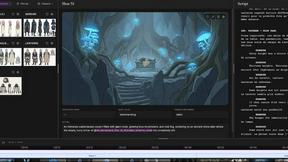
ScreenWeaver
Write the script, build the storyboard from it, and drive AI video prompts, all in one project.