Seedream 5.0 AI
Seedream 5.0 AI creates stunning 2K images and cinematic videos from text prompts, elevating your creative projects.
Visit
About Seedream 5.0 AI
Seedream 5.0 AI is an innovative fifth-generation diffusion transformer model that transforms the process of image generation for creators, designers, and teams alike. This powerful AI tool enables users to produce stunning, professional-quality images within seconds, significantly expanding creative horizons. With its current limited-time offer of a 50% discount, Seedream 5.0 AI stands out as the ultimate resource for generating exceptional visuals across various applications.
Utilizing advanced artificial intelligence, Seedream 5.0 AI interprets text prompts with remarkable precision, converting them into breathtakingly realistic images. Its capabilities include producing high-resolution 2K images characterized by intricate details, realistic skin textures, and sophisticated reflections that rival professional photography. The model's impressive comprehension of prompts ensures that even complex descriptions are accurately rendered, enabling creators to visualize their unique concepts effortlessly. This makes Seedream 5.0 AI an indispensable tool for anyone seeking to elevate their visual content creation.
Features of Seedream 5.0 AI
Text-to-Image Generation at 2K Resolution
Seedream 5.0 AI excels at converting detailed text prompts into stunning 2K images. Users can describe any visual concept, whether it be portraits, product shots, or expansive landscapes, and the AI will generate high-quality images that meet their specifications, ensuring a seamless creative process.
Image-to-Image Editing with Natural Language
This feature allows users to upload existing images and edit them using natural language descriptions. Whether it's style transfer, object removal, or background swaps, Seedream 5.0 AI interprets user commands accurately, streamlining the editing workflow and enhancing creative flexibility.
Multi-Subject Composition with Individual Control
Seedream 5.0 AI can compose scenes featuring three or more distinct subjects while preserving their unique characteristics and spatial relationships. This capability allows creators to craft intricate narratives within their visuals, making it ideal for storytelling and dynamic compositions.
Native Style Control Across Visual Aesthetics
With Seedream 5.0 AI, users can easily switch between various visual styles, including photorealism, anime, cyberpunk, watercolor, oil painting, and 3D rendering. This versatile style control can be achieved via text commands or reference images, giving creators the freedom to explore diverse artistic expressions.
Use Cases of Seedream 5.0 AI
Character Design and Concept Art
Artists and designers can leverage Seedream 5.0 AI to generate detailed character designs and concept art quickly. This tool allows for rapid prototyping of ideas, enabling creatives to visualize their characters in various styles and settings.
Marketing and Promotional Materials
Seedream 5.0 AI is a game changer for marketing professionals. They can create eye-catching promotional visuals, product shots, and advertisements in record time, ensuring that marketing campaigns are both effective and visually compelling.
Social Media Content Creation
Content creators can use Seedream 5.0 AI to generate high-quality images and videos for their social media platforms. The ability to produce stunning visuals quickly helps maintain an active online presence and engage audiences more effectively.
Educational and Instructional Material Design
Educators and instructional designers can utilize Seedream 5.0 AI to create illustrative materials that enhance learning experiences. From infographics to engaging visuals for presentations, this tool helps convey complex information in an accessible and visually appealing manner.
Frequently Asked Questions
What types of images can I generate with Seedream 5.0 AI?
Seedream 5.0 AI allows you to generate a wide variety of images, including portraits, landscapes, product shots, and more, all at an impressive 2K resolution.
How does the natural language editing feature work?
The natural language editing feature enables users to describe specific edits they want to make to an uploaded image. This could include changes like removing objects or changing the background, and the AI will interpret these requests accurately.
Can I control the style of the images generated?
Yes, you can control the style of your images through Seedream 5.0 AI. The tool supports various visual aesthetics, including photorealism, anime, and more, allowing users to achieve their desired artistic vision.
How long does it take to generate images or videos?
Images are processed in seconds, while videos may take a few minutes to generate. Regardless, the output is ready for download at up to 2K resolution, ensuring high-quality results.
Explore more in this category:
Similar to Seedream 5.0 AI

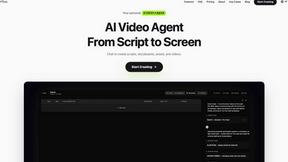
ReelsLaunch
AI video workspace for fast H3 Max clips and automated Instagram Reels publishing.
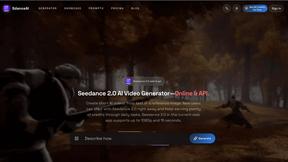

TryKlingAI
Independent Kling AI video generator for text, image, audio, and motion references with Kling 3.0, Lip Sync, and API access.


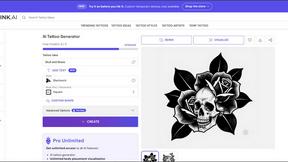
Z Image Turbo
Create photorealistic images, bilingual posters, ecommerce visuals, and social content online with Z Image Turbo.
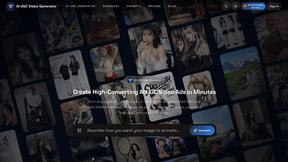
AI UGC Video Generator
Create AI UGC video ads from product URLs, images, or scripts with lifelike creators, voices, captions, and clear calls to action.