
Sketch To
Transform your images into stunning sketches with Sketch To’s powerful AI tool for both free and professional use.
Visit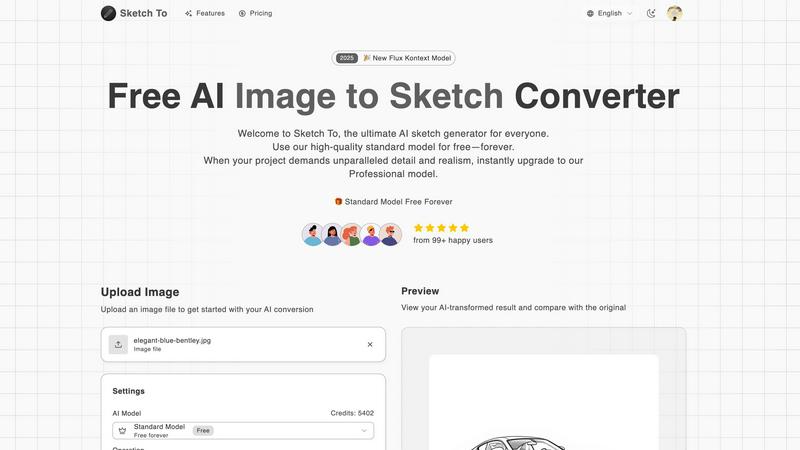
About Sketch To
Sketch To is an innovative AI tool that seamlessly bridges the gap between photography and illustration, making it a must-have for anyone interested in creative expression. With its unique bidirectional functionality, users can transform a photograph into a beautifully detailed sketch or bring life to their hand-drawn sketches by converting them into photorealistic images. This versatility caters to a diverse audience, from casual hobbyists wanting to enhance their social media presence to professional artists and designers seeking high-fidelity conversions for commercial projects. The platform stands out by offering a robust free tier for standard conversions, which democratizes access to high-quality art creation. Additionally, Sketch To provides a straightforward credit-based upgrade path to a more advanced professional model, ensuring that users can scale their creative projects as needed. For anyone envisioning a photo as a pencil drawing or desiring their sketches to leap off the page, Sketch To serves as a powerful, intuitive gateway, enabling users to realize their artistic visions in mere seconds.
Features of Sketch To
Image to Sketch Conversion
Sketch To excels at converting photos into exquisite pencil sketches, leveraging advanced AI technology to deliver stunning results. This feature is perfect for artists and designers looking to create artistic renditions of their photographs without the need for extensive manual labor.
Sketch to Image AI
The platform offers a remarkable ability to transform hand-drawn sketches into realistic images with incredible detail and accuracy. Using the Pro model, users can achieve stunning realism, making it an invaluable tool for professionals who wish to enhance their hand-drawn work for commercial use.
Trial Credits Model
New users benefit from trial credits that allow them to explore the features of the standard model for free. This model is designed for personal use and hobbyists, enabling them to experiment with AI-driven artistic conversions without any upfront costs.
High Resolution Output
All creations can be downloaded in high resolution, making them suitable for print and professional applications. This feature ensures that users can utilize their AI-generated artworks in various formats, whether for social media, portfolios, or commercial projects.
Use Cases of Sketch To
Social Media Enhancement
Hobbyists and influencers can use Sketch To to transform ordinary photos into captivating sketches, adding a unique artistic flair to their social media posts. This eye-catching content helps engage audiences and enhances visual storytelling.
Professional Artwork Creation
Artists and designers can leverage the Pro model to create high-quality images from sketches, allowing for the production of detailed artwork suitable for client presentations and commercial projects. This feature streamlines the creative process, enabling professionals to focus on their artistic vision.
Educational Projects
Students and educators can utilize Sketch To for school projects, transforming images into sketches to demonstrate artistic concepts or creating visually appealing presentations. This tool enhances learning by making art and design more accessible and engaging.
Personalized Gifts and Merchandise
Users can create personalized gifts by converting cherished photographs into artistic sketches, making unique items such as framed art or custom merchandise. This use case adds a personal touch to gifts and allows for creative expression in everyday life.
Frequently Asked Questions
What types of images can I upload to Sketch To?
You can upload various image formats to Sketch To, including JPEG, PNG, and more. The platform supports multiple image uploads, making it easy to convert your favorite photos and sketches.
Is there a limit to the number of conversions I can make?
While the standard model offers free trial credits for new users, there are limits based on the credits available. Users can purchase additional credits to continue making conversions as needed.
How does the Pro model differ from the Standard model?
The Pro model offers enhanced detail, texture, and realism for both image-to-sketch and sketch-to-image conversions. It is designed for commercial use, providing professional-grade outputs suitable for high-stakes projects.
Can I preview my conversion before downloading?
Yes, Sketch To allows you to preview your AI-transformed result before downloading. You can easily compare it with the original image to ensure it meets your expectations.
Similar to Sketch To
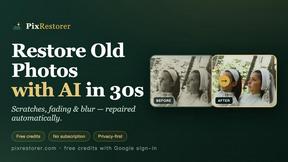
PixRestorer
Restore and colorize old photos with AI in seconds. PixRestorer repairs scratches, fading, blur, and tears, brings black-and-white prints to life in n
Nano AI Prompts
NanoAIPrompts is a free AI image prompt library built for creators, photographers, designers, and AI enthusiasts. It offers ready-to-use prompts.
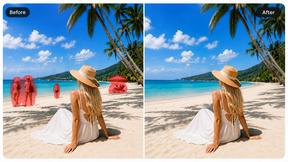
Magic Eraser
AI photo editor for removing objects and backgrounds, enhancing images, and creating visuals on web and mobile.
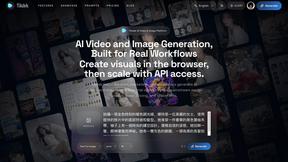
Seedance 2.5 Free
Create polished AI videos from text or images with Seedance 2.5 Free.
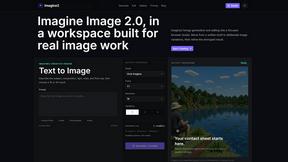
Imagine2
Private browser-based AI image generation and editing with text-to-image, targeted edits, and multi-image references.
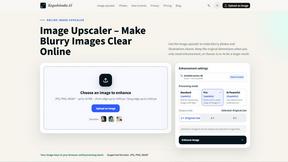
Kogashitsuka AI
An online AI image tool that enhances photos and illustrations at their original size or upscales them by 2x or 4x.
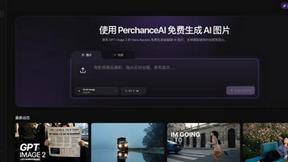
PerchanceAI
PerchanceAI is an AI creative studio for image generation, editing, background removal, product photos, and image-to-video creation.
