
Spark Robin AI
Spark Robin AI turns your text prompts or images into stunning short videos in seconds, my top pick for effortless creative video generation.
Visit
About Spark Robin AI
Spark Robin AI is my current favorite among the new wave of browser-based video generation tools, and for good reason. It is a powerful platform built around the latest Spark Robin model that lets you create short, high-quality videos directly from text prompts or by animating your own images. The core value proposition here is speed and accessibility: you can go from a rough idea to a viewable video clip in minutes, all without touching a single piece of traditional editing software. This is a tool designed for creators, marketers, and designers who need to test visual concepts rapidly. Whether you are an ecommerce founder wanting to see a product in motion, a content creator comparing hooks for TikTok and Reels, or a performance marketer deciding which ad angle to test, Spark Robin AI is built to make that decision visual and fast. The platform offers a clean, intuitive interface where you select your model, write your prompt (up to 2000 characters), choose your quality, aspect ratio, and resolution (up to 4K), and then generate. It even allows you to start with a reference image for when you need to preserve a specific visual direction. The output is a short, dynamic clip that captures the mood, action, and style you described. What I appreciate most is that Spark Robin AI does not try to replace a full production pipeline; instead, it excels as a rapid prototyping engine for video ideas. It is the kind of tool that makes the early, often abstract stages of video creation feel concrete and tangible, saving you time and budget before you commit to a full edit. This is not just a generator; it is a creative decision-making partner.
Features of Spark Robin AI
Text to Video Generation
This is the flagship feature, and it is remarkably straightforward. You simply type a description of the scene you want to see, including subject, action, lighting, and mood, and Spark Robin AI brings it to life. The model interprets your prompt with impressive fidelity, turning written concepts into generated clips that feel intentional rather than random. I find this feature invaluable for quickly iterating on campaign angles or scene concepts without needing a camera or a shoot. You can test a "golden sunrise over misty mountains" and then immediately tweak the prompt to "a cyberpunk city street at night with neon reflections," seeing the visual shift in real-time. The character limit of 2000 gives you plenty of room to be specific, which is the secret to getting great results.
Image to Video Animation
This feature is a game-changer for anyone working with existing visual assets. Instead of describing a scene from scratch, you can upload a reference image such as a product shot, a character design, or a moodboard element, and the AI will animate it while preserving the core visual idea. For example, you can take a static product photo and turn it into a dynamic clip where the product is shown in a subtle, cinematic motion. This is perfect for ecommerce founders like Maya Brooks, who use it to turn product photos into video directions before briefing a full production team. It bridges the gap between a static concept and a motion note, saving immense time and creative friction.
Multiple Visual Styles and Flexible Outputs
Spark Robin AI does not lock you into one aesthetic. You can choose from a curated set of visual styles including Cinematic, Realistic, Anime, Artistic, and Minimalist. This flexibility is crucial for tailoring content to different platforms and brand identities. A cinematic style works beautifully for a brand story, while an anime style is perfect for a playful social media post. Beyond style, you get full control over the output format with flexible aspect ratios (16:9, 9:16, 1:1) and variable durations (5s, 10s). You can also select the resolution from 720p up to 4K. This means you can generate a quick, low-resolution draft for internal review and then a high-resolution final clip for publishing.
Live Generation Status and Refinement Loop
One of the most thoughtful features is the live generation status. When you submit a prompt, you are not left guessing. You can follow each task from submission through processing to the final review. This transparency is essential for a fast-paced creative workflow. More importantly, the platform is designed for iteration. You generate a clip, review the result, and then refine your prompt for a sharper take. This compare, and refine loop is the heart of the creative process. It allows you to track your progress, see what works, and quickly discard what does not. It turns video creation into a rapid, experimental process rather than a one-shot gamble.
Use Cases of Spark Robin AI
Rapid Creative Testing for Social Media Hooks
Content creators like Ethan Cole use Spark Robin AI to compare hooks for TikTok and Reels before committing to a full shoot. The ability to generate multiple short clips from different text prompts, such as a "cinematic 5s clip of a sunrise" versus a "realistic 10s clip of a thunderstorm," allows you to visually compare which angle is more compelling. This makes the early idea stage feel visual instead of abstract. You can test different styles, durations, and aspect ratios to see what resonates best with your audience, all without spending hours in an editor. It is the fastest way to answer the question, "Which hook should I invest in?"
Ecommerce Product Video Prototyping
For ecommerce founders, the journey from a product photo to a video ad can be expensive and slow. Spark Robin AI changes that. You can upload a product shot as a reference image and then use the Image to Video feature to animate it into a short, dynamic clip. You can then experiment with different prompts to set the scene, like "product on a marble countertop with soft lighting" or "product being used in a vibrant outdoor setting." This allows you to generate multiple video directions that you can judge before briefing a full production team. It turns a static product catalog into a source of motion content for ads, social posts, and website hero sections.
Performance Marketing Ad Angle Validation
Performance marketers, like Nora Hayes, live by the principle of testing. The first question for any paid social campaign is which angle is worth testing. Spark Robin AI provides fast visual drafts for that critical decision. Instead of writing a brief and waiting for a video editor to produce a sample, you can generate a clip from a text prompt in minutes. You can test a "minimalist 5s clip" against a "cinematic 10s clip" to see which visual approach feels more clickable. This drastically reduces the time from idea to data, allowing you to launch tests faster and optimize your ad spend more effectively.
Moodboarding and Motion Reference for Designers
Designers and art directors often need to communicate a sense of motion in their moodboards. Spark Robin AI is an excellent tool for this. Instead of relying on static images or complex editor animations, you can generate short motion clips that capture the exact feel you are going for. For example, a designer like Lena Price can use the tool to create a "minimalist 5s clip of abstract geometric shapes morphing" or a "cinematic 10s clip of a cozy cabin interior with a fireplace." These clips become powerful motion notes that are much clearer than a paragraph in a brief. They help align a team on the visual direction before any major production begins.
Frequently Asked Questions
Do I need to register to use Spark Robin AI?
No, you do not need to register to try the basic features. The platform allows you to generate videos from a text prompt or by animating an image directly on the website without any registration. This is a fantastic way to test the tool and see the quality of the output before committing to a plan. However, to save your projects, access higher resolutions like 4K, or get more credits, you will need to sign in and choose a pricing plan.
What are the key differences between Text to Video and Image to Video?
Text to Video is used when you are starting from a pure concept or written description. You type your prompt, and the AI generates a video based solely on that text. Image to Video is used when you have a specific visual reference, like a product photo or a character design, that you want to animate. In this mode, the AI uses your image as the starting point and generates a video that preserves the core visual idea while adding motion. The choice depends on whether you are creating a scene from scratch or bringing an existing asset to life.
What output options are available for resolution and aspect ratio?
Spark Robin AI offers a flexible set of output options to match different platforms and needs. For resolution, you can choose from Standard (720p), High (1080p), or Premium (4K). For aspect ratio, you can select from 16:9 (landscape, great for YouTube), 9:16 (vertical, perfect for TikTok and Reels), 1:1 (square, ideal for Instagram), or Auto, which lets the AI choose the best fit based on your prompt or reference image. This flexibility ensures your generated clips are ready for the channel you are targeting.
How does the credit system work for generating videos?
The platform uses a credit system to manage usage. When you generate a video, it costs a certain number of credits, which is displayed on the generate button (e.g., "20 CREDITS"). The number of credits required can vary based on the quality, resolution, and duration of the video you are generating. Your available credits are tied to your account plan. Basic plans come with a set number of monthly credits, while higher-tier or annual plans offer more credits for heavier usage. You can track your credit balance in your account settings.
Pricing of Spark Robin AI
Spark Robin AI offers a straightforward pricing structure designed to scale with your creative needs. The most popular option is the Basic Annual plan, which costs $118 and provides significant savings of 50% compared to the monthly billing option. You can choose between an Annually or Monthly billing cycle, or opt for a Pay as you go model if you have lighter, more sporadic needs. The annual plan is clearly the best value for anyone who plans to use the tool regularly for prototyping and content creation, as it gives you a predictable cost and a generous pool of credits to work with each month.
Explore more in this category:
Similar to Spark Robin AI
The Kiss
Turn two photos into a cinematic AI kissing video. Pick one of 13 kiss video templates; 30 free credits on sign-up.
trykissai
AI kiss generator: add a photo of each person, pick a kiss scene, and get a kiss photo or a 5–7 second clip. 30 free credits.
Ozil Goal AI
Turn a portrait photo into a football goal video. One free reference image per verified account; videos use paid one-time credits.
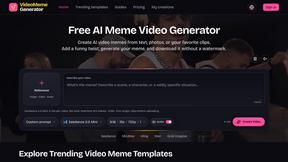
Video Meme Generator
Create AI video memes from photos, clips or text prompts. Free credits to start.
Angry Dance Filter
Upload one photo and get a 15-second angry dance video. Free watermarked preview, then optional one-time video packs.
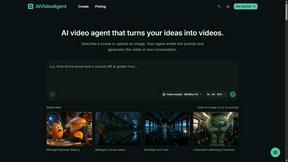
AIVideoAgent
Turn text ideas or reference images into videos through conversation, with agent-assisted prompts and a choice of video models.
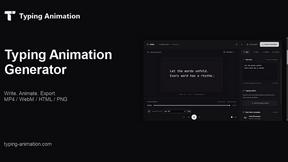
Typing Animation
Create typing animation videos with custom fonts, timing and synchronized keyboard sounds.
ImageAgent
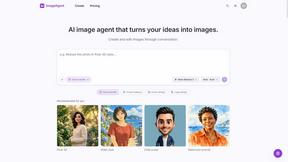
Create and edit AI images through conversation, using text or reference images and refining results in chat.