
Typebar
Every key you press lights up on an on-screen keyboard, and each shortcut is named. For screen recordings, demos and learning shortcuts.
Visit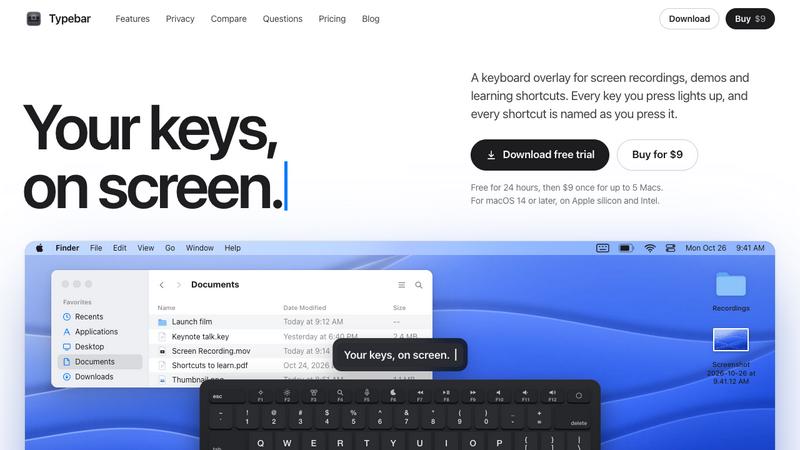
About Typebar
Typebar is a keyboard overlay for the Mac, made for screen recordings, demos and learning shortcuts. Every key you press lights up on an on-screen keyboard, and a pill names each shortcut from the app's own menus, like Screenshot Selection for Shift Command 4.
Hold a modifier and the keys show what they do in the app in front. There are cheatsheets for every app, 20 hand-made packs and your own keybindings from 11 apps. Click ripples, a cursor halo, Spotlight, six switch sounds and 40 themes with a theme editor are built in.
Password fields stay private, and nothing you type is saved or sent anywhere. Typebar can show itself when a recording starts and hide when it stops.
Free for 24 hours, then $9 once for up to 5 Macs. macOS 14 or later, on Apple silicon and Intel.
Explore more in this category:
Similar to Typebar
Bicep Heart
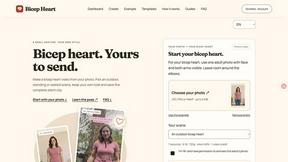
Turn one photo into a 7-second bicep heart video with outdoor, standing or seated scenes and a silent vertical MP4.

Goshortsai
Turn photos into AI videos for free with Goshortsai. Sign in daily to get free credits, upload an image, describe motion, and generate your video.
ZeraBooks
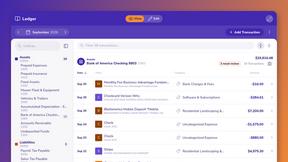
Bookkeeping software that works from your bank statements and reconciles every month to the cent.

Zalcro
AI app planning tool for vibe coders and developers

mytoolsbench
My Tools Bench provides simple and useful online tools designed to make everyday tasks easier. From productivity tools to helpful web utilities, our p

RenewRoster
Track every client domain and SSL expiry in one list with 60/30/14/3-day alerts and white-label client reminders.

Nitrozen
Publish product updates, embed an in-app changelog widget and host a public changelog page with Markdown, API and MCP.