
UndercoverGPT
UndercoverGPT discreetly unlocks ChatGPT at work or school with professional-looking cover sites.
Visit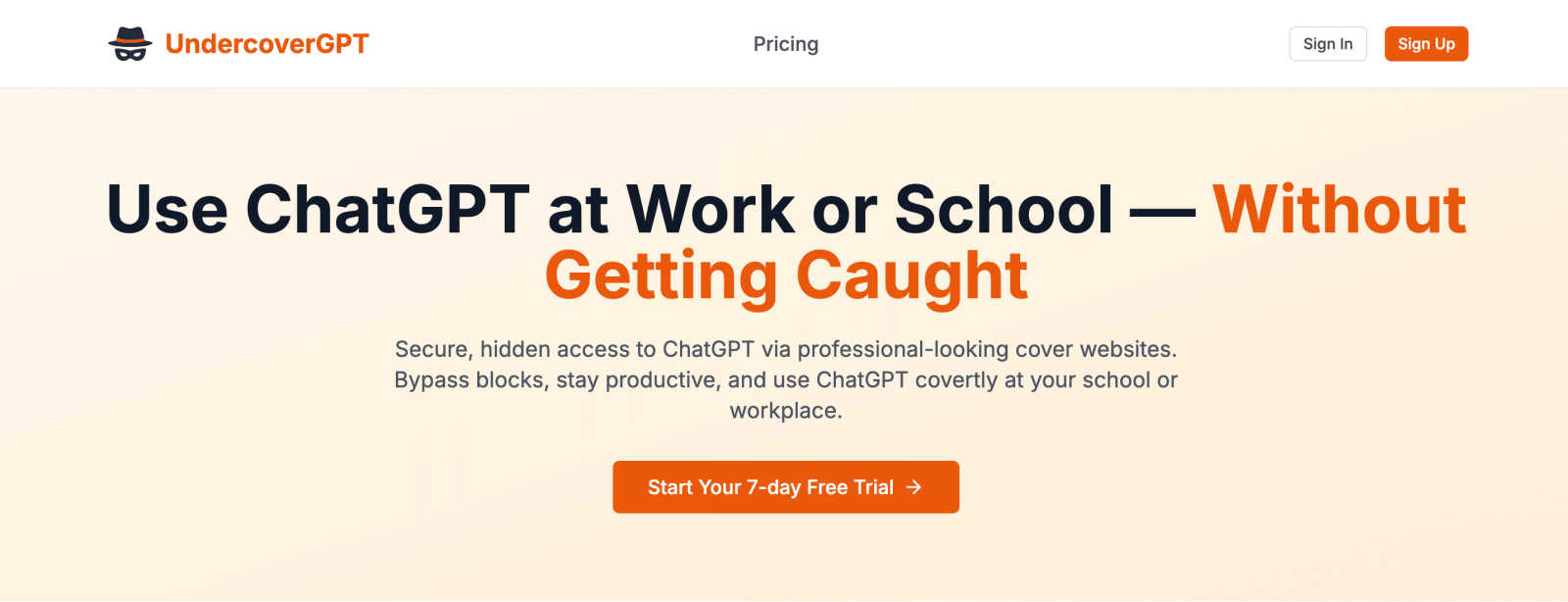
About UndercoverGPT
In the modern digital workspace and classroom, AI tools like ChatGPT have become indispensable for boosting productivity and creativity. Yet, outdated IT policies and restrictive firewalls often lock these powerful resources away, leaving students and professionals stuck. This is where UndercoverGPT comes in—it's not just another AI tool; it's your digital skeleton key. UndercoverGPT is a brilliantly simple yet effective service that provides secure, hidden access to ChatGPT in environments where it's typically blocked. Its core genius lies in using professional-looking "cover" websites that appear completely benign to network administrators, allowing the AI interface to function seamlessly in the background. It’s specifically designed for the student racing against a deadline, the employee optimizing a tedious report, or anyone who needs a quick, intelligent answer without triggering IT alarms. The primary value proposition is clear: maintain your competitive edge and workflow efficiency without the fear of detection or reprimand. In my opinion, it’s a necessary tool for navigating the often-arbitrary digital restrictions of schools and corporate offices, ensuring you can leverage the full potential of AI assistance discreetly and on your own terms.
Features of UndercoverGPT
Stealth Mode Operation
UndercoverGPT operates through a network of meticulously designed cover websites that mimic legitimate business or educational portals. When you access the service, you're not hitting a known ChatGPT domain; you're visiting what looks like a standard corporate dashboard or research site. This clever obfuscation makes it virtually invisible to standard URL-based web filters, allowing the AI chat functionality to run undetected right under the nose of network monitoring systems.
Seamless User Experience
Despite its covert nature, the tool prioritizes a smooth and intuitive user interface. There's no clunky software to install or complex configurations to manage. You simply navigate to the provided cover site and are greeted with a familiar ChatGPT-like chat window. This ensures that all the powerful capabilities of GPT—from drafting and summarizing to coding and brainstorming—are available without any compromise on usability or speed.
Secure and Encrypted Access
Security is paramount when accessing tools in restricted environments. UndercoverGPT ensures that your queries and interactions are handled with robust encryption. This protects your data and your activity from prying eyes, not just from network admins but from potential external threats. You can confidently ask for help with sensitive work projects or personal academic tasks knowing your intellectual property and privacy are safeguarded.
Cross-Platform Compatibility
The service is designed for maximum accessibility, functioning flawlessly on any device with a web browser. Whether you're on a school-issued Chromebook, a locked-down office desktop, or even your personal smartphone on the company Wi-Fi, UndercoverGPT works. This universal compatibility means your AI assistant is always just a few clicks away, regardless of the hardware limitations imposed on you.
Use Cases of UndercoverGPT
Academic Research and Paper Writing
For students facing research blocks or struggling to structure complex essays, UndercoverGPT is a game-changer. It can help brainstorm thesis statements, summarize dense academic sources, suggest citations, and refine arguments—all from within the school library or a campus computer lab. This turns hours of frustration into productive, high-quality output without violating acceptable use policies overtly.
Corporate Report Drafting and Editing
Professionals can use the tool to efficiently draft reports, emails, and presentations. Instead of staring at a blank document, you can covertly ask UndercoverGPT to generate outlines, polish paragraphs for clarity, or even analyze data trends. This significantly accelerates workflow, allowing employees to produce higher-quality work in less time and stand out for their efficiency, not their rule-bending.
Quick Problem-Solving and Coding Help
Developers, engineers, or analysts working in restrictive IT environments can discreetly seek coding assistance, debug error messages, or understand complex documentation. UndercoverGPT acts as an instant, expert peer programmer, providing snippets, explanations, and solutions that keep a project moving forward without waiting for formal support tickets or approvals.
Language Translation and Learning
Employees in global companies or students in language classes can use the tool for real-time translation and language practice. Need to quickly understand a foreign-language email or check the grammar of a response? UndercoverGPT provides immediate, contextual assistance that is far more nuanced than basic web translators, all while maintaining a low profile.
Frequently Asked Questions
Is using UndercoverGPT legal?
Using UndercoverGPT is legal in itself, as it is a software service. However, its use may violate the specific terms of service or acceptable use policies of your school, workplace, or network provider. It is your responsibility to understand and consider the rules of the institution whose network you are using. The tool provides the capability; the ethical and contractual decision to use it rests with the individual.
Will UndercoverGPT get me caught by IT?
UndercoverGPT is specifically designed to evade common detection methods like URL filtering. It does not install any software that appears on a system scan. While no method is 100% foolproof against sophisticated, dedicated monitoring, its use of cover sites makes it highly discreet for circumventing standard blocks. It is far less detectable than using a VPN, which is often flagged immediately.
Do I need to install any software?
No installation is required. UndercoverGPT is a web-based service accessed through your internet browser. This makes it incredibly convenient and low-risk, as it leaves no traces like installed programs or desktop shortcuts on a managed device. You simply visit the cover website and begin using the AI chat interface immediately.
What kind of cover websites does it use?
The service utilizes a rotating selection of websites designed to look like bland, professional portals—think generic project management dashboards, internal wikis, or research archives. These sites are chosen for their innocuous appearance and are not associated with AI or productivity tools in any obvious way, allowing them to blend in with typical corporate or educational web traffic.
Explore more in this category:
Similar to UndercoverGPT
Lemongraph
Almost every conversation ends with a promise. Lemongraph keeps track of them for you and lines up your day the way you would.

Kovnerov
Personal site of Vlad Kovnerov: analytics dashboards, web development, Telegram bots and browser tools for sellers and subscription tracking.
Everywhere
Fast file search for the Mac. Results as you type, files inside Mail and Photos, works with Wi-Fi off. $19 once.

Basalt
Eighteen PDF tools in one native Mac window: merge, split, compress, OCR, Bates numbering, forms, signing and redaction. Offline. $29 once.
Voice Keyboard Pro
Hold a key, say what you mean, let go. Clean, punctuated text lands at the cursor in any app on your Mac or iPhone.

Mainspring
Mainspring turns the settings macOS hides into 90+ one-click, fully reversible power-ups for Finder, Dock, screenshots and more. $29 once.
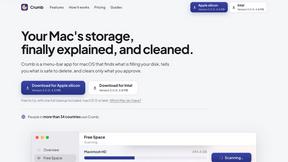
Crumb
A Mac menu bar app for a full disk. See what is using your space, read whether it comes back on its own, and remove only what you tick.

Inkling
Catch a thought without leaving what you are doing. Notes, checklists and a little companion in your Mac's notch. $12 once.