
VideoAny.be
VideoAny is my top pick for an all-in-one uncensored AI studio that seamlessly generates video, images, and audio with new models like Seedance 2.0.
Visit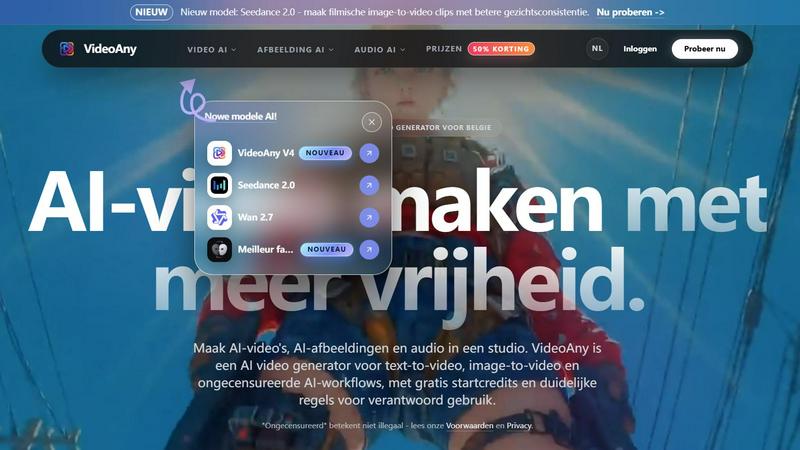
About VideoAny.be
VideoAny.be is my new favorite all-in-one AI creation studio, and I think it will be yours too. It is the ultimate platform for turning wild ideas, text prompts, images, and even audio into polished, professional-looking videos without the headache of juggling ten different tools. This is not just another video generator; it is a complete creative suite that combines text-to-video and image-to-video generation with powerful AI image and audio tools. What makes it truly stand out is its philosophy of freedom. It is designed for fast experimentation, supporting a wide range of creative styles without those annoying, overly restrictive content filters that kill your workflow. You can start for free, generate everything directly in your browser, and move from a raw concept to a finished visual masterpiece without ever switching tabs. I see it as the perfect Swiss Army knife for content creators, social media managers, digital artists, and anyone who wants to produce high-quality video-first content quickly. The platform is particularly strong for creators in Belgium and the Netherlands, but its appeal is global. It boldly states that "uncensored" does not mean illegal, offering clear guidelines for responsible use while giving you more prompt freedom than most competitors. If you are tired of hitting walls with other AI tools, VideoAny is the refreshing, powerful alternative you have been waiting for.
Features of VideoAny.be
AI Video Generator (Text-to-Video & Image-to-Video)
This is the heart of the platform, and it is incredibly versatile. You can take a simple text prompt and watch it transform into a fluid, cinematic video clip, or you can upload an image and animate it with stunning motion. The new models like Seedance 2.0 and Wan 2.7 are absolute game-changers. Seedance 2.0 delivers filmic image-to-video clips with significantly better face consistency, which is a huge pain point for many AI creators. Meanwhile, Wan 2.7 offers smoother motion, stronger prompt adherence, and better overall results from image to video. I personally love how fast the generation is; images are ready in seconds, and videos typically complete in a few minutes. This speed allows for rapid iteration, so you can experiment with different styles and prompts without waiting forever.
Uncensored AI Image Generation
This feature is a breath of fresh air for anyone who has felt stifled by the heavy censorship on other platforms. VideoAny allows you to generate characters, styles, reference images, and even legal adult concepts with much more control over your prompt. It provides clear safety boundaries, so you know exactly what is allowed and what is not. This is not about creating illegal content; it is about giving artists and creators the freedom to explore mature, artistic, and experimental themes without arbitrary blocks. I find this particularly useful for generating consistent character designs for stories or creating specific visual references that other tools would reject. The new GPT Image 2 model is also a standout, generating sharp AI images from prompts in just seconds, making it a fantastic companion for your video projects.
Integrated AI Audio Tools
One of my favorite aspects of VideoAny is that it does not stop at video. It includes a full suite of AI audio tools, allowing you to create music, voiceovers, and sound effects that perfectly match your AI video. This seamless integration is a massive time-saver. Instead of generating a video in one tool, then hopping over to another service to create audio, and then trying to sync everything in a third app, you can do it all in one place. The audio generation is impressively fast, often completing within a minute, and the quality is high enough for professional social media posts and short films. This all-in-one workflow is what makes VideoAny feel like a true creative studio rather than just another generator.
Fast Experimentation with Multiple AI Models
VideoAny is built for creators who love to experiment. The platform gives you access to a rotating roster of powerful AI models, including Runway, Pika, Luma, Kling, Vidu, and its own proprietary models like VideoAny V4. This means you are not locked into a single style or engine. If one model does not give you the look you want for a particular clip, you can instantly try another. This flexibility is incredibly valuable for finding the perfect aesthetic for your project. The platform's interface is clean and intuitive, making it easy to switch between text-to-video, image-to-video, image generation, and audio creation. For anyone who likes to push the boundaries of what AI can do, this is the sandbox you want to play in.
Use Cases of VideoAny.be
Viral Social Media Content Creation
This is where VideoAny truly shines. You can quickly generate eye-catching short videos for TikTok, Instagram Reels, and YouTube Shorts. Start with a trending concept or a simple text prompt, and within minutes, you have a polished clip ready to post. I use it to create teasers, animated memes, and stylistic transitions that grab attention. The ability to add AI-generated music and sound effects in the same workflow means you can produce a complete, ready-to-upload package without any other software. It is a cheat code for staying ahead of the content curve.
Commercial Advertisements and Product Teasers
For small businesses and marketers, VideoAny is a goldmine. You can transform product images into dynamic, moving advertisements. Simply upload a photo of your product, add a prompt describing the motion you want (like a slow pan or a sparkling effect), and generate a high-quality video ad. The uncensored image generation also allows you to create unique, branded visual styles that stand out from generic stock footage. I have found it excellent for creating A/B test variations of ads quickly, seeing which visual style performs best without a huge production budget.
Character Design and Animation for Storytelling
Digital artists and storytellers will love the character consistency offered by models like Seedance 2.0. You can generate a character in the image generator, then use that image as a reference to create animated video clips of that same character. This is perfect for creating short animated stories, intro sequences, or even talking avatars. The ability to generate audio voices for your characters in the same platform ties the whole project together beautifully. It democratizes animation, making it accessible to anyone with a creative vision, not just those with expensive software and years of training.
Artistic and Experimental Video Projects
For those who want to push the boundaries, VideoAny is a playground. The "uncensored" approach means you can explore darker, more surreal, or more mature themes without the fear of your prompt being rejected. I have used it to create abstract music visualizers, dreamlike sequences, and concept art for video games. The variety of models allows you to mix and match styles, creating a unique visual language for your project. It is the perfect tool for creators who feel constrained by the "safe" and "family-friendly" defaults of other AI platforms.
Frequently Asked Questions
What is VideoAny.be exactly?
VideoAny is a comprehensive AI creation studio that combines a video generator, image generator, and audio generator into one seamless platform. You can convert text to video, animate images to video, generate AI images, create avatars, and build complete creative workflows from a single dashboard. It is designed for speed and creative freedom, offering multiple AI models to choose from.
Is VideoAny.be free to use?
Yes, absolutely. VideoAny offers a generous free tier that includes basic features and starting credits. This allows you to test the platform and create several projects without paying a cent. For users who need more credits, higher quality outputs, faster processing queues, and access to more premium models, there are paid plans available.
Can I use the generated content for commercial purposes?
The commercial use of your generated content depends on your specific plan, the input files you use, and the rights associated with any faces, voices, or images you upload. You are responsible for ensuring you have the necessary permissions for any third-party content. It is always a good practice to review the platform's terms of service and check if your intended use is covered by your subscription tier.
How does VideoAny protect my privacy and data?
VideoAny takes data protection seriously. All uploads are encrypted during transfer to ensure your files are secure. The platform's privacy policy outlines exactly how your data is processed and stored. You have full control over which projects you keep private, share with others, or publish publicly. It is designed to give you ownership and control over your creative work.
Similar to VideoAny.be
TestNeo
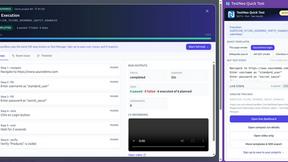
TestNeo.ai is an AI-native engineering and release assurance platform that helps teams automate web and API testing using natural language.

mcpfolio
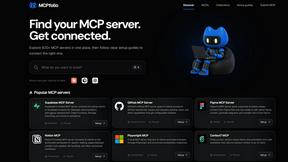
Discover MCP servers, compare tools, and follow setup guides to connect AI assistants to your apps and workflows.
Riff
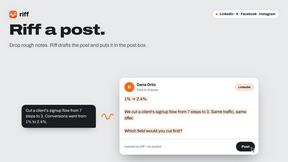
Riff writes replies, DMs and posts with Gemini Nano inside Chrome. Runs on your computer, no account or API key, and never posts for you.


Capafy AI
Agent Skills marketplace: discover expert AI agents, run them online, or publish a Skill and earn from every sale.
Novastart
Apps and files on an infinite canvas where people and AI agents work together.

Verla AI
Verla is an AI academic assistant for university and college students, combining AI essay writing, academic research, AI detection, AI humanization.