

Alternatives to Anime Maker
Anime Maker is my go-to for effortlessly turning text or photos into stunning anime images and short videos.
20 alternatives found
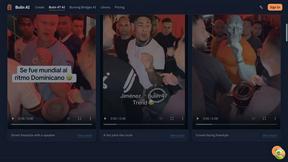
Bulin AI
Upload one portrait. Bulin AI puts you in the official Bulin 47 freestyle. The source video guides the moves and camera. No prompt.

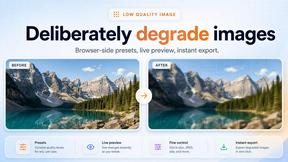
Low Quality Image
Free browser-based low quality image maker that degrades photos on purpose with compression, downscaling, and pixelation.

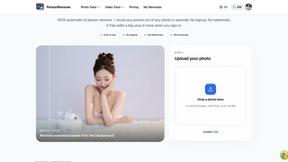
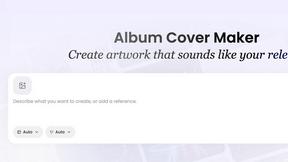
AI Album Cover Maker
Create release-ready album covers from a prompt or photo. Generate, refine, and export art for singles, EPs, mixtapes, and playlists.
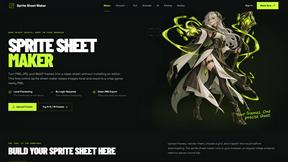
Sprite Sheet Maker
A free browser-based toolkit for creating, cutting, converting, and previewing sprite sheet animations.


TryKlingAI
Independent Kling AI video generator for text, image, audio, and motion references with Kling 3.0, Lip Sync, and API access.

Z Image Turbo
Create photorealistic images, bilingual posters, ecommerce visuals, and social content online with Z Image Turbo.


AI UGC Video Generator
Create AI UGC video ads from product URLs, images, or scripts with lifelike creators, voices, captions, and clear calls to action.
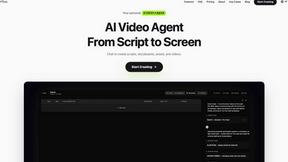
Pixo
Pixo is an AI video director that turns a prompt or script into a storyboard, consistent scenes, voiceover, and an edited final cut.

Presentation Intelligence
AI-native presentation and visual content platform that turns prompts, documents, images, videos, and data into polished, shareable decks.

PixRestorer
Restore and colorize old photos with AI in seconds. PixRestorer repairs scratches, fading, blur, and tears, brings black-and-white prints to life in n
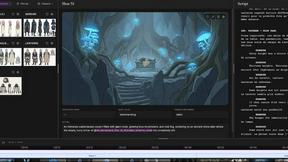
ScreenWeaver
Write the script, build the storyboard from it, and drive AI video prompts, all in one project.

About Anime Maker Alternatives
Anime Maker has carved out a niche as a focused AI creative platform for generating anime-style imagery, from characters and logos to dynamic image-to-video concepts. It sits squarely at the intersection of content creation, design tools, and AI video generation, serving a specific audience of artists, game teams, and marketers who want a streamlined browser workflow. However, the creative tool landscape is crowded, and users often seek alternatives for a variety of practical reasons. Perhaps the pricing model doesn’t fit a tight budget, or the feature set lacks the depth needed for professional-grade asset production. Others might need a platform that integrates better with their existing game engine pipeline, offers more granular control over character rigging, or provides a different aesthetic flavor beyond the core anime style. When you are evaluating a replacement for a tool like Anime Maker, the most important factor is understanding your primary output goal. If you are building a game, you need a tool that exports in usable file formats like PNG sequences or rigged sprites, not just static JPEGs. If you are a marketer, you need speed and consistency for brand assets. Look closely at the generation modes beyond just text-to-image; the ability to do precise image-to-image translation, control over composition, and the quality of the video motion output are critical differentiators. Also, consider the workflow: Is it a single-feature generator or a comprehensive studio? For teams, collaboration features and API access for automation are often worth paying more for. Ultimately, the best alternative is the one that turns your specific creative bottleneck into an asset, not just a cheaper version of the same thing.
FAQs about Anime Maker Alternatives
What is Anime Maker?
Anime Maker is an AI-powered creative platform designed specifically for generating anime-style content. It allows users to transform text prompts and uploaded photos into a variety of outputs, including anime images, original characters, avatars, logos, and filters. Additionally, it features an image-to-video capability, enabling the creation of short animated concepts from static images.
Who is Anime Maker for?
Anime Maker is built for a diverse audience that includes digital artists, content creators, game development teams, marketing professionals, and anime enthusiasts. Its focused browser workflow is designed to help these users quickly explore and iterate on visual ideas without needing complex software installations. It is particularly useful for anyone needing rapid prototyping of anime-style assets for projects or social media.
What are the main features of Anime Maker?
The platform offers multiple generation modes, including text-to-image, photo-to-anime, logo creation, and custom filter generation. Its standout feature is the image-to-video concept tool, which animates still images into short video sequences. All outputs are designed to be export-ready, making it easy to integrate the results into other projects or marketing materials directly from the browser.
Is Anime Maker free?
Based on the provided product description, Anime Maker is presented as a focused platform for creative work, but specific pricing details such as whether it offers a free tier or is entirely paid are not included. Typically, tools in this category operate on a freemium model with limited daily generations, or a subscription for higher resolution and commercial usage. Users should check the official website for the most current pricing and feature availability.