
Anime Maker
Anime Maker is my go-to for effortlessly turning text or photos into stunning anime images and short videos.
VisitPublished on:
July 10, 2026
Pricing:
About Anime Maker
Anime Maker is, in my opinion, the most focused AI creative platform for anyone obsessed with anime aesthetics. It is a dedicated browser-based workspace that transforms text prompts and ordinary photos into stunning anime-style images, original characters, avatars, logos, filters, and even image-to-video concepts. This tool is built for artists, creators, game development teams, marketers, and anime fans who want to explore visual ideas with remarkable speed and precision. What sets Anime Maker apart is its refusal to be a one-trick pony. It offers multiple generation modes, including text-to-image, photo-to-anime, character design, and short video creation, all within a single, clean interface. The core value proposition is simple: give you export-ready results that look like they came from a professional studio, not a generic filter. You get 10 free credits to test standard image generation after signing up, which is a generous starting point to see if it fits your workflow. Whether you are conceptualizing a game character, creating a unique social media avatar, or storyboarding a short film, Anime Maker provides the tools to iterate quickly and produce high-quality anime visuals without needing to draw a single line. It is a curatorial dream for visual exploration.
Features of Anime Maker
Text to Anime Image
This is the heart of Anime Maker. You describe the subject, setting, style, lighting, and composition in a natural language prompt, and the AI generates a 1024x1024 anime image. What I love is how the tool encourages detailed prompts, like "Cyberpunk anime heroine running across rain-soaked rooftops," and then delivers a coherent, stylized result. It is not a vague image generator; it respects your specific visual direction. You can build one readable scene by describing who appears, where the scene takes place, and the visual treatment. The output is crisp, the anime styling is authentic, and the resolution is perfect for digital use or social sharing.
Photo to Anime Converter
This feature is a game-changer for personalizing content. You upload a JPG, PNG, or WebP photo, and then describe the linework, color treatment, lighting, mood, and background you want. The result is a newly generated 1024x1024 interpretation of your photo, not a fixed filter or a pixel-for-pixel copy. It is a true artistic reinterpretation. I find this perfect for turning a selfie into a character portrait or converting a product photo into an anime-style illustration for marketing. The AI understands the core elements of your photo and reimagines them with authentic anime aesthetics, giving you a unique visual asset every time.
AI Anime Video Generator
This is where Anime Maker pushes boundaries. You can create a 6 to 30 second anime clip from a text prompt, with the option to add a reference frame for visual direction. The tool allows you to describe one main action and one camera direction, then choose the duration, aspect ratio, and output quality (480p or 720p). The example cases, like "Neon Rooftop Run" or "Ice Sword Duel," show how the AI handles character action, camera movement, lighting, and atmosphere. It is not just a slideshow; it generates motion studies that feel cinematic. For quick storyboarding or social media content, this is an incredibly powerful feature.
Anime Character Generator
For creators building original characters, this dedicated workspace is a favorite of mine. You create an original character from a focused text brief covering hair, clothing, expression, color palette, role, and setting. The AI interprets your brief and generates a coherent character design. What is smart is the ability to reuse the strongest wording for avatars, expression studies, or future scene references. This feature streamlines the character design pipeline, allowing you to iterate on concepts rapidly without needing to sketch. It is perfect for game teams, comic artists, and roleplayers who need consistent, high-quality character visuals.
Use Cases of Anime Maker
Concept Art and Storyboarding for Creators
Artists and storytellers can use Anime Maker to rapidly visualize scenes and characters. Instead of spending hours on rough sketches, you can prompt the AI to generate keyframes, emotional stills, or character poses. The "Sunset Companions" example shows a young traveler and a red fox in a vast golden field, which could be a pivotal scene in a graphic novel. You can iterate on lighting, composition, and mood in minutes, making it an indispensable tool for pre-production and visual exploration.
Social Media Content and Avatars
Marketers and influencers can leverage Anime Maker to create unique, eye-catching content. Turn a personal photo into a stylized anime avatar for your profile, or generate custom logos and filters for a brand campaign. The "Wind on the Hillside" example demonstrates how a simple prompt can yield a beautiful, shareable image. The ability to generate high-quality, anime-style visuals quickly makes it perfect for maintaining a consistent and engaging aesthetic across social platforms.
Game Asset and Character Design
Game development teams can use Anime Maker to prototype character designs and generate concept art for environments. The character generator allows for focused briefs on hair, clothing, and role, enabling rapid iteration on visual ideas. You can create a roster of original characters, generate expression studies, or design fantasy creatures like the "Tiny fluffy fantasy familiar" example. This accelerates the early design phase and provides a rich library of visual references for the art team.
Marketing and Branding Visuals
Businesses can use Anime Maker to create stylized marketing materials that stand out. Convert product photos into anime-style illustrations for ads or social media posts. Generate unique logos or branded filters that appeal to anime-loving demographics. The "Gothic Vow" or "The Golden Queen" examples show how the tool can produce detailed, romantic, or regal illustrations suitable for promotional content. It is a fast way to inject a creative, pop-culture aesthetic into your marketing strategy.
Frequently Asked Questions
What is the difference between the Photo to Anime converter and a simple filter?
The Photo to Anime converter is not a filter. It uses AI to analyze your uploaded photo and then generates a new 1024x1024 illustration based on your description of linework, color treatment, lighting, mood, and background. The result is a unique artistic interpretation, not a pixel-for-pixel copy or a one-click filter. You have creative control over the final style.
How do I start using Anime Maker?
You can start by signing up for a free account on the Anime Maker website. After sign-up, you receive 10 free credits for testing standard image generation. You can then use the main workspace to choose between text-to-image, photo-to-anime, or video modes. Simply describe your scene or upload a photo, and the AI will generate your anime creation.
Can I use the generated images and videos for commercial projects?
Based on the platform's focus on creators, game teams, and marketers, the generated content is intended for commercial use. However, you should review the specific terms of service on the Anime Maker website for the most current and detailed licensing information regarding commercial rights and usage limitations.
What are the specifications for the AI videos?
The AI video generator creates clips that are 6 to 30 seconds long. You can choose the duration, aspect ratio, and output quality, which includes 480p and 720p options. You can start from a text prompt describing the action and camera movement, or you can add a reference image to guide the visual direction of the clip.
Similar to Anime Maker
Bulin AI
Upload one portrait. Bulin AI puts you in the official Bulin 47 freestyle. The source video guides the moves and camera. No prompt.
subtitle.im
Manage existing YouTube captions and turn off confirmed duplicates.
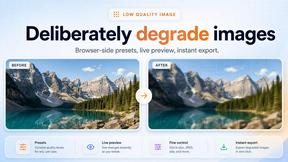
Low Quality Image
Free browser-based low quality image maker that degrades photos on purpose with compression, downscaling, and pixelation.
TryH3 - MiniMax H3 Video Generator
Try MiniMax Hailuo H3 video generation in the browser
Image to Layers AI
Turn any image into editable transparent PNG/PSD layers with AI
Video Text Remover
Video Text Remover — Erase Subtitles & Watermark from Video
AI Album Cover Maker
Create release-ready album covers from a prompt or photo. Generate, refine, and export art for singles, EPs, mixtapes, and playlists.
Sprite Sheet Maker
A free browser-based toolkit for creating, cutting, converting, and previewing sprite sheet animations.