

Alternatives to Bank Statement Engine
Bank Statement Engine is my top pick for instantly converting PDF bank statements into clean Excel or CSV files with no signup, limits, or credit.
20 alternatives found
JustTools
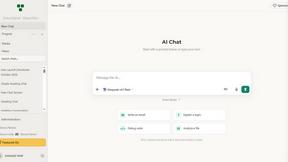
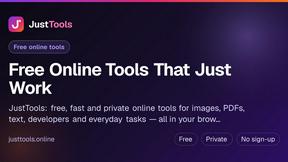
JustTools offers a growing collection of free online tools that run directly in your browser, with no sign-up and no uploads.
BillionVerify
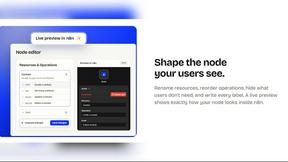
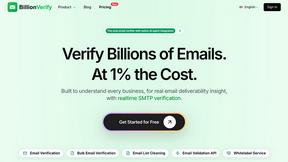
BillionVerify is a professional email verification service built to solve one problem: bad email data costs businesses money.

Sprite Sheet Maker
A free browser-based toolkit for creating, cutting, converting, and previewing sprite sheet animations.

Product Launch Checklist
A free launch checklist for SaaS, apps, AI tools and more. Every step says why it matters and when you can skip it.

Escrozon
Escrow marketplace for buying and selling digital assets. The payment is held until the buyer confirms the handover.


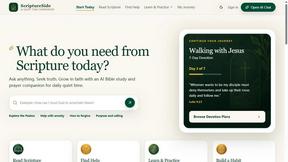

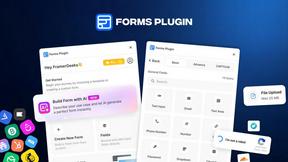
Forms Plugin
The #1 Native Form Builder Plugin for Framer - No Code, No Embeds, No External Platforms.

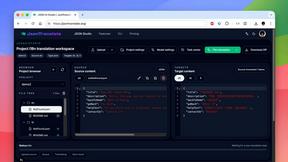
JsonTranslate
A structured JSON, Markdown, and TXT translator that preserves keys, nested paths, and project structure.


TryKlingAI
Independent Kling AI video generator for text, image, audio, and motion references with Kling 3.0, Lip Sync, and API access.



About Bank Statement Engine Alternatives
Bank Statement Engine is a free, browser-based tool that sits squarely in the financial data extraction and document conversion category, specifically designed to turn messy PDF bank statements into clean, structured spreadsheet and accounting formats. While its core proposition—no signups and no limits—is incredibly strong, users often start looking for alternatives when their workflow demands something the tool wasn’t built for, such as native desktop integration, batch processing of hundreds of files simultaneously, or a more robust API with dedicated support for enterprise-level compliance. Others might need a solution that offers perpetual on-premise storage or specific regional bank parsing that isn’t covered by the tool’s 10,000+ bank compatibility list. When evaluating an alternative, you should prioritize three things: format fidelity (does it handle your specific bank’s layout and OCR quirks without mangling the data?), privacy infrastructure (is your financial data encrypted in transit and automatically purged, or does it linger on a server?), and the balance between convenience and control. My personal recommendation is to always test a tool with your most complex, password-protected, or scanned statement first—if it chokes on a messy Chase statement, it’s not worth your time. Also, look for clear documentation on file deletion policies and API rate limits, as these are the hidden friction points that separate a genuinely useful utility from a frustrating data silo.
FAQs about Bank Statement Engine Alternatives
What is Bank Statement Engine?
Bank Statement Engine is a free, web-based tool that instantly converts PDF bank statements into multiple data formats including Excel, CSV, JSON, QBO, OFX, and QIF. It is designed to work with over 10,000 banks worldwide, including major institutions like Chase, Barclays, HDFC, SBI, and RBC, and supports both standard and scanned PDFs through built-in OCR technology.
Who is Bank Statement Engine for?
Bank Statement Engine is built for accountants, bookkeepers, small business owners, and developers who need to extract clean transaction data from bank statements quickly and without hassle. It is particularly useful for professionals who handle financial reconciliation, data analysis, or accounting automation and require a no-friction tool that does not require signups or account creation.
Is Bank Statement Engine free?
Yes, Bank Statement Engine is completely free to use with no hidden fees, no signup requirements, and no page limits. Users can convert as many PDF bank statements as they need without ever being asked for payment or creating an account. The tool also provides a free REST API for developers without any cost barriers.
Is Bank Statement Engine secure?
Security is a priority for Bank Statement Engine; all uploaded PDF files are automatically deleted from the server after 24 hours to protect user privacy. The tool supports password-protected PDFs, allowing users to process sensitive statements without exposing them. Additionally, no user accounts are created, which eliminates the risk of account-based data breaches.