

Alternatives to ComicsMaker
ComicsMaker is my favorite tool for turning a simple prompt into a structured, export-ready comic strip or manga page right in your browser.
20 alternatives found

Bulin AI
Upload one portrait. Bulin AI puts you in the official Bulin 47 freestyle. The source video guides the moves and camera. No prompt.

Low Quality Image
Free browser-based low quality image maker that degrades photos on purpose with compression, downscaling, and pixelation.



AI Album Cover Maker
Create release-ready album covers from a prompt or photo. Generate, refine, and export art for singles, EPs, mixtapes, and playlists.
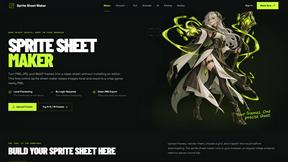
Sprite Sheet Maker
A free browser-based toolkit for creating, cutting, converting, and previewing sprite sheet animations.

FaceCoda
Free AI attractiveness test and face analysis with private, on-device photo processing.


TryKlingAI
Independent Kling AI video generator for text, image, audio, and motion references with Kling 3.0, Lip Sync, and API access.

Z Image Turbo
Create photorealistic images, bilingual posters, ecommerce visuals, and social content online with Z Image Turbo.


AI UGC Video Generator
Create AI UGC video ads from product URLs, images, or scripts with lifelike creators, voices, captions, and clear calls to action.

Presentation Intelligence
AI-native presentation and visual content platform that turns prompts, documents, images, videos, and data into polished, shareable decks.

PixRestorer
Restore and colorize old photos with AI in seconds. PixRestorer repairs scratches, fading, blur, and tears, brings black-and-white prints to life in n
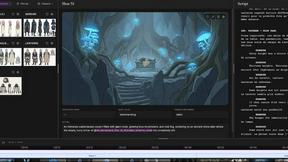
ScreenWeaver
Write the script, build the storyboard from it, and drive AI video prompts, all in one project.



Vismuse
Create polished AI images and videos from prompts or references for social posts, ads, flyers, album covers, and campaigns.

Nano AI Prompts
NanoAIPrompts is a free AI image prompt library built for creators, photographers, designers, and AI enthusiasts. It offers ready-to-use prompts.

Magic Eraser
AI photo editor for removing objects and backgrounds, enhancing images, and creating visuals on web and mobile.
About ComicsMaker Alternatives
ComicsMaker is an AI-powered comic maker and visual storytelling tool that sits at the intersection of content creation, design, and image generation. It allows users to turn simple text prompts into structured comic strips, manga panels, storyboards, and export-ready visual drafts, making it a go-to for creators who need speed without sacrificing layout control. However, users commonly look for alternatives due to specific needs like tighter budget constraints, a desire for more advanced illustration customization, integration with other design ecosystems, or simply because they require a platform that supports a different artistic style or workflow. When choosing an alternative, I always recommend looking for a tool that balances ease of use with the depth of control you actually need—whether that means better panel-by-panel editing, more robust export options for professional pipelines, or a pricing model that scales with your team. The best alternative is the one that feels less like a compromise and more like a natural fit for how you actually tell stories. Personally, I find that the most successful alternatives in this space excel by offering either a more expansive library of style presets or a more intuitive interface for non-designers. If you are a marketer churning out campaign concepts, you might prioritize speed and social-ready formats, while an educator might need classroom-friendly templates and clear reading flow controls. The key is to look for a tool that respects your time without dumbing down your creative vision. Avoid anything that locks you into a single aesthetic or makes it difficult to export your work for further editing elsewhere. Your visual storytelling deserves a tool that gets out of your way, and the right alternative will feel like it was built just for your particular brand of creativity.
FAQs about ComicsMaker Alternatives
What is ComicsMaker?
ComicsMaker is an AI comic maker and visual storytelling tool designed to turn text prompts into comic strips, manga panels, storyboards, and export-ready visual drafts. It provides users with clear control over layout, tone, reading flow, and style direction, allowing for structured comic creation without starting from a blank canvas. It serves as both a comic strip maker and a storyboard creator for quick visual story development.
Who is ComicsMaker for?
ComicsMaker is built for creators, educators, marketers, and teams who need visual stories quickly. It is ideal for drafting AI comic strips, prompt-to-panel scenes, character moments, explainer comics, classroom visuals, product storyboards, and campaign concepts. The tool is designed for anyone moving from an idea to a structured comic draft without requiring advanced illustration skills.
Is ComicsMaker free?
The provided content does not specify whether ComicsMaker offers a free tier or trial. Users interested in pricing should check the official website for the most current information on free access, subscription plans, or usage limits. Typically, tools in this category offer a freemium model or a limited free version to test core features.
What are the main features of ComicsMaker?
ComicsMaker's main features include AI-powered prompt-to-panel generation, manga panel creation, and storyboard drafting with clear control over layout and reading flow. It supports multiple style directions for comic strips, manga, and social-ready comic pages, and is designed for export-ready visual drafts. The workspace helps users structure ideas quickly without starting from a blank canvas, making it a comprehensive visual storytelling tool.