

Alternatives to Create Fillable PDF Forms Online
Skip the fussy PDF editors and use my favorite tool to instantly turn any document into a clickable form with drag-and-drop fields.
20 alternatives found
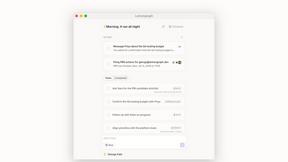
Lemongraph
Almost every conversation ends with a promise. Lemongraph keeps track of them for you and lines up your day the way you would.

Kovnerov
Personal site of Vlad Kovnerov: analytics dashboards, web development, Telegram bots and browser tools for sellers and subscription tracking.
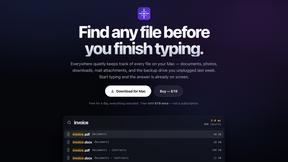
Everywhere
Fast file search for the Mac. Results as you type, files inside Mail and Photos, works with Wi-Fi off. $19 once.
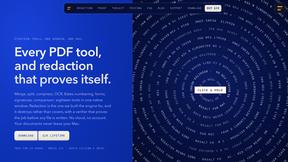
Basalt
Eighteen PDF tools in one native Mac window: merge, split, compress, OCR, Bates numbering, forms, signing and redaction. Offline. $29 once.
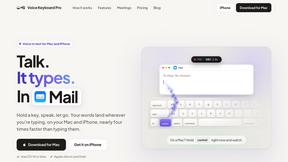
Voice Keyboard Pro
Hold a key, say what you mean, let go. Clean, punctuated text lands at the cursor in any app on your Mac or iPhone.
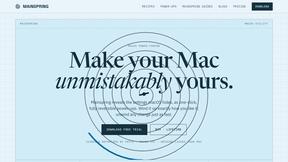
Mainspring
Mainspring turns the settings macOS hides into 90+ one-click, fully reversible power-ups for Finder, Dock, screenshots and more. $29 once.
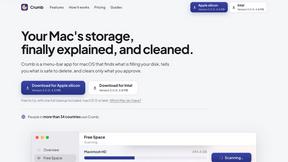
Crumb
A Mac menu bar app for a full disk. See what is using your space, read whether it comes back on its own, and remove only what you tick.
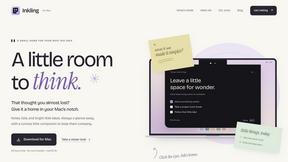
Inkling
Catch a thought without leaving what you are doing. Notes, checklists and a little companion in your Mac's notch. $12 once.
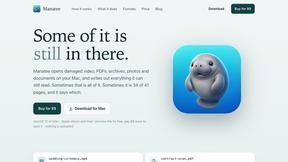
Manatee
A Mac app that opens damaged video, PDFs, archives and documents and writes out everything it can still read. $9 once, no uploads.

SquishFile
Free video tools that run in your browser. Compress, convert, upscale and transcribe without uploading.
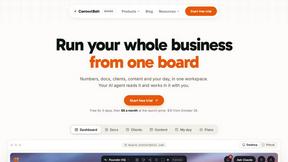
Context Board
Context Board brings your numbers, docs, clients, content and day into one workspace that Claude and Codex can read and update.

Zeptap
Zeptap lets AI use your real iPhone like you do: open apps, read the screen, tap, swipe and type. Reply to DMs, post Stories, book rides, test apps.

HookAds
Free ad creative hub: 1,750+ prompts behind viral AI ads, 118 hook frameworks, teardowns, swipe files and 27 free AI tools.

@fuck.it - email with attitude
Private email. Pure. Secure. Exclusive. No ads, no tracking, no data selling. GDPR compliant, EU-hosted.
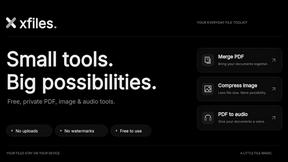
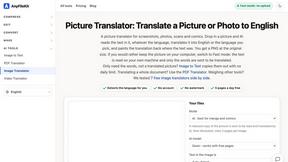
AnyFileKit
Free browser file tools: translate the text in pictures, compress, convert and edit images, PDFs and video. No sign-up.
ConvertSheet
Fast, private client-side file converter and developer spreadsheet suite. Convert JSON, CSV, Excel, XML, and Parquet with zero server uploads.
Clara Vale
Growth studio offering free calculators, spreadsheet templates and planners for side hustles, budgeting, freelancing and everyday life.

MD TO TEXT
Paste Markdown below to remove formatting, keep readable text, and copy clean output for AI workflows, docs cleanup, and publishing.
About Create Fillable PDF Forms Online Alternatives
If you’ve spent any time trying to turn a static document into something clients can actually fill out on their screens, you’ve likely encountered tools like Create Fillable PDF Forms Online. This platform sits squarely in the Productivity & Management category, offering a straightforward way to build interactive forms from scratch or by uploading existing documents. It’s particularly good for users who want a mix of drag-and-drop simplicity and professional-grade output, complete with ready-made templates for invoices, contracts, and more. But let’s be honest: even the best tools can feel restrictive. Maybe the pricing doesn’t fit your budget, the feature set lacks advanced conditional logic, or you need deeper integration with your existing cloud storage. Whatever the reason, looking for alternatives is a smart move. When you start shopping around for a replacement, don’t just chase the lowest price. Instead, focus on what actually matters for your workflow. First, consider the editing experience: does the tool offer true drag-and-drop flexibility, or will you be fighting with clunky property panels? Second, look at export fidelity—pixel-aligned forms that don’t break when opened in different PDF readers are non-negotiable. Third, think about templates. A good alternative should offer a library of industry-specific starting points, from sales agreements to HR forms, so you aren’t always starting from a blank canvas. Finally, check for collaboration features and signature support. If you’re sending forms to clients for e-signature, you’ll want something that handles that natively, not as an afterthought. My personal recommendation? Prioritize tools that let you test the full feature set before committing—your ideal alternative is the one that disappears into your workflow, not one that creates new headaches.
FAQs about Create Fillable PDF Forms Online Alternatives
What is Create Fillable PDF Forms Online?
Create Fillable PDF Forms Online is a web-based tool designed to help users build interactive PDF forms without needing any design or coding skills. It allows you to start from a blank canvas, upload existing documents, or use ready-made templates to add interactive elements like text fields, checkboxes, and signature fields. The platform belongs to the Productivity & Management category and focuses on delivering professional, pixel-aligned forms that can be exported and downloaded instantly.
Who is Create Fillable PDF Forms Online for?
This tool is ideal for professionals, small business owners, freelancers, and teams who need to create fillable forms for invoices, contracts, applications, and other documents. It is particularly useful for anyone who wants to digitize paper-based workflows without learning complex software. The drag-and-drop interface makes it accessible to non-technical users, while the customization options satisfy more advanced needs like form field properties and signature integration.
Is Create Fillable PDF Forms Online free?
Based on the product description, the platform emphasizes effortless form creation and access to templates, but it does not explicitly state whether it is entirely free. Typically, tools in this category offer a free tier with limited features, such as a capped number of forms or exports, while premium features like advanced customization or larger template libraries require a paid subscription. Users should check the official pricing page for the most accurate and current details.
What are the main features of Create Fillable PDF Forms Online?
The main features include the ability to start from a blank canvas or upload existing documents to add interactive elements like text fields, checkboxes, and signature fields. It offers drag-and-drop functionality for easy placement, property customization for each field, and export options that produce professional, pixel-aligned forms. Additionally, users have access to a library of ready-made templates for various use cases, such as invoices and contracts, which can be downloaded as fillable PDFs.