
Create Fillable PDF Forms Online
Skip the fussy PDF editors and use my favorite tool to instantly turn any document into a clickable form with drag-and-drop fields.
Visit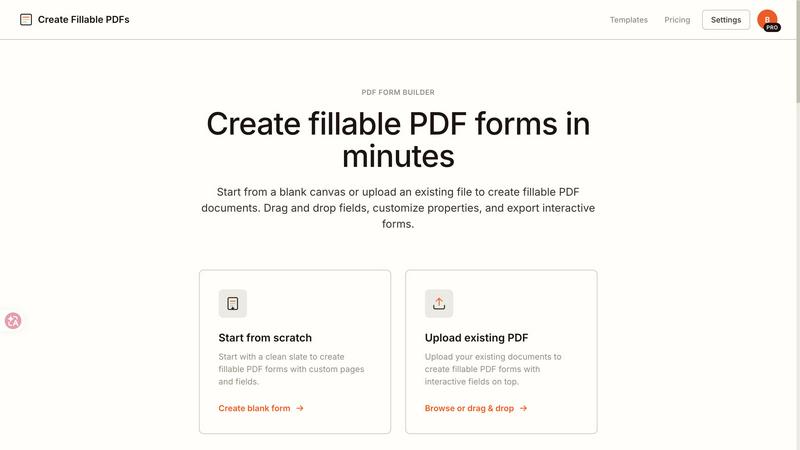
About Create Fillable PDF Forms Online
If you have ever needed to collect information, signatures, or feedback in a structured way, you know the pain of wrestling with clunky software or expensive subscriptions. Create Fillable PDF Forms Online is the tool I genuinely believe solves this problem elegantly. It is a browser-based form builder that lets you turn any document into an interactive, professional PDF form in minutes. Whether you are starting from a completely blank canvas or uploading an existing contract, invoice, or application, this tool handles the heavy lifting. You can drag and drop text fields, checkboxes, radio buttons, and signature fields exactly where you need them. The interface is clean, intuitive, and refreshingly fast. This product is built for freelancers, small business owners, HR professionals, legal teams, event organizers, and anyone who regularly needs to collect data or signatures without forcing recipients to download special software. The main value proposition is straightforward: you get pixel-aligned, industry-standard PDF forms that work seamlessly in Adobe Acrobat, Apple Preview, Chrome, and mobile readers. No watermarks on exports for paid users, no learning curve, and no hidden fees. It is the kind of tool that makes you wonder why you ever put up with anything else. I have tested many form builders, and this one stands out for its balance of simplicity and power.
Features of Create Fillable PDF Forms Online
Powerful Field Types for Any Data Collection Need
The heart of any form builder is its field types, and this tool delivers a thoughtful selection that covers almost every use case. You can add single-line text fields for names and emails, multi-line paragraphs for detailed responses, checkboxes for yes/no selections, radio buttons for multiple-choice questions, and dedicated signature fields for legally binding agreements. Each field is fully customizable. You can adjust font size, border color, field height, and validation rules. The drag-and-drop functionality is buttery smooth, and fields snap to a grid for perfect alignment. This is not a stripped-down widget; it is a robust form designer that gives you professional control without overwhelming you with options. I especially appreciate that you can resize and reposition fields after placement, making iterative design painless.
Digital Signature Support for Legally Binding Documents
One of my favorite features is the built-in digital signature capability. You can place signature fields anywhere on your form, and recipients can sign using their mouse, touchpad, or finger on a touchscreen. This transforms your static documents into legally binding agreements without requiring a separate e-signature service. The signature fields are rendered cleanly and integrate seamlessly with the rest of the form. When you export, the signature area is fully interactive, meaning the signer can draw, type, or upload an image of their signature. For businesses handling contracts, NDAs, service agreements, and consent forms, this feature alone justifies using the tool. It eliminates the need for a second subscription and keeps your workflow inside one clean interface.
Auto-Save Projects for Worry-Free Editing
Nothing is more frustrating than losing progress on a complex form. This tool solves that with automatic local saving. As you add fields, adjust properties, and rearrange layouts, your work is saved to your browser. You can close the tab, come back hours later, and pick up exactly where you left off. For upgraded users, the ability to manage multiple projects is a game-changer. You can work on a lease agreement, a job application, and an expense report simultaneously, switching between them without losing a single field. This feature is especially valuable for professionals who handle many forms at once, like HR managers or legal assistants. It gives you the freedom to iterate and refine without the fear of losing hours of work.
Industry-Standard PDF Export for Universal Compatibility
The export quality is where this tool truly shines. When you download your fillable PDF, it is built using clean, industry-standard PDF specifications. This means it works flawlessly in Adobe Acrobat, Apple Preview, Google Chrome, Microsoft Edge, and virtually any mobile PDF reader. There is no proprietary software required, no plugins to install, and no compatibility headaches. The forms retain their field alignment, font choices, and interactive behavior exactly as you designed them. This is a stark contrast to many online form builders that produce bloated or broken PDFs. The pixel-aligned output ensures that your professional forms look as good on a client's screen as they did in the editor. For anyone who needs to send forms to clients, vendors, or applicants, this reliability is non-negotiable.
Use Cases of Create Fillable PDF Forms Online
Business Contracts and Agreements
For anyone who regularly drafts contracts, this tool is a lifesaver. You can upload an existing service agreement or start from a template, then add signature fields for both parties, date fields for effective dates, and text fields for party names and addresses. The result is a professional, interactive PDF that you can email to clients and have them sign and return in minutes. I have used this for freelance contracts, partnership agreements, and vendor terms. The ability to add multiple signature blocks and initial fields makes it ideal for multi-party documents. The templates for service agreements and NDAs are particularly well-designed and save significant setup time.
Surveys and Feedback Collection
Gathering structured feedback becomes effortless with this form builder. You can create customer satisfaction surveys with radio button ratings, checkboxes for multiple selections, and open-ended text areas for detailed comments. The pixel-aligned layout ensures your survey looks professional, whether it is embedded in an email or downloaded as a PDF. I have used this for post-event feedback, product satisfaction surveys, and employee engagement polls. The ability to export as a fillable PDF means respondents can fill it out offline and return it, which is perfect for in-person events or clients with limited internet access.
Medical and Legal Intake Forms
Medical and legal professionals deal with complex, multi-page forms that require precise field placement and strict compliance. This tool handles both with ease. You can upload existing intake documents and overlay interactive fields for patient names, dates of birth, medical history checkboxes, consent signatures, and insurance information. The multi-page support is robust, allowing you to add fields across all pages while maintaining perfect alignment. I have seen this used for HIPAA consent forms, patient registration, and legal disclaimers. The clean PDF output ensures that these sensitive documents remain professional and legally sound.
Event Registration and Attendee Management
Organizing an event requires collecting a surprising amount of data from attendees. This form builder lets you create a registration form with fields for name, email, ticket type (radio buttons), dietary preferences (checkboxes), and special requests (text area). You can add a signature field for liability waivers, making the entire registration process paperless. The ready-made event registration template is a great starting point, and you can customize it in minutes. I have used this for webinars, workshops, and conferences. The ability to download the form as a fillable PDF means you can collect registrations via email, your website, or even at the door on a tablet.
Frequently Asked Questions
Is it free to use?
Yes, the tool is free to use with a generous free tier. Free users can create and export one fillable PDF per day, which is perfect for occasional use. The exported PDF will include a small watermark, but it is subtle and does not interfere with the form's functionality. For users who need more exports or want to remove the watermark, affordable paid plans are available. I recommend starting with the free version to test the workflow before committing.
Can I add fields to an existing PDF?
Absolutely. This is one of the tool's strongest features. You can upload any existing PDF document, whether it is a scanned contract, a downloaded invoice, or a government form. Once uploaded, the tool renders the document as a canvas, and you can drag and drop interactive fields exactly where you need them. The fields overlay perfectly on the existing content, so your final form looks like it was designed that way from the start. This is a huge time saver compared to recreating documents from scratch.
Do people need special software to fill the PDF?
No, and this is a critical advantage. The fillable PDFs you create work in any modern browser or standard PDF viewer. Recipients can open the file in Adobe Acrobat, Apple Preview, Google Chrome, Microsoft Edge, or any mobile PDF app and start filling fields immediately. There is no need for special software, plugins, or accounts. This universal compatibility ensures that your clients, vendors, or applicants can interact with your forms without friction.
Can I save my progress and come back later?
Yes, the tool automatically saves your project locally in your browser. You can close the tab and return later to find your work exactly as you left it. For upgraded users, there is the added benefit of managing multiple projects at once. This is incredibly useful if you are working on several forms simultaneously, such as a lease agreement, a job application, and an expense report. The auto-save feature means you never have to worry about losing progress due to an accidental refresh or browser crash.
Explore more in this category:
Similar to Create Fillable PDF Forms Online
Lemongraph
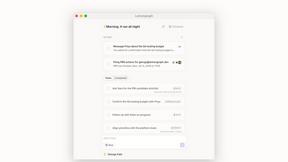
Almost every conversation ends with a promise. Lemongraph keeps track of them for you and lines up your day the way you would.

Kovnerov
Personal site of Vlad Kovnerov: analytics dashboards, web development, Telegram bots and browser tools for sellers and subscription tracking.
Everywhere
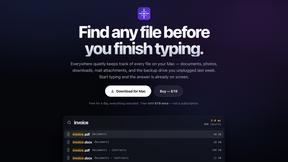
Fast file search for the Mac. Results as you type, files inside Mail and Photos, works with Wi-Fi off. $19 once.
Basalt
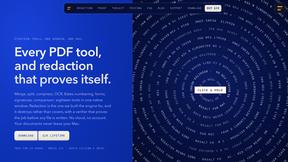
Eighteen PDF tools in one native Mac window: merge, split, compress, OCR, Bates numbering, forms, signing and redaction. Offline. $29 once.
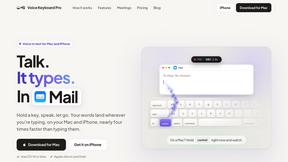
Voice Keyboard Pro
Hold a key, say what you mean, let go. Clean, punctuated text lands at the cursor in any app on your Mac or iPhone.
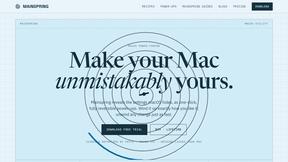
Mainspring
Mainspring turns the settings macOS hides into 90+ one-click, fully reversible power-ups for Finder, Dock, screenshots and more. $29 once.
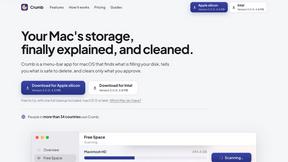
Crumb
A Mac menu bar app for a full disk. See what is using your space, read whether it comes back on its own, and remove only what you tick.
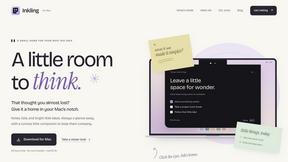
Inkling
Catch a thought without leaving what you are doing. Notes, checklists and a little companion in your Mac's notch. $12 once.