

Alternatives to Easymotion - AI Motion Graphic Generator
Easymotion is my favorite tool for turning static designs, spreadsheets, or map data into polished motion graphics and social videos in minutes just.
20 alternatives found
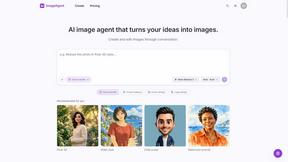
ImageAgent
Create and edit AI images through conversation, using text or reference images and refining results in chat.


GenX
All-in-one AI workspace to generate images, videos, and audio with multiple leading AI models.

AppIconGenerator
Generate iOS and Android app icons from any image and export all platform sizes for free.

AiAgeFilter
Free AI age filter: upload an adult portrait, add 10-40 years, meet your older self. No app needed.

Bloom
An adaptive AI tutor that turns topics or your materials into courses, lessons, and answers tailored to how you learn.
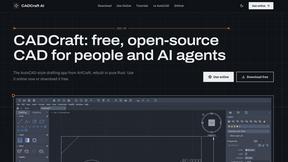
CADCraft
Free, open-source 2D CAD in Rust for precise drafting, layers, dimensions, DWG/DXF, PDF/SVG/PNG, desktop, web, and AI automation.

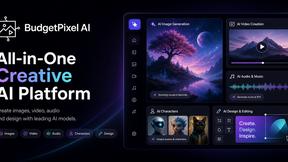
Budgetpixel AI
Create AI images, videos, music, and designs in one workspace with multiple models, powerful editing tools, and API access.
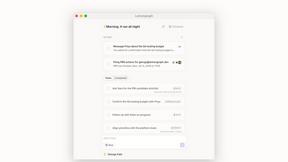
Lemongraph
Almost every conversation ends with a promise. Lemongraph keeps track of them for you and lines up your day the way you would.

Nano AI
Create and edit AI images, generate videos, and compare models in one creative workbench.

SquishFile
Free video tools that run in your browser. Compress, convert, upscale and transcribe without uploading.

NanoBanana
Generate and edit AI images with six models, references, templates, and a visual workflow canvas.

PhotoToCartoon: AI Cartoon Generator
Turn photos into cartoons, anime portraits, Ghibli-style art and drawings with this AI cartoon generator. Choose from 57 styles.

Zeptap
Zeptap lets AI use your real iPhone like you do: open apps, read the screen, tap, swipe and type. Reply to DMs, post Stories, book rides, test apps.
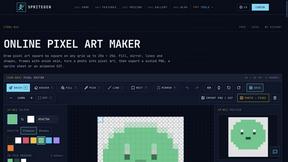
SpriteGen
Create AI pixel-art sprites and animated sprite sheets, refine assets in the editor, and export PNG, GIF, or JSON.
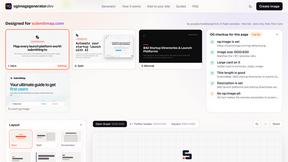
OG Image Generator
Paste a URL and AI designs on-brand Open Graph images from your page's colours, fonts and logo. Free, no sign-up.
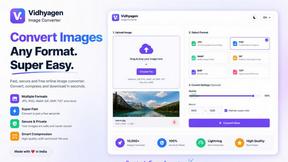
VidhyaGen - Image Converter
Fast, free online platform with 100+ tools for image conversion, compression, editing, PDFs, and text utilities.

FreeVideoGenerator
Free AI video generator for text and photos, powered by Sora 2, Veo 3.1 and Wan. Get free starter credits and watermark-free downloads.
About Easymotion - AI Motion Graphic Generator Alternatives
SECTION 1 - ALTERNATIVES INTRO Easymotion - AI Motion Graphic Generator sits right at the intersection of AI-powered design tools and content creation, carving out a specific niche for itself as a browser-based platform that turns static visuals, spreadsheets, and even simple prompts into polished animated videos. It belongs to a growing category of tools that aim to democratize motion design, making it accessible to founders, marketers, and editors who lack the time or expertise for complex timeline editing software. While Easymotion is genuinely impressive for its map animation capabilities and chat-based editing, users commonly look for alternatives for a few pragmatic reasons: pricing tiers may not fit every budget, feature sets might miss specific animation styles like 3D or high-end kinetic typography, or a team might require deeper integration with existing video editing pipelines. Some simply prefer a different creative workflow or need support for more export formats beyond MP4 and MOV. When evaluating alternatives, the smartest approach is to first map your specific use case. If you are creating map animations for geographic storytelling, prioritize tools with robust pin-dropping and route-mapping features. For SaaS product demos and UI explainers, look for platforms that excel in clean, modern motion graphics with easy text and color customization. Pay close attention to the editing experience—some tools offer a visual node-based editor, while others rely on AI chat, and your comfort with either will heavily influence your output speed. Also consider export flexibility: if you frequently deliver transparent background videos for multi-platform use, make sure the alternative supports alpha channel exports. Finally, do not overlook the template library quality; a rich, well-designed set of starting points can save you hours, especially when producing client work or campaign content under tight deadlines.
FAQs about Easymotion - AI Motion Graphic Generator Alternatives
What is Easymotion - AI Motion Graphic Generator?
Easymotion is an AI-powered motion graphics generator and map animation platform designed for content creators, editors, founders, and marketers. It allows users to turn ideas, files, and static visuals into polished animated videos directly in the browser, without requiring complex timeline editing skills. The platform supports a variety of motion graphics formats including SaaS product promos, flowcharts, animated charts, UI explainers, quizzes, and geographic storytelling visuals like flight routes and location pins.
Who is Easymotion - AI Motion Graphic Generator for?
Easymotion is built for content creators, video editors, startup founders, and marketers who need to produce professional motion graphics and map animations quickly. It is especially useful for individuals and teams who want to avoid the steep learning curve of traditional animation software. The platform serves anyone creating social media content, product marketing videos, presentations, client deliverables, or geographic storytelling assets.
What are the main features of Easymotion - AI Motion Graphic Generator?
Key features include AI-driven motion graphics generation from prompts, images, spreadsheets, or PDFs, as well as a specialized map animation maker for flight routes, location pins, and flag fill highlights. Users can edit animations by chatting with the AI to adjust colors, pacing, labels, layout, and visual style. The platform also offers a premium template library, and exports in MP4 or MOV formats, including videos with transparent backgrounds, with support for 16:9, 9:16, 1:1, and 4:5 aspect ratios.
Is Easymotion - AI Motion Graphic Generator free?
Based on the provided information, Easymotion is a paid platform that offers a premium template library and export capabilities for professional use. The product is positioned as a faster way to create motion graphics and map animations for business and client work, which typically involves a subscription or usage-based pricing model. Users are encouraged to check the official Easymotion website for the most current pricing and any available free trial options.