

Alternatives to GPT Image 2
GPT Image 2 is my top pick for effortlessly generating and editing photos with AI, delivering professional results in seconds without any design.
20 alternatives found

The Kiss
Turn two photos into a cinematic AI kissing video. Pick one of 13 kiss video templates; 30 free credits on sign-up.
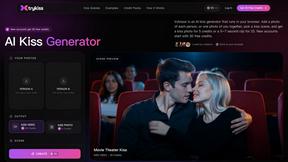
trykissai
AI kiss generator: add a photo of each person, pick a kiss scene, and get a kiss photo or a 5–7 second clip. 30 free credits.
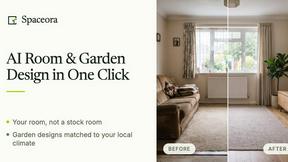
Spaceora
AI home design with real furniture and climate-matched plants for rooms, property listings and outdoor spaces.
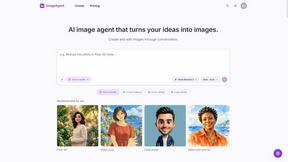
ImageAgent
Create and edit AI images through conversation, using text or reference images and refining results in chat.
GenX
All-in-one AI workspace to generate images, videos, and audio with multiple leading AI models.
AppIconGenerator
Generate iOS and Android app icons from any image and export all platform sizes for free.
AiAgeFilter
Free AI age filter: upload an adult portrait, add 10-40 years, meet your older self. No app needed.
Nano AI
Create and edit AI images, generate videos, and compare models in one creative workbench.
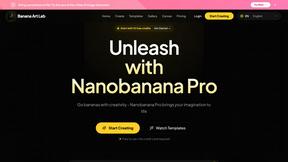
NanoBanana
Generate and edit AI images with six models, references, templates, and a visual workflow canvas.
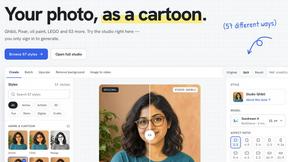
PhotoToCartoon: AI Cartoon Generator
Turn photos into cartoons, anime portraits, Ghibli-style art and drawings with this AI cartoon generator. Choose from 57 styles.
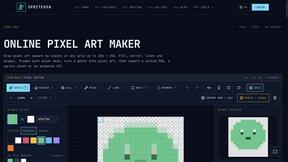
SpriteGen
Create AI pixel-art sprites and animated sprite sheets, refine assets in the editor, and export PNG, GIF, or JSON.
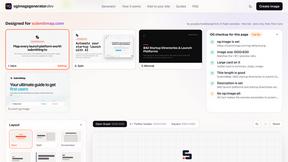
OG Image Generator
Paste a URL and AI designs on-brand Open Graph images from your page's colours, fonts and logo. Free, no sign-up.
ImageGenerator
Create and edit AI images online with multiple models, text-to-image, image-to-image, background removal, and upscaling.
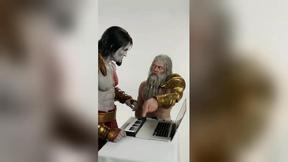
DanseAI - Alors on Danse Video
Make the Alors on Danse AI meme video from two photos, soundtrack included
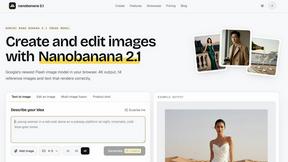
nanobanana 21
A fast, simple image studio powered by Nano Banana 2.1. Create and edit high-quality images with accurate details, readable text, and consistent chara
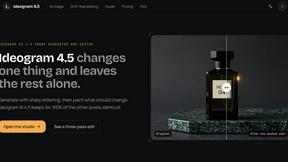
ideogram-45
AI image generation and editing with sharp typography, native 2K output, and localized edits.
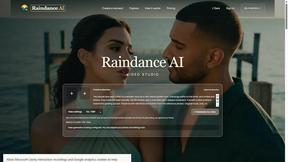
Raindance AI
Turn two authorized portraits into a seaside golden-hour video: a wooden dock, two people taking turns singing, and a slow pullback to the sunset. Pre
About GPT Image 2 Alternatives
If you’ve been playing with AI image tools recently, you’ve likely heard the buzz around GPT Image 2. It’s a browser-based platform powered by OpenAI’s latest model, designed to turn text prompts into highly realistic images with shockingly good text rendering—something older models often fumbled. It sits squarely in the image generation and editing category, but it’s also carving out a niche for practical applications like interior design mockups and marketing assets. However, as polished as it is, many users start shopping for alternatives for a few familiar reasons: pricing can feel steep for casual experimentation, access might be limited by regional or subscription barriers, or you might simply want a tool that integrates differently into your existing creative workflow—perhaps one with more granular control over style or a community-driven asset library. When you’re hunting for a worthy alternative, look beyond just the headline feature of “realism.” The best competitors will offer a unique edge: maybe it’s a superior inpainting or outpainting experience for interior design tweaks, a more generous free tier for iterating concepts, or a model that handles specific genres (like architectural visualization or surreal art) with a distinct flair. I’d personally prioritize platforms that give you transparent control over the generation parameters—like aspect ratio, style presets, and negative prompts—while also delivering that crisp text rendering that GPT Image 2 excels at. Don’t settle for a one-trick pony; find a tool that feels like it was built for your specific creative pain points, not just a generic clone.
FAQs about GPT Image 2 Alternatives
What is GPT Image 2?
GPT Image 2 is an AI image generation and editing platform powered by OpenAI’s latest GPT-Image-2 model. It allows users to create and refine images directly in a web browser, with a strong emphasis on realistic outputs, superior prompt understanding, and significantly improved text rendering compared to older image models. Essentially, it is a purpose-built tool for turning text descriptions into high-quality visuals without needing complex software.
Who is GPT Image 2 for?
GPT Image 2 is designed for a broad range of creative professionals including creators, designers, marketers, and developers. It is particularly useful for anyone who needs fast, browser-based access to cutting-edge AI image technology, such as those working in interior design to visualize room concepts or marketers generating custom visuals for campaigns. The platform caters to both professionals who need high-fidelity outputs and hobbyists experimenting with the latest generation of AI art.
Is GPT Image 2 free?
The provided information does not specify a specific pricing model for GPT-Image2.me, but it is described as a platform for 'fast access' to the newest generation of AI image technology. Given the nature of advanced AI models, it is likely that the service operates on a credit-based system, a subscription model, or a freemium tier with limited generations. Users should check the official website for the most current pricing and free trial availability.
What are the main features of GPT Image 2?
The primary features of GPT Image 2 include AI image generation and editing with a focus on stronger prompt understanding and more realistic outputs. A standout feature is its much better text rendering within images, solving a common flaw in older AI art tools. The platform is fully browser-based, meaning no software installation is required, and it is optimized for creators who need to quickly iterate on visual concepts for categories like interior design and general image generation.