GPT Image 2
GPT Image 2 is my top pick for effortlessly generating and editing photos with AI, delivering professional results in seconds without any design.
Visit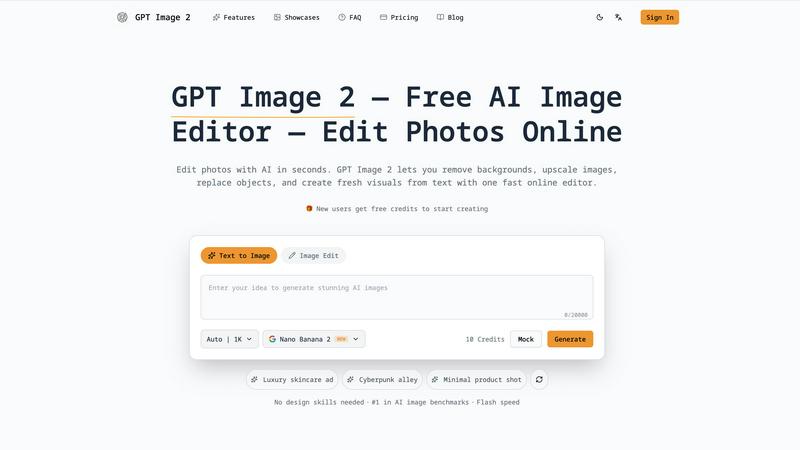
About GPT Image 2
If you have been keeping an eye on the AI image generation space, you know that the gap between "cool experiment" and "production-ready asset" has been massive. GPT Image 2, powered by OpenAI's latest GPT-Image-2 model, is the tool that finally bridges that gap. This is not another flashy toy that generates surreal landscapes you cannot actually use. This is a serious, browser-based powerhouse that lets you create, edit, and refine images with a level of prompt understanding and text rendering that frankly makes older models look like they are still learning their ABCs. My personal take? This is the first AI image tool I would actually trust for client work without cringing.
The platform is built for creators, designers, marketers, and developers who need speed and quality. You can go from a simple text prompt to a polished visual, remove a background in seconds, upscale a blurry asset, or replace an object in an existing photo. The workflow is unified, meaning you do not have to jump between five different apps to get a final result. It scores at the top of AI image benchmarks, and the new user credits mean you can test its mettle without any upfront commitment. For anyone who needs to produce commercial-grade visuals fast, this is my current favorite recommendation.
Features of GPT Image 2
AI Image Generation
This is the core reason to get excited. The GPT-Image-2 model understands complex prompts far better than its predecessors, producing images with stronger composition, realistic details, and most importantly, clean text rendering. If you have ever tried to generate an image with a sign or a label using older models, you know the pain. This feature solves that. You can describe a luxury skincare ad or a cyberpunk alley, and the output is usable, not just amusing.
Image-to-Image Editing
You can upload an existing image and refine, restyle, or transform it while keeping the original structure and subject intact. This is a game-changer for designers who need to iterate on a base concept without starting from scratch every time. Whether you want to change the lighting, swap a background, or apply a completely different visual direction, the AI respects your source material and works with it intelligently.
Background Removal
This feature is fast, clean, and practical. I have tested it on product shots and portraits, and the cutouts are sharp with minimal artifacts. For ecommerce assets, social media content, or any scenario where you need a transparent background, this tool saves you from the tedious manual masking work. It is one of those features that feels simple but is actually incredibly well-executed.
Image Upscaling
Low-resolution images are a pain point for any creator. The upscaling feature improves sharpness and resolution without introducing weird artifacts or making the image look plastic. This is perfect for marketing assets, presentations, or social content where you need high-quality final output. It is a reliable finishing step that polishes your work before export.
Use Cases of GPT Image 2
Marketing and Social Media Content Creation
Marketers can generate high-quality visuals for ads, blog headers, and social posts in minutes. The strong text rendering means you can include logos or taglines directly in the generated image, and the background removal feature lets you quickly create clean product cutouts for ecommerce listings. This speeds up the entire content pipeline.
Product Photography and Ecommerce Assets
For online stores, you need clean, professional product images. Use GPT Image 2 to remove backgrounds, upscale low-resolution shots, or even generate lifestyle images that show your product in a realistic setting. The image-to-image editing lets you restyle a product photo to match a seasonal campaign without a full photoshoot.
Creative Design and Concept Art
Designers and illustrators can use the text-to-image generation for rapid ideation and mood board creation. The style transfer feature allows you to apply different visual directions to a base image, helping you explore creative options quickly. The batch processing capability is a lifesaver when you need multiple variations for client presentations.
Personal Portraits and Profile Pictures
You can transform a standard selfie into a professional headshot or a stylized profile picture. The AI handles facial features and lighting well, producing results that look natural rather than cartoonish. This is a favorite use case for anyone who needs a polished online presence without hiring a photographer.
Frequently Asked Questions
Is GPT Image 2 free to use?
Yes, new users receive free credits to start creating and editing images. This allows you to test the platform's capabilities before committing to a paid plan. The free credits cover a reasonable number of generations and edits, giving you a solid trial experience.
What makes GPT Image 2 better than older AI image models?
The key improvements are stronger prompt understanding, more realistic and coherent outputs, and significantly better text rendering. Older models often struggled with generating readable text within images or maintaining consistent composition. GPT Image 2 handles these tasks with much higher reliability, making it suitable for commercial use.
Can I use the images I create for commercial projects?
Yes, GPT Image 2 includes a commercial license with your usage. This means you can use the generated and edited images for business purposes, including marketing materials, product listings, and social media content, without worrying about licensing restrictions.
Do I need design skills to use GPT Image 2?
Not at all. The platform is designed for users of all skill levels. You simply describe what you want in natural language, and the AI handles the heavy lifting. The interface is intuitive, with clear options for generating, editing, and enhancing images. No design experience is required to get professional-looking results.
Explore more in this category:
Similar to GPT Image 2

The Kiss
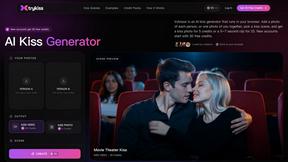
Turn two photos into a cinematic AI kissing video. Pick one of 13 kiss video templates; 30 free credits on sign-up.
trykissai
AI kiss generator: add a photo of each person, pick a kiss scene, and get a kiss photo or a 5–7 second clip. 30 free credits.
Spaceora
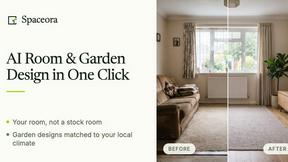
AI home design with real furniture and climate-matched plants for rooms, property listings and outdoor spaces.
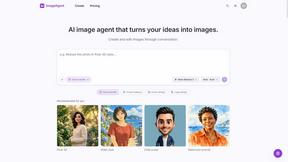
ImageAgent
Create and edit AI images through conversation, using text or reference images and refining results in chat.
GenX
All-in-one AI workspace to generate images, videos, and audio with multiple leading AI models.
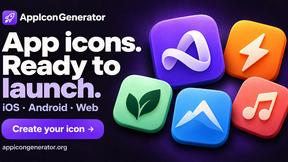
AppIconGenerator
Generate iOS and Android app icons from any image and export all platform sizes for free.
AiAgeFilter
Free AI age filter: upload an adult portrait, add 10-40 years, meet your older self. No app needed.