

Alternatives to HappyHorse
HappyHorse is my pick for cinematic AI video that nails human motion and prompt accuracy with a fast, unified model.
20 alternatives found


Bulin 47 AI
Turn one photo into a Bulin 47 freestyle AI video: your face, the moves and dembow sound, in 9:16 MP4.

Capafy AI
Agent Skills marketplace: discover expert AI agents, run them online, or publish a Skill and earn from every sale.

Verla AI
Verla is an AI academic assistant for university and college students, combining AI essay writing, academic research, AI detection, AI humanization.

DanseAI - Alors on Danse Video
Make the Alors on Danse AI meme video from two photos, soundtrack included


Rumpelstiltskin AI Video Generator
Turn two photos into the viral Rumpelstiltskin tiptoe dance meme video, soundtrack included.

Raindance AI Video Generator
Turn two photos into the Raindance AI pier video with the soundtrack included
Opus 5.5 Video Generator
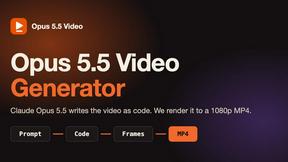
Turn a prompt into a 1080p motion-graphics MP4 planned and coded by Claude Opus 5.5


JevModel
Turn text or JSON into structured Choice, Score and Noul decisions with probabilities.

nanobanana 21
A fast, simple image studio powered by Nano Banana 2.1. Create and edit high-quality images with accurate details, readable text, and consistent chara

Tapetide
AI-first stock research for India. Ask TapeAi about any NSE or BSE stock, or connect Claude, ChatGPT and Cursor to Tapetide's MCP server.
ideogram-45
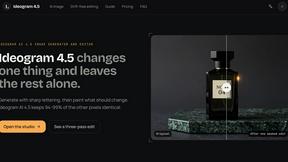
AI image generation and editing with sharp typography, native 2K output, and localized edits.

Bulin AI
Upload one portrait. Bulin AI puts you in the official Bulin 47 freestyle. The source video guides the moves and camera. No prompt.



About HappyHorse Alternatives
HappyHorse has carved out a specific niche in the rapidly expanding world of generative media, positioning itself as a premium cinematic AI video and high-fidelity image generator. It belongs squarely at the intersection of AI Assistants, Video, and Image Generation, but with a distinct focus on professional-grade output. The platform leverages its proprietary HappyHorse 1.0 model to turn simple prompts, reference frames, and scene direction into polished clips that boast stronger prompt adherence and unified multimodal control. However, despite its impressive capabilities, many users begin searching for alternatives. This often stems from specific friction points: the pricing model may feel prohibitive for hobbyists or small studios, the platform’s heavy focus on human-centric motion might not suit users needing abstract or fast-paced action sequences, or creators may simply require a tool that integrates differently into their existing pipeline. Others might find the longer scene consistency impressive but wish for more granular control over stylization or shorter generation times. When you are evaluating alternatives to a tool like HappyHorse, you should prioritize your specific workflow bottlenecks over raw feature lists. Look for a platform that matches your primary use case—whether that is rapid prototyping for social media, high-end commercial production, or iterative concept art. Pay close attention to "prompt adherence" and how well the tool handles your specific style of reference imagery, as this is often where generalist models fall short. Additionally, consider the ecosystem: does the alternative offer a robust API, team collaboration features, or a more flexible credit-based pricing system? Finally, be honest about the quality of human motion and scene consistency you truly need; many cheaper or faster alternatives exist, but they often sacrifice the cinematic polish that makes HappyHorse stand out. Your choice should ultimately balance output fidelity against your budget and production speed requirements.
FAQs about HappyHorse Alternatives
What is HappyHorse?
HappyHorse is a cinematic AI video and high-fidelity image generation platform built around the proprietary HappyHorse 1.0 model. It specializes in turning text prompts, reference frames, and scene direction into polished video clips with strong prompt adherence and unified multimodal control. The platform is designed to prioritize human-centric motion quality and longer scene consistency, setting it apart from more generalist AI video tools.
Who is HappyHorse for?
HappyHorse is primarily for professional content creators, filmmakers, and visual artists who require high-quality cinematic output with precise control over scene direction. It is also well-suited for marketing teams and studios that need consistent character animation and seamless scene transitions in their video projects. Hobbyists or those seeking rapid, low-cost generation may find the platform more tailored to production-grade workflows.
Is HappyHorse free?
The provided information does not specify a free tier or pricing structure for HappyHorse. Typically, platforms with advanced cinematic capabilities and proprietary models operate on a credit-based or subscription model. Users should consult the official HappyHorse website for the most current information regarding free trials, pricing plans, and any available credits.
What are the main features of HappyHorse?
HappyHorse's main features include cinematic AI video generation and high-fidelity image creation using the HappyHorse 1.0 model. Key capabilities are strong prompt adherence, unified multimodal control (integrating text, reference frames, and scene direction), human-centric motion quality, and longer scene consistency. These features allow users to produce polished clips that maintain visual coherence across extended sequences.