

Alternatives to JavaScript Tools
My favorite developer toolkit for instantly formatting JSON, HTML, CSS, XML, and Markdown without sending data to a server.
20 alternatives found

Kody Tools
Free collection of online developer utilities, code formatters, and digital converters designed to streamline your daily workflow.
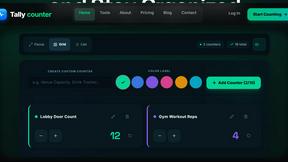
tallycounterweb.com
Online tally counter for tracking attendance, workouts, inventory, sports scores, visitors, habits, and everyday counting tasks.

Forms Plugin
The #1 Native Form Builder Plugin for Framer - No Code, No Embeds, No External Platforms.
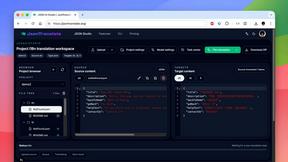
JsonTranslate
A structured JSON, Markdown, and TXT translator that preserves keys, nested paths, and project structure.

TryKlingAI
Independent Kling AI video generator for text, image, audio, and motion references with Kling 3.0, Lip Sync, and API access.

AkraLabs
Where modern software products get discovered, launched, and distributed. Explore verified AI tools, SaaS startups, and developer software.



AutoGeo
GEO SEO platform for creating, reviewing, publishing, and distributing multilingual content optimized for AI search visibility.

Screen Tester
Free online screen tester for checking dead pixels, colors, brightness, contrast, refresh rate, and display quality.

LinkedIn Translator
Turn rough notes into credible LinkedIn writing, or decode professional jargon into plain English.




PerPageFax
PerPageFax lets you send a fax online from any browser for a flat $0.50 per page — no account, no subscription, no fax machine.

Clipy
Free, no-watermark screen recorder + instant share links. A Loom alternative: record, stop, share. No signup, no time cap, no app to watch.


Tooladda
ToolAdda offers a collection of over 138 free, browser-based tools for calculations, PDF manipulation, image editing, and more. All tools run client-s

About JavaScript Tools Alternatives
JavaScript Tools, known online as JSTools.Space, occupies a unique space in the developer utilities market. It is a free, privacy-first platform that consolidates a wide range of common development tasks—from formatting JSON, HTML, CSS, XML, and Markdown to generating passwords, UUIDs, and TOTP secrets—all within a single, browser-based interface. It belongs to the broader category of Dev Tools and productivity software, serving as a swiss-army knife for front-end and back-end developers alike. Users often begin searching for alternatives not because the tool is flawed, but because of specific needs: perhaps they require a dedicated desktop application with offline-only functionality, need deeper integration with a specific IDE, or are looking for a more opinionated user interface for a particular task like JSON querying or API testing. When evaluating a replacement for this type of tool, you should prioritize three key factors: data privacy, feature depth, and platform availability. Since JSTools.Space processes everything locally in the browser, any alternative should offer a comparable or better security guarantee—especially if you handle sensitive credentials or tokens. Look for tools that offer a truly offline mode or a local desktop client if browser dependency is a concern. Additionally, consider the breadth of utilities you actually use daily; a tool that excels at formatting but lacks a robust JWT inspector or dummy data generator might force you to keep multiple tabs open. Finally, assess the learning curve and interface design—the best alternative is one that feels intuitive for your workflow, whether that means a command-line interface, a sleek GUI, or a browser extension that integrates with your development environment.
FAQs about JavaScript Tools Alternatives
What is JavaScript Tools?
JavaScript Tools, hosted at JSTools.Space, is a free, privacy-first platform that provides a collection of focused utilities for common development tasks. It allows users to format and validate JSON, HTML, CSS, XML, and Markdown directly in the browser without uploading data to a server. The platform also includes tools for Base64 and URL encoding, JWT inspection, and generating authentication values like passwords, API keys, UUIDs, and TOTP secrets.
Who is JavaScript Tools for?
JavaScript Tools is designed for developers of all skill levels who need quick, reliable access to common formatting, validation, and security utilities. It is ideal for front-end and back-end engineers, DevOps professionals, and security auditors who want to inspect tokens or generate credentials without exposing sensitive data to a third-party server. Because no account or project setup is required, it is also well-suited for students, educators, and anyone who needs a lightweight, disposable tool for prototyping or debugging.
Is JavaScript Tools free?
Yes, JavaScript Tools is completely free to use with no hidden costs or subscription fees. There is no account registration or project setup required, meaning you can access all formatting, validation, and generation features immediately. The platform is supported by its open-source community and the optional JSTools JSON Inspector Chrome extension, but the core web-based utilities remain free and unrestricted for all users.
What are the main features of JavaScript Tools?
The main features include formatters and validators for JSON, HTML, CSS, XML, and Markdown, as well as encoding tools for Base64 and URLs. It also offers a JWT inspector, a password and API key generator, a UUID and hash generator, and a TOTP secret creator. Beyond generation, users can compare text, query structured data, and prototype HTML, CSS, and JavaScript. Additional resources include a configurable Dummy Data Library, practical documentation, a developer security blog, a Chrome extension, and the cross-platform JSON Studio desktop application.