

Alternatives to MagicShot AI
MagicShot AI is my favorite all-in-one creative studio for generating professional photos, videos, and voice clips in seconds with over 500 models.
20 alternatives found

stackledge Tool Directory
Hand-verified launchpad uncovering practical SaaS, vetted AI tools, and ready-to-run n8n automations. 100% human-reviewed with zero scraper junk.
White Screen Checker
Check your screen display for dead pixels using White screen or black screen checkers.

Goshortsai
Turn photos into AI videos for free with Goshortsai. Sign in daily to get free credits, upload an image, describe motion, and generate your video.

Vikas Editor AI
AI photo and video creative studio for Indian creators and global users, with cinematic edits, templates, and customizable prompts.
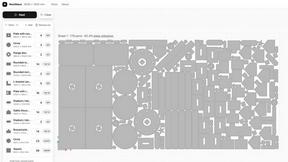
NestMaxx
Free online true-shape nesting software for laser, plasma and CNC router cutting. Pack parts tightly on sheets and export DXF or SVG layouts.
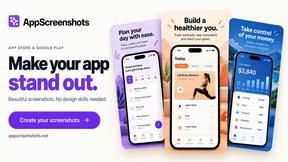
AppScreenshots
Create professional App Store and Google Play screenshots with 3D device frames, templates and batch export.
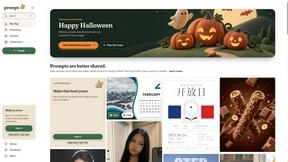
Promptclay
Free-to-copy AI image prompt library. Each prompt is shown next to the image it made.
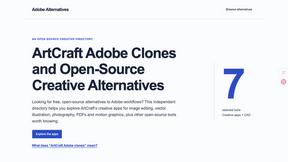
Adobe Alternatives
Explore open-source creative software by workflow, platform and development stage, with comparisons and official project links.
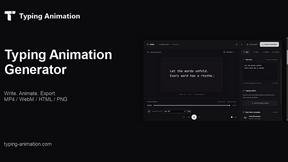
Typing Animation
Create typing animation videos with custom fonts, timing and synchronized keyboard sounds.
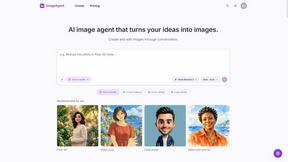
ImageAgent
Create and edit AI images through conversation, using text or reference images and refining results in chat.
AppIconGenerator
Generate iOS and Android app icons from any image and export all platform sizes for free.
CADCraft
Free, open-source 2D CAD in Rust for precise drafting, layers, dimensions, DWG/DXF, PDF/SVG/PNG, desktop, web, and AI automation.
Budgetpixel AI
Create AI images, videos, music, and designs in one workspace with multiple models, powerful editing tools, and API access.
SquishFile
Free video tools that run in your browser. Compress, convert, upscale and transcribe without uploading.
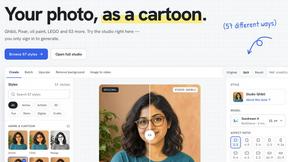
PhotoToCartoon: AI Cartoon Generator
Turn photos into cartoons, anime portraits, Ghibli-style art and drawings with this AI cartoon generator. Choose from 57 styles.
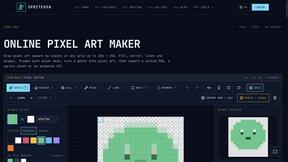
SpriteGen
Create AI pixel-art sprites and animated sprite sheets, refine assets in the editor, and export PNG, GIF, or JSON.
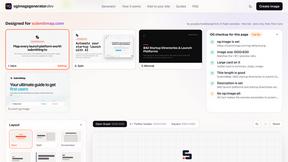
OG Image Generator
Paste a URL and AI designs on-brand Open Graph images from your page's colours, fonts and logo. Free, no sign-up.
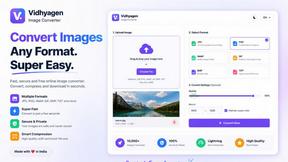
VidhyaGen - Image Converter
Fast, free online platform with 100+ tools for image conversion, compression, editing, PDFs, and text utilities.
About MagicShot AI Alternatives
MagicShot AI has carved out a notable space in the design tools category by positioning itself as a one-stop visual content engine for creators, job seekers, and businesses. It promises to replace an entire creative agency—photographers, videographers, editors, and stock libraries—with a single subscription and a single upload. While the appeal of having 84+ tools under one roof is undeniable, the reality is that no single platform is perfect for everyone. Users commonly start looking for alternatives when they find the pricing model doesn’t fit a sporadic usage habit, when they need more granular control over specific outputs like hyper-realistic video, or when their workflow demands integration with a specific ecosystem they already rely on. Others simply want a tool that excels at one thing—like pure headshot generation or high-fidelity text-to-image—without paying for dozens of features they’ll never touch. When evaluating alternatives, the smartest approach is to prioritize your primary use case over the breadth of features. If your core need is professional headshots for LinkedIn, look for a platform that specializes in facial consistency and lighting realism rather than one that tries to also make music or edit videos. If you’re a social media creator, pay close attention to video output quality and the speed of generation for Reels or TikTok-ready clips. Pricing transparency is another critical filter—some alternatives offer pay-per-use models that are far more economical for occasional users, while others provide better value for high-volume production. Finally, don’t underestimate the importance of workflow simplicity; the best alternative is the one that gets you from idea to finished asset in the fewest clicks, without requiring a manual or a prompting course.
FAQs about MagicShot AI Alternatives
What is MagicShot AI?
MagicShot AI is an AI-powered visual content platform that enables users to generate professional photos, videos, audio, and edits from a single upload. It combines over 84 tools—including AI photoshoots, text-to-image generation, video creation, and photo enhancement—into one unified suite. The platform is designed to democratize professional content creation, making it accessible to anyone regardless of technical skill or budget.
Who is MagicShot AI for?
MagicShot AI is built for a wide range of users including job seekers needing polished headshots, couples creating wedding and pre-wedding portraits, social media creators producing content for platforms like TikTok and Instagram, and small businesses aiming to build a complete visual identity without hiring an agency. It is also trusted by over 400,000 users worldwide who need fast, affordable, and professional-grade visual content.
Is MagicShot AI free?
MagicShot AI operates on a subscription-based model rather than a free tier, though it may offer limited trials or credits for new users to test the platform. The subscription is designed to replace separate costs for a photographer, stock photo library, video tool, and editing software, positioning itself as a cost-saving all-in-one solution. For specific pricing details and any available promotional offers, users should visit the official MagicShot.ai website.
What are the main features of MagicShot AI?
MagicShot AI offers 84+ tools that cover AI photoshoots, text-to-image generation, AI video creation, photo enhancement, and audio production. Key capabilities include one-click workflows with curated styles that require no prompting expertise, so users get professional results on their first try. The platform also integrates the latest AI models and continuously refines its generation pipeline to ensure outputs remain high-quality as technology improves.