

Alternatives to Muse AI Video Generator
Muse AI transforms your text or image into a polished, share-ready video clip in seconds, for free, with no complexity.
20 alternatives found




benchmark.directory
An independent directory of 146 AI tools. Every listing was paid for, set up and used on real work. Nobody can buy a place or a score.

saasgrow.ai
Get your SaaS tool discovered. Free listing, honest screening, a dofollow link — and no way for anyone to outbid you.

Tools Network
Tools Network is a curated directory that brings the internet's best AI tools together in one organized place. Spanning 25+ categories

Built2WinWeb AI SEO
A development studio and AI‑native infrastructure provider that builds high‑performance, agent‑ready websites and AI discovery tools.
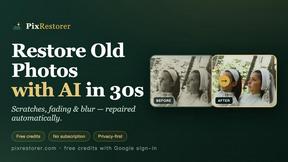
PixRestorer
Restore and colorize old photos with AI in seconds. PixRestorer repairs scratches, fading, blur, and tears, brings black-and-white prints to life in n

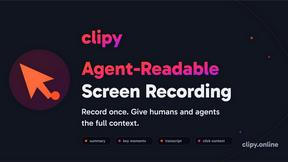
Clipy
Free, no-watermark screen recorder + instant share links. A Loom alternative: record, stop, share. No signup, no time cap, no app to watch.


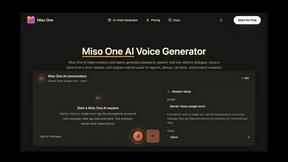
Miso One
Create lifelike voiceovers with Miso One AI’s expressive text-to-speech and voice cloning workspace.

Luffy
Luffy is an AI employee in Slack that connects to your tools and gets work done across them using the full context of your workspace.

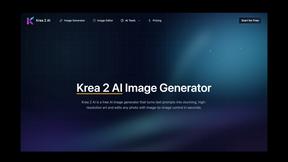
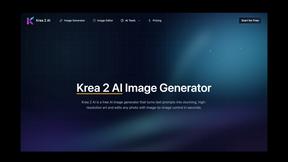
Krea 2 Image Generator
Generate, refine, and remix images with Krea 2’s intuitive AI-powered creative toolkit.

About Muse AI Video Generator Alternatives
Muse AI Video Generator is a free, browser-based tool that falls squarely into the AI assistant and content creation category, designed to eliminate the friction between having an idea and posting a video. It strips away the complexity of traditional editing software by allowing you to simply type a prompt and instantly receive a share-ready clip, making it an ideal entry point for casual creators and social media users. However, the very simplicity that makes it appealing can also be its limitation, which is why many users begin searching for alternatives. The most common reasons include a need for higher resolution exports, more granular control over the visual style or animation, the desire for longer video durations beyond a few seconds, or the requirement for advanced features like custom voiceovers, branded templates, or integration with professional editing suites. When evaluating other options, you should prioritize what you are willing to trade for the zero-cost and zero-complexity promise of Muse. If your primary goal is to produce polished, long-form content for a business or brand, you will need to look for tools that offer higher fidelity, watermark removal, and a robust library of stock assets, even if that means paying a subscription fee. Conversely, if you are a pure hobbyist or content tester, you might value platforms that maintain a generous free tier but offer more stylistic variety or the ability to adjust the pacing of the generated clips. The key is to identify whether your bottleneck is the speed of ideation—where Muse excels—or the quality and customization of the final output, which will guide you toward a tool that better fits your specific workflow.
FAQs about Muse AI Video Generator Alternatives
What is Muse AI Video Generator?
Muse AI Video Generator is a free, web-based AI assistant that converts text prompts directly into short, share-ready video clips. It belongs to the AI assistant category and is designed to eliminate the need for editing skills or complex software. The tool focuses on instant generation with zero cost and zero complexity, making it accessible to anyone with a text idea.
Who is Muse AI Video Generator for?
Muse AI Video Generator is primarily for casual creators, social media users, and content testers who need to quickly turn a text idea into a video without any editing overhead. It is ideal for individuals who prioritize speed and simplicity over high-end production value, such as those making short clips for platforms like TikTok, Instagram Reels, or Twitter. It is less suited for professional video editors or brands requiring high-resolution, watermarked, or long-form content.
Is Muse AI Video Generator free?
Yes, Muse AI Video Generator is completely free to use, with no hidden costs or subscription fees required. The tagline 'zero cost and zero complexity' directly confirms that users can generate clips without any financial commitment. This makes it an attractive option for experimenting with AI video generation without upfront investment.
What are the main features of Muse AI Video Generator?
The primary feature of Muse AI Video Generator is its ability to transform text prompts into instant, share-ready video clips. It requires no account setup or technical knowledge, operating as a straightforward AI assistant. The tool focuses on delivering quick results for short-form content, emphasizing speed and ease of use over advanced customization options like custom voiceovers or complex animations.