
Muse AI Video Generator
Muse AI transforms your text or image into a polished, share-ready video clip in seconds, for free, with no complexity.
Visit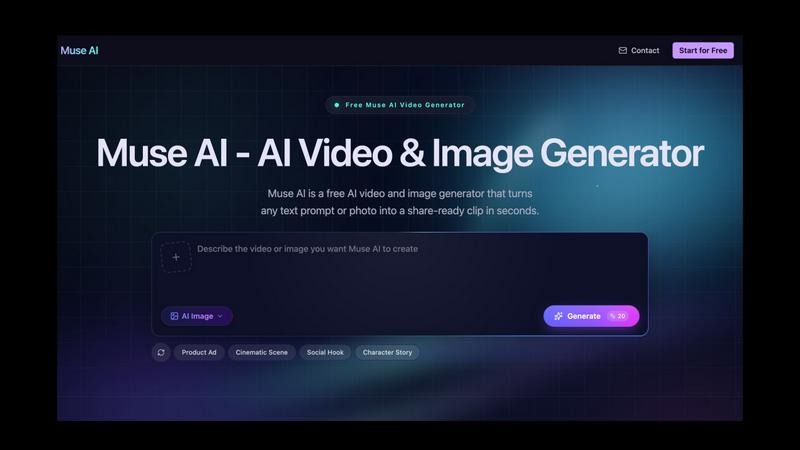
About Muse AI Video Generator
Muse AI Video Generator is a refreshingly straightforward tool that does exactly what it promises: turns text prompts or images into share-ready video clips in seconds, completely free. This is not another bloated, overhyped AI platform that buries you in confusing settings and paywalls. Instead, Muse AI is the kind of tool I wish existed years ago, a no-nonsense video and image generator built for creators who need to move fast. Whether you are a marketer cranking out localized ad variants, a social media manager who needs a fresh batch of vertical clips daily, or an ecommerce seller creating consistent product mockups, Muse AI is designed for you. The core value proposition is simple: zero cost, zero complexity, and results that actually look intentional. What sets Muse apart from the crowded field is its ability to maintain character consistency across every output, ensuring your brand identity stays locked in from the first frame to the last. It also excels at rendering legible in-frame text, a notoriously tricky challenge for many AI video tools, making it dependable for ads, captions, and layouts. With fast generation times, support for both video and image creation in one unified workspace, and a clean interface that gets out of your way, Muse AI is my personal favorite for rapid creative iteration. It is opinionated in the best way, prioritizing speed and consistency over feature bloat. If you need to test more ideas and publish more often without breaking the bank, this is your tool.
Features of Muse AI Video Generator
Video and Image in One Unified Workspace
Muse AI combines AI video generation with AI image generation in a single tool, so you can switch between creating moving clips and crisp stills without ever changing platforms. This is a massive time-saver for anyone who needs both formats for campaigns, social posts, or mockups. The unified workspace keeps all your assets organized and on-brand, eliminating the friction of exporting and re-importing between separate tools. I find this integration invaluable for maintaining a cohesive visual identity across different media types.
Character Consistency Across Every Output
This is where Muse AI truly shines and earns my personal recommendation. The tool holds the same character, subject, and product identity across every video and image you generate. No more jarring shifts in appearance or style between frames. For campaigns that require a consistent look, like a product hero shot and a series of social video clips, Muse locks that identity into every output. This feature alone saves hours of manual editing and ensures your brand stays recognizable and professional.
Fast, Low-Cost Creation for Rapid Iteration
Muse AI returns a first result in seconds, not minutes. This speed is a game-changer for small teams and solo creators who need to test multiple ideas quickly. The tool makes rapid iteration affordable, allowing you to explore different prompts, styles, and parameters without worrying about per-generation costs. I love that you can generate a batch of variations, pick the best one, and refine it further, all within a single session. This fast feedback loop is perfect for brainstorming and honing creative concepts.
Clear In-Frame Text Rendering
One of the most frustrating aspects of many AI video generators is their inability to render legible text. Muse AI solves this with strong prompt adherence that produces crisp, readable in-frame text for ads, captions, and layouts. This is a standout feature for marketers who need to include calls-to-action, product names, or other copy directly in their videos. The text stays clear at any size, which is a huge relief for anyone who has struggled with blurry or garbled text in other tools. It is a small detail that makes a massive difference in professional output.
Use Cases of Muse AI Video Generator
Marketing Video and Image Variants
Marketers can use Muse AI to generate localized ad videos, launch visuals, and banners with in-frame text, all while keeping every regional cut on-brand. The character consistency feature ensures that a product or spokesperson looks the same across different languages and markets. This is perfect for A/B testing creative variations or rolling out a campaign across multiple regions without hiring a full production team. I recommend using Muse to create a library of ad variants that you can deploy quickly based on performance data.
Social Content Creation for Daily Publishing
Social creators can turn a single text prompt into a vertical Muse AI video clip, along with matching thumbnails and graphics, all built for daily publishing schedules. The tool allows you to generate a fresh batch of content rapidly, ensuring you never run out of material for platforms like Instagram Reels, TikTok, or YouTube Shorts. The fast generation time means you can iterate on trending topics or styles in real time. This is my go-to workflow for maintaining a consistent social presence without the creative burnout.
Ecommerce Product Mockups and Catalog Consistency
Ecommerce sellers can generate product videos and image mockups that keep the subject consistent across a full catalog. Muse AI holds product identity from the hero shot to the thumbnail, ensuring every listing looks cohesive and professional. This is invaluable for creating a unified brand experience across your entire online store. I find this use case particularly powerful for small businesses that need high-quality visuals but lack the budget for professional photography studios.
Concept Visualization and Stakeholder Communication
Product marketers and brand designers can use Muse AI to turn rough product ideas into clear, polished mockups that stakeholders understand immediately. The tool bridges the gap between a verbal concept and a visual representation, making it easier to communicate ideas during brainstorming sessions or pitch meetings. The speed of generation allows you to explore multiple directions quickly, providing tangible assets for discussion and feedback. This is a fantastic way to accelerate the approval process and get everyone on the same page visually.
Frequently Asked Questions
Is Muse AI Video Generator really free to use?
Yes, Muse AI offers a free tier that allows you to generate AI videos from text prompts without any upfront cost. The tool is designed to be accessible for creators who need to produce share-ready clips quickly. While there are paid plans available for users who need higher resolution, longer videos, or additional features like API access, the core text-to-video functionality is available at no charge. This makes it an excellent starting point for anyone curious about AI video generation.
How long does it take to generate a video with Muse AI?
Muse AI is built for speed, returning a first result in just a few seconds. The exact generation time can vary based on the complexity of your prompt, the selected parameters, and current server load, but the tool is optimized for rapid iteration. You can typically expect to see a preview of your video within seconds of clicking the generate button. This fast turnaround is one of the features I appreciate most, as it allows for quick testing and refinement of creative ideas.
Can I maintain character consistency across multiple videos?
Absolutely. One of Muse AI's standout features is its ability to hold the same character, subject, or product identity across every output. This means you can generate a series of videos or images featuring the same person or object without worrying about inconsistent appearances. The tool locks that identity into every frame, ensuring your campaigns stay on-brand from start to finish. This is a key differentiator from many other AI video generators that struggle with consistency.
What formats and resolutions does Muse AI support for video export?
Muse AI supports common aspect ratios like 16:9 for widescreen content and vertical formats for social media platforms. The tool generates videos in 720p resolution as a standard option, with higher resolutions likely available on paid plans. Videos are exported as share-ready files that you can download directly and use in your campaigns, social posts, or mockups. The platform also supports image generation in various styles, giving you flexibility for different content needs.
Explore more in this category:
Similar to Muse AI Video Generator
AIVideoAgent
Turn text ideas or reference images into videos through conversation, with agent-assisted prompts and a choice of video models.
Easemic
Open-source Android comic & manga reader with encrypted cloud streaming and AI ad-page stripping.

LaunchIntel
Your AI agent picks relevant directories, submits your product in your browser and tracks every step. One-time purchase.
GenX
All-in-one AI workspace to generate images, videos, and audio with multiple leading AI models.

Bloom
An adaptive AI tutor that turns topics or your materials into courses, lessons, and answers tailored to how you learn.
Lemongraph
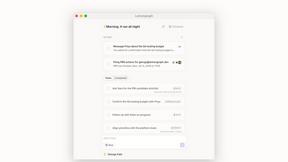
Almost every conversation ends with a promise. Lemongraph keeps track of them for you and lines up your day the way you would.
CustomerFlows
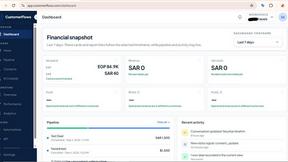
Track, manage, and convert every lead, in one place.
Zeptap
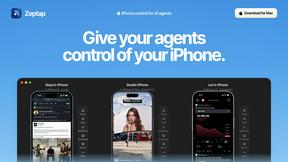
Zeptap lets AI use your real iPhone like you do: open apps, read the screen, tap, swipe and type. Reply to DMs, post Stories, book rides, test apps.