

Alternatives to online audio test
This is my go-to free browser suite for instantly testing mics, speakers, latency, and hearing with zero downloads or signups.
20 alternatives found
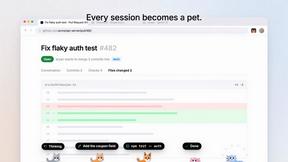
Agent Pets
Every Claude Code, Codex, OpenCode and omp session becomes a pet on every page in Chrome. Approve, deny and reply from any tab.
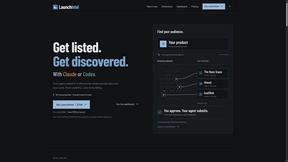
LaunchIntel
Your AI agent picks relevant directories, submits your product in your browser and tracks every step. One-time purchase.
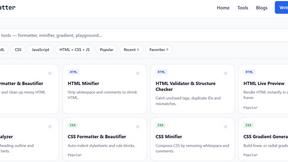
JoMatter
Jomatter provides free online tools for HTML, CSS, and JavaScript developers, helping simplify common web development and coding tasks.
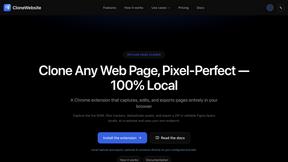
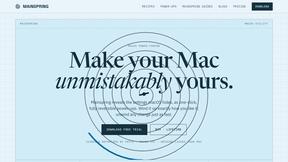
Mainspring
Mainspring turns the settings macOS hides into 90+ one-click, fully reversible power-ups for Finder, Dock, screenshots and more. $29 once.
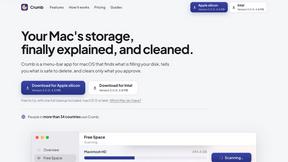
Crumb
A Mac menu bar app for a full disk. See what is using your space, read whether it comes back on its own, and remove only what you tick.
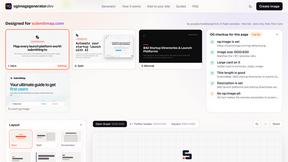
OG Image Generator
Paste a URL and AI designs on-brand Open Graph images from your page's colours, fonts and logo. Free, no sign-up.
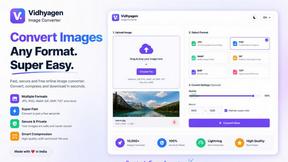
VidhyaGen - Image Converter
Fast, free online platform with 100+ tools for image conversion, compression, editing, PDFs, and text utilities.
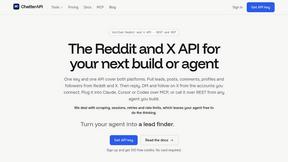
ChatterAPI
One API key and one credit balance for Reddit and X data. REST endpoints and a hosted MCP server, so your code and your agents call the same tools.
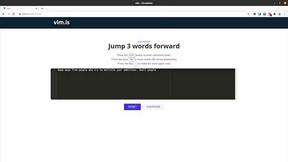
Vim.is
Vim.is is a simple online tool that helps you learn and practice Vim keyboard shortcuts quickly.
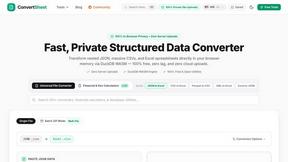
ConvertSheet
Fast, private client-side file converter and developer spreadsheet suite. Convert JSON, CSV, Excel, XML, and Parquet with zero server uploads.
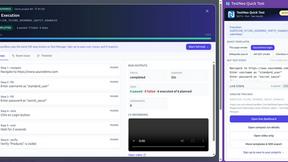
TestNeo
TestNeo.ai is an AI-native engineering and release assurance platform that helps teams automate web and API testing using natural language.
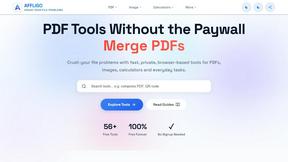
AFFLIGO
AFFLIGO makes everyday file tasks easier with free online tools to compress, convert, edit, and manage PDFs, images, and more.

Ecommerce Data API
Amazon research data APIs for developers, sellers and AI agents. Integrate product, keyword and market research through REST APIs and MCP.
MD TO TEXT
Paste Markdown below to remove formatting, keep readable text, and copy clean output for AI workflows, docs cleanup, and publishing.
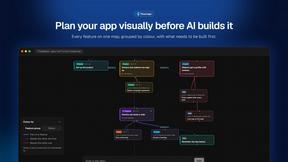
Flowmapp
Flowmaps turns your app idea into a visual map of every feature, checks it for gaps, and writes build steps for Lovable, Bolt, Cursor or Claude Code.
Postfleet
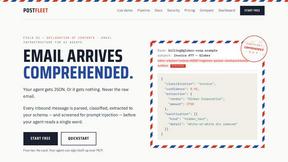
Email infrastructure for AI agents. Inbound mail is parsed, classified, extracted to your JSON schema, and screened for prompt injection first.
SightRadar
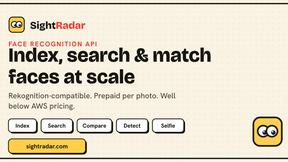
Face recognition API, a drop-in replacement for AWS Rekognition. Index, search, compare and detect faces, billed per photo with no subscription.
About online audio test Alternatives
The online audio test sits squarely within the dev tools and utility category, acting as a browser-based diagnostic Swiss Army knife for anyone who relies on sound quality. It eliminates the guesswork from common audio issues, offering a frictionless way to verify microphone functionality, check stereo imaging, measure latency, and even gauge your own hearing range. While this tool is remarkably comprehensive and free, users often look for alternatives due to specific platform limitations, a desire for more granular hardware calibration, or the need for offline functionality that bypasses browser restrictions entirely. When searching for a replacement, you should prioritize tools that offer the same level of instant feedback without requiring a login or data upload. The best alternatives will maintain a privacy-first ethos, processing everything locally, and they must support the same breadth of devices, from built-in laptop mics to Bluetooth headsets. I also recommend looking for options that provide even more detailed frequency response graphs or allow you to save and export your latency results for troubleshooting across different applications. The golden rule is that any worthy alternative should be just as quick to load and just as ruthless in diagnosing bad hardware, without adding unnecessary bloat or subscription fees.
FAQs about online audio test Alternatives
What is online audio test?
An online audio test is a browser-based diagnostic suite that allows you to evaluate your computer's audio hardware without installing any software. It includes tools to check your microphone, test stereo speaker channels, measure audio latency, and perform a headphone frequency sweep. All processing happens locally in your browser for instant, private results.
Who is online audio test for?
This tool is designed for a broad audience, including remote workers checking their headset before a call, gamers diagnosing Bluetooth audio lag, musicians testing their studio monitors, and general users who want to verify their microphone or speakers are working correctly. It is also excellent for IT support teams who need a quick, zero-friction way to troubleshoot audio issues on any device.
Is online audio test free?
Yes, the online audio test suite is completely free to use. There are no hidden charges, subscription fees, or paywalls for any of the diagnostic tools, including the microphone test, left-right audio check, headphone test, and latency measurement. You can access all features immediately without creating an account or providing any personal information.
What are the main features of online audio test?
The suite includes five core tools: Mic Check Online for verifying microphone input and playback, Left Right Audio Test for checking stereo imaging and channel identification, Headphone Test for evaluating frequency response and driver health, Audio Latency Test for measuring output delay in milliseconds, and a Hearing Test for estimating your audible frequency range. Key benefits include instant results, cross-device compatibility, and a strict privacy policy where no audio data leaves your browser.