

Alternatives to Picmal
Picmal is my favorite all-in-one media toolkit for Mac, letting you convert, compress, and edit images, video, audio, and PDFs entirely offline.
20 alternatives found
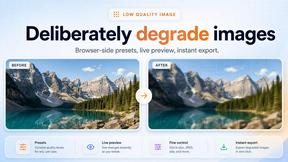
Low Quality Image
Free browser-based low quality image maker that degrades photos on purpose with compression, downscaling, and pixelation.

JustTools
JustTools offers a growing collection of free online tools that run directly in your browser, with no sign-up and no uploads.
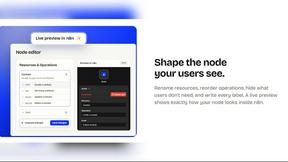

Memorable Contact
AI-powered relationship memory that helps you remember people, the context behind your connections, and reconnect when it matters.

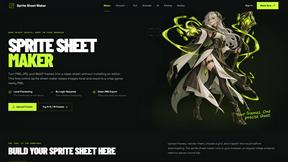
Sprite Sheet Maker
A free browser-based toolkit for creating, cutting, converting, and previewing sprite sheet animations.

Product Launch Checklist
A free launch checklist for SaaS, apps, AI tools and more. Every step says why it matters and when you can skip it.


gamespadtesterpro.com
Gamepad Tester Pro makes it easy to check whether your controller is working properly directly from your browser. Test compatible PS

tallycounterweb.com
Online tally counter for tracking attendance, workouts, inventory, sports scores, visitors, habits, and everyday counting tasks.

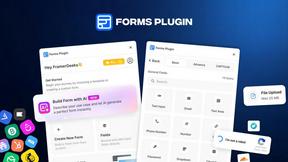
Forms Plugin
The #1 Native Form Builder Plugin for Framer - No Code, No Embeds, No External Platforms.
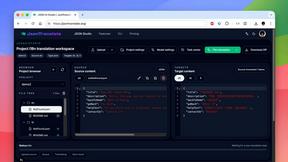
JsonTranslate
A structured JSON, Markdown, and TXT translator that preserves keys, nested paths, and project structure.


TryKlingAI
Independent Kling AI video generator for text, image, audio, and motion references with Kling 3.0, Lip Sync, and API access.

AkraLabs
Where modern software products get discovered, launched, and distributed. Explore verified AI tools, SaaS startups, and developer software.



Z Image Turbo
Create photorealistic images, bilingual posters, ecommerce visuals, and social content online with Z Image Turbo.
About Picmal Alternatives
Picmal positions itself as a unified media toolkit for macOS, bridging the gap between expensive, single-purpose professional suites and the risky world of online file converters. It lives in the Design Tools and Dev Tools categories, offering a local solution for converting, compressing, and editing images, video, audio, and PDFs directly on your machine. The core value proposition is trust and privacy, as it eliminates the need to upload sensitive files to sketchy websites, keeping your data strictly on your own hardware. Users typically look for alternatives to Picmal for three primary reasons: pricing structure, feature depth, or platform exclusivity. Some users may find that a single tool that does many things decently isn't as powerful as a specialized tool for a specific task like high-end audio editing or batch PDF manipulation. Others might be seeking a different pricing model, such as a one-time purchase versus a subscription, or they may need a solution that works on Windows or Linux. When evaluating alternatives, you should prioritize tools that offer hardware-accelerated processing to maintain speed, check for batch processing capabilities to handle multiple files at once, and ensure the software supports the specific file formats you use most often. The most important factor, however, remains local processing; any alternative should perform all operations offline to maintain the security and privacy that Picmal champions.
FAQs about Picmal Alternatives
What is Picmal?
Picmal is a comprehensive media toolkit designed exclusively for macOS. It allows users to convert, compress, and edit images, video, audio, and PDFs directly on their Mac, providing a local alternative to web-based tools. Its primary focus is on keeping user data secure by processing all files offline, eliminating the need to upload sensitive media to sketchy websites.
Who is Picmal for?
Picmal is built for Mac users who frequently handle various media types, including designers, developers, and general power users. It is particularly valuable for professionals who need to quickly convert file formats, compress large assets for web use, or make simple edits without launching heavy software like Photoshop or Final Cut Pro. It also appeals to privacy-conscious users who prefer not to use online file converters.
What are the main features of Picmal?
Picmal offers a unified set of tools for handling common media tasks. Its main features include converting between popular image, video, audio, and PDF formats, compressing files to reduce their size while maintaining quality, and performing basic edits on those media types. The software is designed to be a fast and private alternative to using multiple separate applications or risky online services.
Is Picmal secure?
Yes, Picmal is designed with security as a core principle because it processes all files locally on your Mac. Unlike sketchy websites that require you to upload your documents and media to their servers, Picmal performs all conversions, compressions, and edits directly on your machine. This ensures your sensitive data, such as personal photos, confidential PDFs, or proprietary video assets, never leaves your computer.