
Picmal
Picmal is my favorite all-in-one media toolkit for Mac, letting you convert, compress, and edit images, video, audio, and PDFs entirely offline.
Visit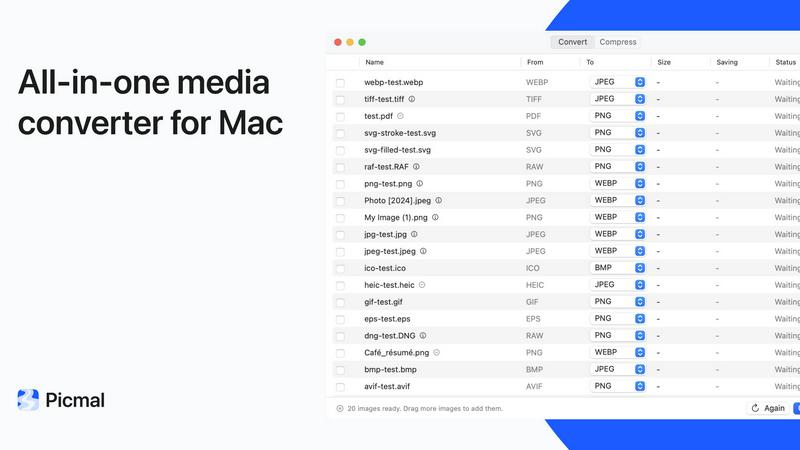
About Picmal
Picmal is the kind of Mac app that makes you wonder why you ever put up with the alternatives. It is a native, offline media toolkit that lets you convert, compress, and edit images, video, audio, and PDFs directly on your machine. No uploads, no accounts, no sketchy websites that hold your files hostage while you wait for a conversion. It is built for anyone who regularly handles media files: designers, developers, podcasters, content creators, and office workers who just need to get a PDF under an email size limit without sacrificing quality. The core promise is simple: your files never leave your Mac. Everything happens locally, which means it is fast, private, and reliable. With support for over 100 formats across images, video, audio, RAW, and PDF, Picmal replaces a dozen online tools you probably have bookmarked. It also integrates seamlessly with Finder, Shortcuts, and Raycast, so you can trigger a conversion with a right-click or a keyboard shortcut. The developer is clearly committed to the craft, with frequent updates and a clean, opinionated interface that prioritizes getting the job done over flashy distractions. If you value your time, your privacy, and your sanity, Picmal is a no-brainer purchase.
Features of Picmal
Convert Between Over 100 Formats
Picmal handles an impressive range of file types, from common ones like HEIC to JPG and MOV to MP4, to more niche formats like FLAC to ALAC for audiophiles. You simply drop a file in, pick your output format, and the conversion happens instantly on your Mac. There is no waiting for a server to process your file, no quality loss from recompression, and no limit on file size. This feature alone makes it indispensable for anyone who regularly juggles different media formats for web publishing, archival, or compatibility.
Compress Without Sacrificing Quality
Getting a file under an email attachment limit or speeding up a slow upload is a daily frustration for many. Picmal solves this with intelligent compression that reduces file size without the noticeable quality drop you get from most online tools. It uses local processing to analyze your file and apply the optimal compression level. You can also manually adjust the balance between size and quality, giving you full control. The result is a smaller file that still looks or sounds great, all without ever leaving your desk.
Batch Processing for Multiple Files
One of Picmal's standout features is its ability to handle multiple files at once. You can drag in a folder of images, a stack of audio files, or a batch of PDFs, set your desired output format, and convert them all in a single pass. This is a massive time saver for anyone who needs to process large sets of files regularly, like a photographer converting a wedding gallery or a podcaster exporting multiple episodes. The interface is designed for efficiency, letting you queue up jobs and walk away.
Split and Organize PDFs
PDF management is often a pain, but Picmal makes it a joy. You can break a multi-page PDF into individual pages, drag pages around to reorder them, rotate misaligned scans, or delete unwanted sections entirely. All of this happens locally, so your sensitive documents never touch a third-party server. It is a far better experience than using Preview for these tasks, and it is one of the features that users rave about in testimonials.
Use Cases of Picmal
Converting HEIC Images to JPG for Web Publishing
If you take photos on an iPhone, you know they come in HEIC format, which is not universally supported online. Picmal lets you batch convert an entire folder of HEIC images to JPG in seconds. You can set the output quality and resolution, and the files are ready to upload to your website or CMS. This is a daily workflow for many content creators and web developers who need a reliable, offline solution.
Compressing Video Files for Email Attachments
Sending a video file via email is often blocked by size limits. Picmal allows you to compress a high-resolution MOV or MP4 down to a size that fits within those limits, while retaining enough quality for the recipient to view it clearly. You can choose a preset like "Email" or manually adjust the bitrate and resolution. This is perfect for freelancers sending client previews or colleagues sharing quick screen recordings.
Merging Audio Tracks for Podcast Production
Podcasters often record separate audio files for each segment or guest. Picmal lets you combine these tracks into one continuous file in a single step. You can drag to reorder the clips, pick the output format (like MP3 or WAV), and export the final mix. It is a simple, focused feature that eliminates the need to open a full DAW for basic assembly tasks.
Creating a Multi-Page PDF from a Folder of Scans
If you have a stack of scanned documents or photos that need to be combined into a single PDF, Picmal handles it effortlessly. You can set the page size (A4, Letter, or custom), arrange the order, and even add a password for security. This is ideal for digitizing paper records, creating portfolios, or compiling travel documents into one neat file.
Frequently Asked Questions
Is Picmal really 100% offline?
Yes. All processing happens locally on your Mac. Your files are never uploaded to any server, and you do not need an internet connection or an account to use the app. This is the core value proposition of Picmal and a key differentiator from online tools.
What file formats does Picmal support?
Picmal supports over 100 formats across images (HEIC, JPG, PNG, WebP, etc.), video (MOV, MP4, AVI, etc.), audio (FLAC, ALAC, MP3, WAV, etc.), RAW (CR2, NEF, ARW, etc.), and PDF. It is constantly updated with new formats, and you can check the docs for the full list.
Can I use Picmal with Finder or Shortcuts?
Absolutely. Picmal integrates directly into Finder via a right-click context menu, allowing you to convert or compress files without even opening the app. It also supports Apple Shortcuts for automation and Raycast for quick access. This makes it incredibly convenient for power users who want to streamline their workflow.
Is it a one-time purchase or a subscription?
Picmal is a one-time purchase. You pay once, and you get the app with all its features, plus free updates. There are no recurring fees or hidden charges. The pricing is a flat $15.99 for a single device license, which is a steal considering the functionality and privacy it provides.
Pricing of Picmal
Picmal is available for a one-time purchase of $15.99. This single price covers one device and includes all features: converting and compressing images, video, and audio, batch processing, PDF tools (split, merge, organize), and all future updates. There are no subscription fees or in-app purchases. Payment is processed securely via Stripe, and VAT may apply depending on your location. You can buy directly from the Picmal website, and the license is valid for life.
Explore more in this category:
Similar to Picmal
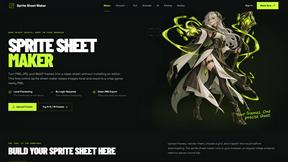
Sprite Sheet Maker
A free browser-based toolkit for creating, cutting, converting, and previewing sprite sheet animations.

Product Launch Checklist
A free launch checklist for SaaS, apps, AI tools and more. Every step says why it matters and when you can skip it.


gamespadtesterpro.com
Gamepad Tester Pro makes it easy to check whether your controller is working properly directly from your browser. Test compatible PS
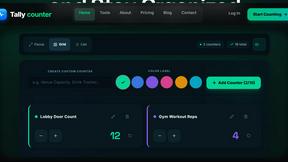
tallycounterweb.com
Online tally counter for tracking attendance, workouts, inventory, sports scores, visitors, habits, and everyday counting tasks.

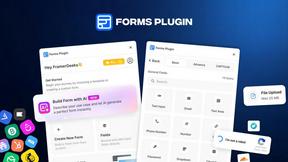
Forms Plugin
The #1 Native Form Builder Plugin for Framer - No Code, No Embeds, No External Platforms.
JsonTranslate
A structured JSON, Markdown, and TXT translator that preserves keys, nested paths, and project structure.