

Alternatives to Picture Enhancer
Picture Enhancer is my go-to for instantly deblurring, upscaling, and restoring photos right in your browser with no software install.
20 alternatives found
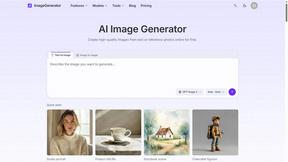
ImageGenerator
Create and edit AI images online with multiple models, text-to-image, image-to-image, background removal, and upscaling.
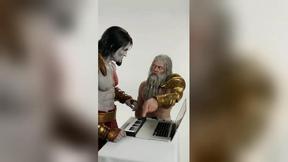
DanseAI - Alors on Danse Video
Make the Alors on Danse AI meme video from two photos, soundtrack included


nanobanana 21
A fast, simple image studio powered by Nano Banana 2.1. Create and edit high-quality images with accurate details, readable text, and consistent chara
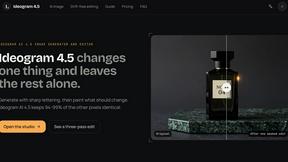
ideogram-45
AI image generation and editing with sharp typography, native 2K output, and localized edits.

Raindance AI
Turn two authorized portraits into a seaside golden-hour video: a wooden dock, two people taking turns singing, and a slow pullback to the sunset. Pre

AI Album Cover Maker
Create release-ready album covers from a prompt or photo. Generate, refine, and export art for singles, EPs, mixtapes, and playlists.

Sprite Sheet Maker
A free browser-based toolkit for creating, cutting, converting, and previewing sprite sheet animations.

Free AI Image
Free text-to-image AI generator for fast visual drafts with no sign-up required.

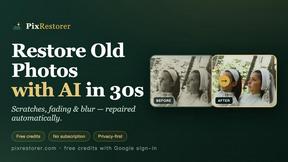
PixRestorer
Restore and colorize old photos with AI in seconds. PixRestorer repairs scratches, fading, blur, and tears, brings black-and-white prints to life in n


Vismuse
Create polished AI images and videos from prompts or references for social posts, ads, flyers, album covers, and campaigns.

Nano AI Prompts
NanoAIPrompts is a free AI image prompt library built for creators, photographers, designers, and AI enthusiasts. It offers ready-to-use prompts.

Magic Eraser
AI photo editor for removing objects and backgrounds, enhancing images, and creating visuals on web and mobile.

Tikdek
AI video and image generation for creators, marketers, developers, and teams, with stable APIs for scalable workflows.
Imagine2
Private browser-based AI image generation and editing with text-to-image, targeted edits, and multi-image references.

Kogashitsuka AI
An online AI image tool that enhances photos and illustrations at their original size or upscales them by 2x or 4x.

PerchanceAI
PerchanceAI is an AI creative studio for image generation, editing, background removal, product photos, and image-to-video creation.
About Picture Enhancer Alternatives
Picture Enhancer sits squarely in the fast-growing category of AI-powered image enhancement tools, a space where the promise is simple: take a blurry, low-resolution, or damaged photo and make it look crisp, clean, and professional with minimal effort. It’s a browser-based utility that lets you deblur, upscale, and restore images using three intensity levels, and it offers a generous free trial for guests. However, as with any tool built on a credit system, users often start hunting for alternatives when their initial free tries run out, when they need more advanced batch processing without paying per success, or when they want a tool that integrates more deeply into their existing workflow, like a desktop app or a plugin for design software. The credit model, while fair for occasional use, can feel restrictive for power users who process dozens of images daily, and the lack of a permanent free tier beyond three lifetime tries pushes many to explore other options. When you’re shopping for an alternative, you should first clarify your volume and intensity needs. If you’re a casual user who only needs a quick fix once a month, a pay-per-use or freemium model with a generous free tier is ideal. If you’re a seller or a creator processing hundreds of images weekly, look for tools with flat-rate subscriptions, unlimited processing, or offline capabilities that don’t tie you to a browser. Also, pay close attention to the output quality at different scales—some tools excel at upscaling faces but struggle with text, while others handle fine details like fur or fabric better. Finally, consider privacy and file handling; a tool that processes images locally on your device is inherently more secure than one that uploads to a cloud server, especially for sensitive product photos or personal family archives.
FAQs about Picture Enhancer Alternatives
What is Picture Enhancer?
Picture Enhancer is a free online AI photo enhancer that operates entirely within your browser, requiring no software installation. It allows you to upload JPG, PNG, or WebP images and apply three core enhancements: deblur, upscale, and restore. You can choose from three intensity levels—Standard, Strong, or Super—and preview the before-and-after result before downloading a watermark-free image.
Is Picture Enhancer free?
Yes, Picture Enhancer offers a free experience for guests, who receive three lifetime tries per IP address with no signup required. After using those tries, you need to sign in to use credits, and new accounts receive starter credits to begin. Credits are charged only on successful enhancements, with Standard costing 2 credits, Strong costing 4, and Super costing 6.
Who is Picture Enhancer for?
Picture Enhancer is designed for creators, online sellers, and everyday users who need sharper images quickly without technical hassle. It is ideal for enhancing social media posts, e-commerce product listings, screenshots, and family photos. The tool is particularly useful for anyone who wants to improve image quality without installing software or learning complex editing programs.
What are the main features of Picture Enhancer?
The main features include three enhancement modes: Deblur, Upscale, and Restore, each available at Standard, Strong, or Super intensity levels. Users can preview the result before downloading a watermark-free image. Paid users unlock Super intensity tiers and the ability to batch enhance up to 10 images at once. Monthly plans grant credits each cycle, while permanent credit packs never expire.