

Alternatives to PixUnblur
PixUnblur is my go-to for instantly fixing blurry photos with AI that sharpens details and reduces noise without ruining the natural look.
20 alternatives found
GenX
All-in-one AI workspace to generate images, videos, and audio with multiple leading AI models.

Bloom
An adaptive AI tutor that turns topics or your materials into courses, lessons, and answers tailored to how you learn.
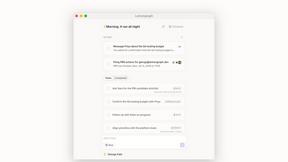
Lemongraph
Almost every conversation ends with a promise. Lemongraph keeps track of them for you and lines up your day the way you would.
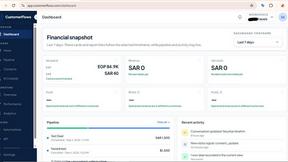

Zeptap
Zeptap lets AI use your real iPhone like you do: open apps, read the screen, tap, swipe and type. Reply to DMs, post Stories, book rides, test apps.

FreeVideoGenerator
Free AI video generator for text and photos, powered by Sora 2, Veo 3.1 and Wan. Get free starter credits and watermark-free downloads.
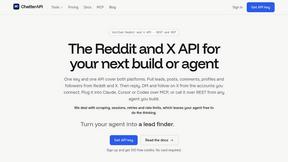
ChatterAPI
One API key and one credit balance for Reddit and X data. REST endpoints and a hosted MCP server, so your code and your agents call the same tools.
BacklinkBot
AI SEO agent that finds pages ranking for your keywords, pitches the people behind them from your inbox, and follows up. You approve every send.

HearBuyers
AI social listening agent: finds people on Reddit and X describing your problem, scores buying intent and drafts a reply you approve.
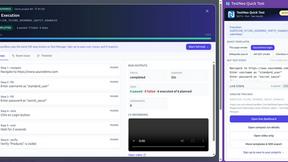
TestNeo
TestNeo.ai is an AI-native engineering and release assurance platform that helps teams automate web and API testing using natural language.

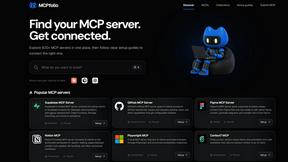
mcpfolio
Discover MCP servers, compare tools, and follow setup guides to connect AI assistants to your apps and workflows.
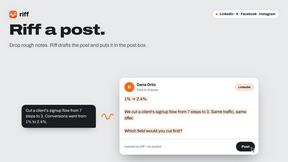
Riff
Riff writes replies, DMs and posts with Gemini Nano inside Chrome. Runs on your computer, no account or API key, and never posts for you.


Capafy AI
Agent Skills marketplace: discover expert AI agents, run them online, or publish a Skill and earn from every sale.
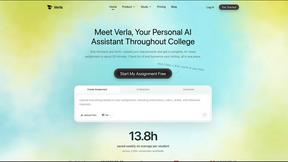
Verla AI
Verla is an AI academic assistant for university and college students, combining AI essay writing, academic research, AI detection, AI humanization.
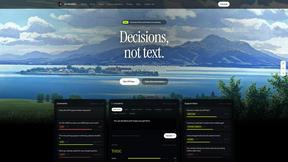
JevModel
Turn text or JSON into structured Choice, Score and Noul decisions with probabilities.


About PixUnblur Alternatives
PixUnblur is a specialized AI assistant designed to breathe new life into blurry, low-quality photos by automatically enhancing sharpness, reducing noise, and recovering fine textures. It sits squarely in the growing category of AI-powered image restoration tools, competing with both standalone desktop software and cloud-based platforms. While PixUnblur offers impressive one-click results, many users start looking for alternatives due to specific pain points like restrictive free tiers, the need for more granular manual controls, platform limitations (e.g., no native desktop app), or subscription pricing that doesn’t fit occasional use. Others may simply want a tool that integrates better with their existing photo editing workflow or offers additional features like background removal or batch editing for larger projects. When evaluating an alternative to PixUnblur, the smartest approach is to prioritize what matters most for your specific use case. First, consider the output quality and resolution—does the tool genuinely preserve natural details or does it oversharpen and create artifacts? Second, look at the editing workflow: do you need a quick one-click fix or do you prefer sliders and masks for fine-tuning? Third, think about platform compatibility and file handling—whether you need mobile support, desktop software, or browser-based access, and whether the tool handles RAW files or large batches efficiently. Finally, pay close attention to pricing models; some tools offer pay-per-image credits which can be more economical for light users, while others provide unlimited processing for a flat monthly fee. The best alternative is the one that fits your technical needs and budget without forcing you into a workflow you don’t enjoy.
FAQs about PixUnblur Alternatives
What is PixUnblur?
PixUnblur is an AI-powered photo enhancer and sharpener that restores detail and clarity to blurry images online. It uses advanced artificial intelligence to analyze and correct blur, reduce noise, and recover fine textures, transforming low-quality shots into detailed, crisp pictures suitable for both print and digital use.
Who is PixUnblur for?
PixUnblur is designed for photographers, graphic designers, and everyday users who want to improve the quality of their blurry or low-resolution images without needing complex editing skills. It is particularly useful for professionals who need to salvage out-of-focus shots, as well as casual users looking to enhance personal photos from old cameras or smartphones.
Is PixUnblur free?
PixUnblur offers a free tier that typically allows users to process a limited number of images or access basic enhancement features. For unlimited processing, higher-resolution outputs, and batch processing capabilities, users are generally required to subscribe to a paid plan. The exact pricing and free limits can vary, so checking the official website for the latest details is recommended.
What are the main features of PixUnblur?
PixUnblur’s main features include AI-powered enhancement that restores detail and sharpens photos while preserving a natural look, advanced noise reduction and texture recovery for cleaner images, and high-resolution output generation suited for professional print or digital use. It also supports batch processing and offers an intuitive interface accessible via Web and Mobile platforms, enabling quick and easy workflow management.