

Alternatives to Sprite-AI
Sprite-AI turns your wildest game ideas into pixel-perfect sprites in seconds, no drawing skill required.
20 alternatives found
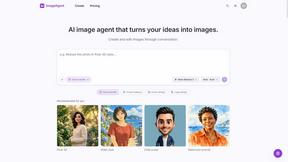
ImageAgent
Create and edit AI images through conversation, using text or reference images and refining results in chat.
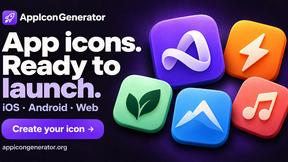
AppIconGenerator
Generate iOS and Android app icons from any image and export all platform sizes for free.
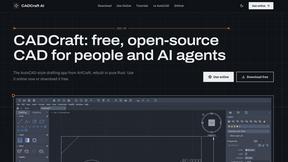
CADCraft
Free, open-source 2D CAD in Rust for precise drafting, layers, dimensions, DWG/DXF, PDF/SVG/PNG, desktop, web, and AI automation.
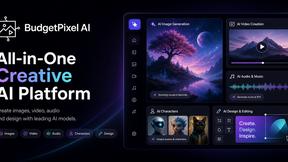
Budgetpixel AI
Create AI images, videos, music, and designs in one workspace with multiple models, powerful editing tools, and API access.

SquishFile
Free video tools that run in your browser. Compress, convert, upscale and transcribe without uploading.
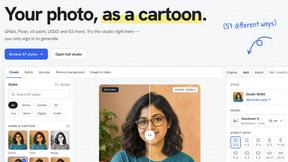
PhotoToCartoon: AI Cartoon Generator
Turn photos into cartoons, anime portraits, Ghibli-style art and drawings with this AI cartoon generator. Choose from 57 styles.
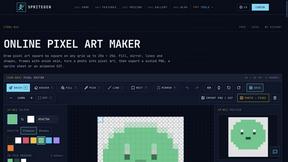
SpriteGen
Create AI pixel-art sprites and animated sprite sheets, refine assets in the editor, and export PNG, GIF, or JSON.
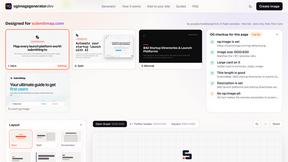
OG Image Generator
Paste a URL and AI designs on-brand Open Graph images from your page's colours, fonts and logo. Free, no sign-up.
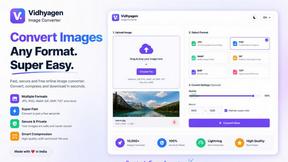
VidhyaGen - Image Converter
Fast, free online platform with 100+ tools for image conversion, compression, editing, PDFs, and text utilities.
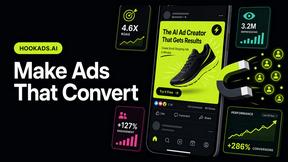
HookAds
Free ad creative hub: 1,750+ prompts behind viral AI ads, 118 hook frameworks, teardowns, swipe files and 27 free AI tools.
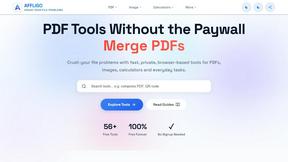
AFFLIGO
AFFLIGO makes everyday file tasks easier with free online tools to compress, convert, edit, and manage PDFs, images, and more.
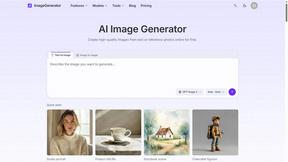
ImageGenerator
Create and edit AI images online with multiple models, text-to-image, image-to-image, background removal, and upscaling.
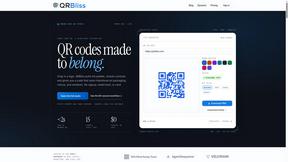
QRBliss
Free QR code generator with AI Brand Sync, 15 free dynamic codes, smart redirects, and zero tracking cookies. No signup to start.

Capafy AI
Agent Skills marketplace: discover expert AI agents, run them online, or publish a Skill and earn from every sale.
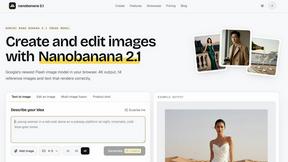
nanobanana 21
A fast, simple image studio powered by Nano Banana 2.1. Create and edit high-quality images with accurate details, readable text, and consistent chara
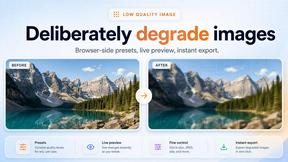
Low Quality Image
Free browser-based low quality image maker that degrades photos on purpose with compression, downscaling, and pixelation.
About Sprite-AI Alternatives
Sprite-AI sits squarely in the growing category of AI-assisted design tools, specifically targeting the niche of pixel art generation. It’s a clever shortcut for indie developers and hobbyists who need quick 2D assets without spending hours mastering pixel-perfect techniques. However, while its text-to-sprite pipeline is impressive, many users start hunting for alternatives when they hit the limits of a token-based pricing model or find the fixed output sizes too restrictive for their specific game engine workflows. Others simply want a more traditional, hands-on editor from the ground up, or they need a tool that integrates more deeply with their existing sprite sheet pipelines and animation tools. When you’re evaluating alternatives, look beyond just the generation speed. The best replacements will offer a robust, real-time pixel editor that feels intuitive for fine-tuning, support for a wider range of canvas sizes and export formats beyond transparent PNGs, and a pricing structure that doesn’t penalize heavy iteration. I personally favor options that give you unlimited local saves and a generous free tier for experimentation, because creativity shouldn’t be throttled by a token counter. Also, consider whether the alternative provides community-driven assets or prompt libraries that can inspire you when you’re stuck, as that’s often where the real value lies for prototyping.
FAQs about Sprite-AI Alternatives
What is Sprite-AI?
Sprite-AI is an AI-powered pixel art generator designed for indie game developers, hobbyists, and prototypers. It allows you to describe a sprite in plain English, and the app produces a clean, game-ready pixel art image in standard sizes like 32x32, 64x64, or 128x128 pixels. The tool is categorized under design tools and focuses on accelerating the creation of 2D assets for game development.
Who is Sprite-AI for?
Sprite-AI is primarily built for indie game developers, hobbyists, and prototypers who need to generate 2D assets quickly without requiring drawing skills. It is ideal for anyone working on game projects in engines like Unity, Godot, GameMaker, or Unreal who needs icons, items, characters, or hero/boss art. The tool also appeals to those who want a fast way to iterate on visual concepts before refining them in a built-in pixel editor.
Is Sprite-AI free?
Sprite-AI is not free; it operates on a token-based pricing model where you only pay for what you generate. This means you purchase tokens that are consumed each time you create a new sprite. The platform does not appear to offer a permanent free tier, but the pay-per-use structure is designed to be flexible for users who generate assets sporadically rather than subscribing to a monthly plan.
What are the main features of Sprite-AI?
Sprite-AI's main features include text-to-pixel-art generation for sizes 32x32, 64x64, and 128x128, a built-in pixel editor with tools for painting, erasing, filling, and color-picking, and the ability to export transparent PNGs compatible with major game engines. It also provides a community gallery for inspiration, prompt guides to improve generation results, and a token-based pricing system that lets you control spending based on your usage.