
Sprite-AI
Sprite-AI turns your wildest game ideas into pixel-perfect sprites in seconds, no drawing skill required.
Visit
About Sprite-AI
Sprite-AI is the AI-powered pixel art generator I wish I had back when I was prototyping my first game. Built specifically for indie game developers, hobbyists, and prototypers who need 2D assets fast, this tool lets you describe a sprite in plain English and get a clean, game-ready pixel art image in seconds. No drawing skills required just your imagination and a few words. You can generate sprites in multiple sizes including 32x32, 64x64, and 128x128, each correctly proportioned for specific roles like icons, items, characters, or hero and boss art. What sets Sprite-AI apart from other AI art generators is its laser focus on pixel art for games. Once a sprite is generated, a built-in pixel editor lets you paint, erase, fill, and color-pick to fine-tune every single pixel before exporting a transparent PNG that drops straight into Unity, Godot, GameMaker, or Unreal. The platform also includes a community gallery for inspiration, prompt guides to help you get better results, and a token-based pricing model so you only pay for what you generate. If you are serious about game development and tired of wrestling with art pipelines, Sprite-AI is your new best friend.
Features of Sprite-AI
AI-Powered Pixel Art Generation
Describe any sprite in plain English and watch it come to life. Type something like "fire-breathing dragon with red scales" or "medieval knight with sword and shield" and Sprite-AI produces a clean, game-ready pixel art image in seconds. The AI understands context and generates sprites that are correctly sized for their intended role, whether you need a 16x16 icon, a 32x32 item, a 64x64 character, or a 128x128 hero or boss sprite. This feature alone saves hours of manual pixel pushing.
Built-In Pixel Editor
Generation is only half the battle. Sprite-AI includes a full-featured pixel editor that lets you paint, erase, fill, and color-pick to fine-tune every pixel. This is where the tool truly shines for game developers who need precise control over their assets. You can tweak colors, fix small details, add your own touch, and ensure every sprite matches your game's visual style. The editor feels intuitive and works like magic, letting you make changes without leaving the platform.
Instant Game Engine Export
Exporting sprites should never be a headache. Sprite-AI lets you download your finished sprites as transparent PNGs that work immediately with every major game engine including Unity, Godot, GameMaker, and Unreal. No conversion tools, no format headaches, no wasted time. You generate, you edit, you drop into your project, and you play. This seamless integration is what makes Sprite-AI indispensable for rapid prototyping and game jams.
Community Gallery and Prompt Guides
Stuck on what to create next? The community gallery showcases thousands of sprites generated by other users, giving you endless inspiration and ideas. You can browse by category, see what prompts others used, and understand what works best. Sprite-AI also provides comprehensive prompt guides that teach you how to describe sprites for optimal results. Learn the art of prompt engineering specifically for pixel art and unlock the full potential of the AI.
Use Cases of Sprite-AI
Rapid Game Prototyping
When you are building a game prototype, every minute counts. Sprite-AI lets you generate a full set of placeholder sprites in minutes, from characters and enemies to items and UI icons. Describe what you need, get it instantly, and focus on gameplay mechanics instead of waiting for art assets. This is perfect for game jams where speed matters more than polish, or for early-stage development when you need to test ideas quickly.
Indie Game Asset Production
For indie developers shipping real games, Sprite-AI becomes a core part of your art pipeline. Generate consistent pixel art characters, enemies, items, and environmental elements that fit your game's visual style. Use the built-in editor to refine details and ensure every sprite looks professional. The ability to export directly to Unity, Godot, or GameMaker means you can integrate assets without friction, speeding up your entire development cycle.
Creating Game UI Icons
User interface icons are tedious to create manually but essential for a polished game. Sprite-AI excels at generating small, clean icons like swords, potions, keys, coins, and magic wands. The 16x16 and 32x32 sizes are perfect for inventory systems, HUD elements, and menu screens. Describe what you need, generate a batch, and drop them into your UI framework. This use case alone saves hours of tedious pixel work.
Concept Art for Game Designers
Before you commit to a full art direction, use Sprite-AI to explore visual concepts quickly. Generate multiple versions of a character, enemy, or item to see what works best. Experiment with different color palettes, sizes, and styles without spending hours drawing. Share these concepts with your team or use them as references for a professional pixel artist. Sprite-AI makes brainstorming visual ideas fast, fun, and collaborative.
Frequently Asked Questions
What sizes can I generate sprites in?
Sprite-AI supports generating sprites in 16x16, 32x32, 64x64, and 128x128 pixel sizes. Each size is optimized for specific game roles: 16x16 for tiny icons and UI elements, 32x32 for standard items and small characters, 64x64 for detailed characters and enemies, and 128x128 for hero art, boss sprites, and showcase pieces. You can choose the size that best fits your game's visual style and resolution requirements.
Can I edit sprites after they are generated?
Absolutely. Every sprite you generate comes with access to a built-in pixel editor that lets you paint, erase, fill, and color-pick individual pixels. You can tweak colors, fix details, add new elements, or completely rework parts of the sprite. The editor is designed to be simple and intuitive, giving you full control over your final asset without requiring advanced art skills or external software.
Which game engines are supported for export?
Sprite-AI exports transparent PNG files that work seamlessly with Unity, Godot, GameMaker, and Unreal Engine. The PNG format preserves transparency and pixel perfection, so your sprites look exactly as intended when imported into any engine. No conversion, no compression artifacts, no extra steps. Just download and drop into your project.
How does the token-based pricing work?
Sprite-AI uses a token-based pricing model where you buy a monthly plan that includes a set number of sprites. For example, the Starter plan at $5 per month gives you 8 game-ready sprites, while the Creator plan at $8 per month (limited time offer) gives you 20 unique sprites. Unused tokens do not roll over, but you can always upgrade your plan or purchase additional tokens. This model ensures you only pay for what you generate, making it cost-effective for both hobbyists and professional teams.
Pricing of Sprite-AI
Sprite-AI offers three tiered pricing plans designed for different levels of game development needs. All plans are currently available with a limited-time launch discount of 38% off the Creator and Studio tiers, and only 386 out of 500 discounted spots remain. Locking in now guarantees this price forever, as prices will increase at full release.
The Starter plan costs $5 per month and is perfect for game jams and side projects. It includes 8 game-ready sprites every month, direct export to any game engine, and the ability to share your work in the community gallery. Cancel anytime.
The Creator plan is the best value at $8 per month (regularly $13, 38% off). Designed for indie developers shipping real games, it includes everything in Starter plus 20 unique sprites every month, PNG and SVG export formats ready for Unity or Godot, private and uncensored generations, and a full refund if your sprites are not game-ready. Your art stays yours, always.
The Studio plan costs $24 per month (regularly $39, 38% off) and is built for teams and serious production. It includes everything in Creator plus 75 sprites per month for full production workloads. This tier is ideal for studios with multiple projects or developers who need high-volume asset generation. Lock in this price forever during the launch window.
Similar to Sprite-AI
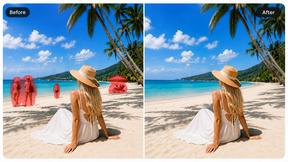
Magic Eraser
AI photo editor for removing objects and backgrounds, enhancing images, and creating visuals on web and mobile.

PNG to SVG
Free, private image conversion tools that run entirely in your browser.

StopScroll
AI YouTube thumbnail maker that generates multiple thumbnail concepts from a URL, title, or prompt.
HubVanta AI
HubVanta AI helps creators generate images and videos with advanced AI tools for visual content workflows.
Kirkify
Kirkify AI instantly turns any photo into a viral Charlie Kirk meme using advanced face swap tech, and it's my top pick for creators who want.
Blur & Unblur AI
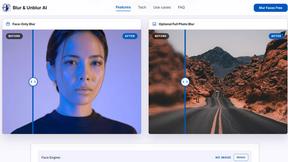
Free online face blur and unblur tool with local browser processing.