

Alternatives to StyleCut
StyleCut is my go-to for virtually trying on over 70 salon-inspired hairstyles and colors on your own photo before committing to a cut.
20 alternatives found
Goshortsai
Turn photos into AI videos for free with Goshortsai. Sign in daily to get free credits, upload an image, describe motion, and generate your video.
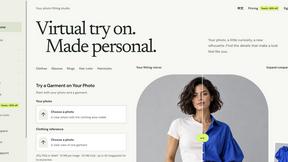
VirtualTryOn
Try on clothes, glasses, rings, hairstyles, and hair colors on your own photos with AI.

Vikas Editor AI
AI photo and video creative studio for Indian creators and global users, with cinematic edits, templates, and customizable prompts.
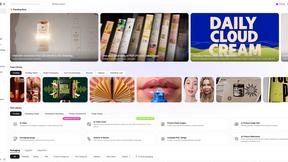
Rhinobird
AI video ads, UGC-style videos, and product visuals for cross-border sellers and e-commerce brands.
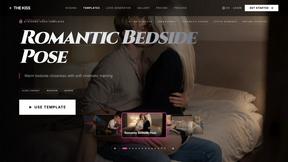
The Kiss
Turn two photos into a cinematic AI kissing video. Pick one of 13 kiss video templates; 30 free credits on sign-up.

trykissai
AI kiss generator: add a photo of each person, pick a kiss scene, and get a kiss photo or a 5–7 second clip. 30 free credits.
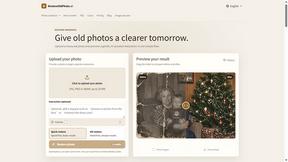
RestoreOldPhoto
Restore old photos with RestoreOldPhoto.ai: repair scratches, creases and fading, sharpen faces and details, and optionally colorize family memories.
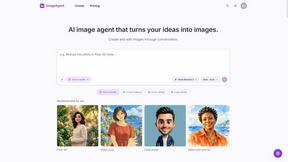
ImageAgent
Create and edit AI images through conversation, using text or reference images and refining results in chat.
GenX
All-in-one AI workspace to generate images, videos, and audio with multiple leading AI models.
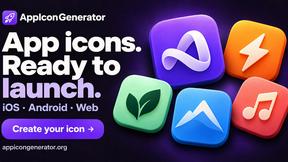
AppIconGenerator
Generate iOS and Android app icons from any image and export all platform sizes for free.
AiAgeFilter
Free AI age filter: upload an adult portrait, add 10-40 years, meet your older self. No app needed.

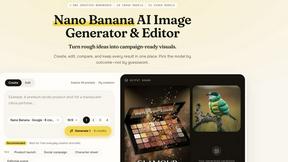
Nano AI
Create and edit AI images, generate videos, and compare models in one creative workbench.

SquishFile
Free video tools that run in your browser. Compress, convert, upscale and transcribe without uploading.

NanoBanana
Generate and edit AI images with six models, references, templates, and a visual workflow canvas.
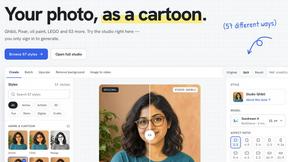
PhotoToCartoon: AI Cartoon Generator
Turn photos into cartoons, anime portraits, Ghibli-style art and drawings with this AI cartoon generator. Choose from 57 styles.
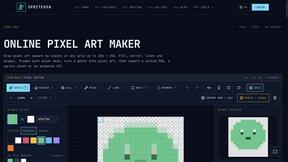
SpriteGen
Create AI pixel-art sprites and animated sprite sheets, refine assets in the editor, and export PNG, GIF, or JSON.

Tip Toe AI
Upload a Dancer photo and a Partner photo and get your own AI Tip Toe barn-dance video. Free 5s preview, 12s HD from $4.90. No subscription.

OG Image Generator
Paste a URL and AI designs on-brand Open Graph images from your page's colours, fonts and logo. Free, no sign-up.
About StyleCut Alternatives
StyleCut is a browser-based AI tool that lets you preview over 70 different hairstyles on your own photo before you commit to a cut or color. It sits squarely in the image generation and photo editing category, specifically focused on virtual hair try-ons. While it offers a generous free tier and no account requirement, users often look for alternatives because they may want more realistic rendering on non-front-facing photos, a wider library of celebrity-inspired looks, or specific platform support like a dedicated mobile app for on-the-go testing. Others might find the current hairstyle directions too broad and prefer a tool that offers finer granularity, such as exact fade lengths or precise bang textures. When choosing an alternative, prioritize how accurately the AI maps hair to your head shape, the diversity of styles available for your hair type and gender, and whether the tool supports side or angled photos if you don’t have a perfect front-facing shot. The best option will also offer high-resolution exports and seamless sharing with your stylist, ensuring the preview is as actionable as it is fun.
FAQs about StyleCut Alternatives
What is StyleCut?
StyleCut is an AI-powered hairstyle changer that lets you preview over 70 different haircut ideas on your own photo before visiting a salon. It works entirely in your browser with no app download needed, allowing you to upload a clear, front-facing photo and instantly see realistic previews of cuts, colors, and styles on your actual face.
Who is StyleCut for?
StyleCut is built for anyone thinking about a new hairstyle but unsure whether it will actually suit them. It is designed for both men and women, and it is particularly useful for people who want to test a dramatic change—like a pixie cut, fade, or color transformation—before making a real commitment. It also serves as a visual communication tool for clients to show their barber or stylist exactly what they want.
Is StyleCut free?
Yes, StyleCut is free to try and does not require creating an account to use the basic features. You can upload your photo, browse the 70+ hairstyle directions, and see previews without any upfront payment. This makes it an accessible tool for anyone who wants to experiment with their look before spending money on a salon visit.
What are the main features of StyleCut?
Key features include a library of 70+ hairstyle ideas for both men and women, the ability to preview hair color changes on your own photo, HD enhancement for sharper results, and side-by-side comparison of multiple looks. All processing happens in your browser, so there is no app to download, and you can download your favorite previews to bring as a visual reference to your stylist.