

Alternatives to Voloshow
Voloshow is my favorite AI creative studio for expanding, enhancing, and restoring images while generating stunning visuals and short videos.
20 alternatives found
GenX
All-in-one AI workspace to generate images, videos, and audio with multiple leading AI models.
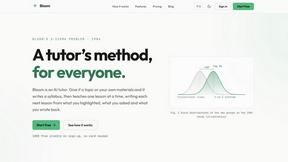
Bloom
An adaptive AI tutor that turns topics or your materials into courses, lessons, and answers tailored to how you learn.
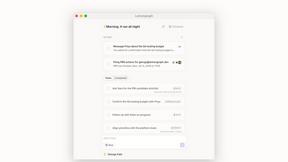
Lemongraph
Almost every conversation ends with a promise. Lemongraph keeps track of them for you and lines up your day the way you would.
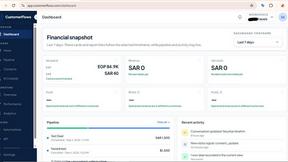

Zeptap
Zeptap lets AI use your real iPhone like you do: open apps, read the screen, tap, swipe and type. Reply to DMs, post Stories, book rides, test apps.
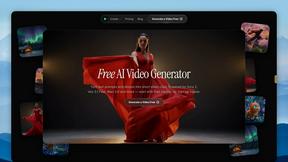
FreeVideoGenerator
Free AI video generator for text and photos, powered by Sora 2, Veo 3.1 and Wan. Get free starter credits and watermark-free downloads.
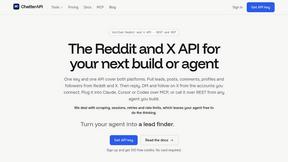
ChatterAPI
One API key and one credit balance for Reddit and X data. REST endpoints and a hosted MCP server, so your code and your agents call the same tools.
BacklinkBot
AI SEO agent that finds pages ranking for your keywords, pitches the people behind them from your inbox, and follows up. You approve every send.
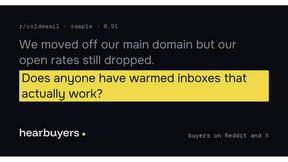
HearBuyers
AI social listening agent: finds people on Reddit and X describing your problem, scores buying intent and drafts a reply you approve.
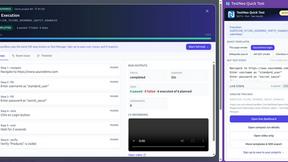
TestNeo
TestNeo.ai is an AI-native engineering and release assurance platform that helps teams automate web and API testing using natural language.

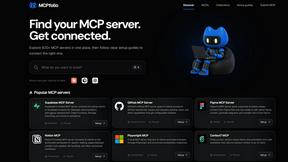
mcpfolio
Discover MCP servers, compare tools, and follow setup guides to connect AI assistants to your apps and workflows.
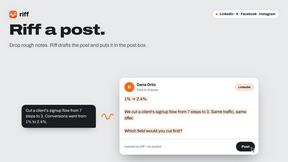
Riff
Riff writes replies, DMs and posts with Gemini Nano inside Chrome. Runs on your computer, no account or API key, and never posts for you.


Capafy AI
Agent Skills marketplace: discover expert AI agents, run them online, or publish a Skill and earn from every sale.
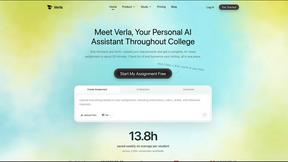
Verla AI
Verla is an AI academic assistant for university and college students, combining AI essay writing, academic research, AI detection, AI humanization.

JevModel
Turn text or JSON into structured Choice, Score and Noul decisions with probabilities.

About Voloshow Alternatives
Voloshow occupies a specific and increasingly crowded corner of the AI imaging space: the all-in-one utility for extending, enhancing, and restoring visuals. It sits squarely in the AI Assistants category, offering tools that promise to save creators from the drudgery of manual Photoshop work, whether that means seamlessly expanding a canvas to fit a new social media ratio or breathing life back into a faded family photograph. While its core proposition of combining extension, restoration, and colorization into one workflow is compelling, users often start looking for alternatives for a few predictable reasons. Pricing models can be a sticking point, especially for freelancers or hobbyists who balk at subscription fees for tools they only need sporadically. Others might find that their specific workflow demands a tool that specializes more deeply in one area, such as batch processing for ecommerce catalogs or superior control over the inpainting process for graphic design, rather than a generalist approach. Platform compatibility is another common driver; a tool that excels on desktop might not have the mobile app or API integration a team requires. When evaluating alternatives, the smartest approach is to prioritize your primary use case over a laundry list of features. If you are a photographer focused on restoration, look for a tool that demonstrates superior handling of skin textures and noise reduction, even if its canvas extension is basic. For social media managers, speed and template-preset integration for various platform sizes should be non-negotiable. Do not be seduced by a tool that does everything if it does the one thing you need every day only adequately. Pay close attention to the output resolution and whether the AI introduces artifacts or unnatural textures; a cheap or poorly trained model can ruin a high-quality original. Finally, test the user interface yourself. A tool that claims to be user-friendly but buries its key functions in menus will slow you down just as much as a complex professional suite.
FAQs about Voloshow Alternatives
What is Voloshow?
Voloshow is an AI-powered image editing tool designed to extend, enhance, and restore visuals. It falls under the category of AI Assistants, helping users automatically expand image borders, sharpen details, and revive old or damaged photographs without requiring advanced manual editing skills. The platform combines several key functions, including canvas extension, photo restoration, and colorization, into a single, streamlined workflow.
Who is Voloshow for?
Voloshow is perfect for photographers, graphic designers, ecommerce teams, and content creators who need to quickly adapt visuals for various formats. It is particularly useful for professionals who frequently need to resize images for social media ads, product catalogs, or archival projects, as well as hobbyists looking to restore old family photos. The tool is designed to be accessible for non-experts while still providing powerful results for experienced users.
What are the main features of Voloshow?
Voloshow offers four core features: AI image extension to create larger canvases for modern layouts, image enhancement to improve detail and clarity, photo restoration to repair damaged or aged photographs, and colorization to add color to monochrome images. These features are integrated into a user-friendly interface that speeds up the editing process. The tool is built to help users produce larger, sharper visuals without tedious manual work.
Is Voloshow free?
The provided content does not specify whether Voloshow is free or operates on a paid subscription model. Users interested in the tool should visit the official Voloshow website or platform to check the current pricing structure, as it may offer a free tier with limited features or a trial period. It is common for tools in this category to use a freemium model or a credit-based system for processing images.