
Voloshow
Voloshow is my favorite AI creative studio for expanding, enhancing, and restoring images while generating stunning visuals and short videos.
Visit
About Voloshow
Voloshow is not just another AI image generator; it is a full-fledged AI Creative Studio that I personally believe is redefining how we approach visual content creation. At its core, Voloshow provides a unified workspace where you can generate stunning images from text prompts, edit uploaded visuals, remove backgrounds with surgical precision, resize images locally, create professional-grade product photos, and even transform still images into short, engaging videos. This platform is designed for the modern creator, whether you are a seasoned graphic designer, a photographer looking to expand your canvas, an ecommerce team needing consistent product shots, or a content creator crafting assets for social media. The main value proposition here is simplicity married to power. You no longer need to juggle multiple complex software suites. Voloshow brings together advanced AI models like GPT-Image-2, style transfer tools, and a thriving community of creators into one intuitive interface. My favorite aspect is how it lowers the barrier to entry for non-experts while still offering the depth that professionals demand. From restoring old family photos to generating cinematic sports ads, Voloshow empowers you to produce breathtaking visuals in seconds, not hours. It is a creative playground where your ideas go from concept to publish-ready asset with minimal friction.
Features of Voloshow
AI Image Generation and Editing
Voloshow harnesses the power of cutting-edge models like GPT-Image-2 to turn your text prompts into vivid, high-quality images. But it does not stop there. You can upload your own assets and edit them directly within the platform. This means you can generate a base image, then fine-tune it, resize it, or remove unwanted elements without ever leaving the workspace. For me, this seamless integration of generation and editing is a game-changer, eliminating the tedious back-and-forth between different tools.
AI Product Photo Tools
This feature is a standout for anyone in ecommerce. Voloshow includes dedicated tools to create professional product photos from simple uploads. You can remove backgrounds instantly, place your product in new, AI-generated environments, and adjust lighting or composition to match your brand aesthetic. I find this incredibly valuable for small businesses and solo entrepreneurs who need high-quality catalog images but lack access to a full photography studio. It turns a basic product shot into a polished, ad-ready visual in a few clicks.
Image to Video and Short Clip Creation
One of the most exciting features is the ability to bring still images to life. Voloshow allows you to transform static visuals into short videos with camera moves, product transitions, and character motions. Whether you are creating a subtle parallax effect for a portrait or a dynamic product showcase for social media, this tool adds a layer of engagement that static images simply cannot match. In my opinion, this is the future of content marketing, and Voloshow makes it accessible to everyone.
Community Styles and Prompt Gallery
Voloshow is not just a tool; it is a creative ecosystem. The platform features a vibrant community where creators share their styles, prompts, and creations. You can explore trending creations like "Cinematic summer" or "Retro portrait," remix them, and apply popular style presets to your own work. This feature is perfect for overcoming creative block. I love browsing the "What are creators making now?" section for inspiration, and the ability to use community styles as a starting point for my own projects is a huge time-saver.
Use Cases of Voloshow
Ecommerce Product Photography
For ecommerce teams, Voloshow is a secret weapon. You can take a simple photo of a product, remove the distracting background, and place it in a clean, professional setting or a lifestyle scene. The AI handles lighting and shadows to make the composite look natural. This use case is ideal for creating consistent product shots for catalogs, Amazon listings, and social ads. I recommend it for anyone who needs high-volume, high-quality product visuals without the overhead of a physical photoshoot.
Social Media Content Creation
Content creators and social media managers will find Voloshow indispensable. You can generate unique, on-brand images for posts, stories, and ads directly from text prompts. Need a "Cinematic summer" vibe for an Instagram campaign? Just type it in. You can also resize images locally to fit different platform formats (4:5 for Instagram, 16:9 for YouTube thumbnails) instantly. My personal favorite workflow is generating a hero image, then using the video tools to turn it into a short, eye-catching clip for TikTok or Reels.
Photo Restoration and Enhancement
Voloshow excels at breathing new life into old or damaged photographs. Using its AI enhancement and restoration capabilities, you can repair scratches, reduce noise, and improve overall clarity. For black-and-white photos, the colorization feature adds a vibrant, modern layer to historical images. This use case is perfect for historians, genealogists, or anyone looking to preserve family memories. I find it incredibly satisfying to see a faded, century-old portrait transformed into a sharp, colorful keepsake.
Creative Storyboarding and Concept Art
For designers, filmmakers, and artists, Voloshow is a powerful tool for rapid prototyping. You can generate storyboards for video projects, create concept art for characters or environments, and explore different visual styles (like "Anime Studio" or "Street style") in seconds. This allows you to iterate on ideas quickly and present polished visuals to clients or collaborators. I believe this use case dramatically speeds up the pre-production phase of any creative project, saving hours of manual sketching or searching for reference images.
Frequently Asked Questions
Can I use my own images with Voloshow, or does it only generate new ones?
Absolutely, you can use your own images. Voloshow is designed for both generation and editing. You can upload your own assets, then use the platform's tools to edit them, remove backgrounds, resize them, or apply AI enhancements. This makes it a versatile tool for working with existing content as well as creating new visuals from scratch.
What AI models are available for image generation?
Voloshow offers access to powerful models, including the highly capable GPT-Image-2. The platform also features specialized models like "Portrait Lab," "Anime Studio," and various community styles. You can choose the model that best fits your creative vision, whether you are aiming for photorealistic portraits, stylized anime art, or cinematic landscapes.
Is Voloshow suitable for beginners who have no design experience?
Yes, that is one of the platform's strongest selling points. The interface is designed to be intuitive and user-friendly, with a simple workflow that guides you from prompt to finished asset. You do not need any prior experience with complex design software. The community features and prompt gallery also provide a great starting point for inspiration and learning.
How does the credit system work for new users?
When you sign up for Voloshow, you receive 50 free credits to start using the platform immediately. These credits allow you to test out the image generation, editing, and video features without any upfront payment. This is a fantastic way to explore the tool's capabilities and see if it fits your workflow before committing to a paid plan.
Similar to Voloshow

GenX
All-in-one AI workspace to generate images, videos, and audio with multiple leading AI models.
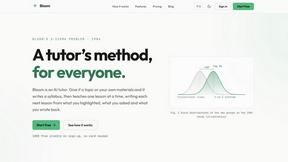
Bloom
An adaptive AI tutor that turns topics or your materials into courses, lessons, and answers tailored to how you learn.
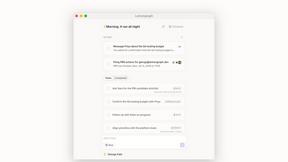
Lemongraph
Almost every conversation ends with a promise. Lemongraph keeps track of them for you and lines up your day the way you would.
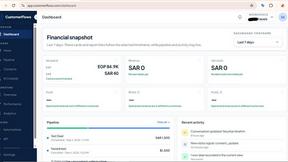
CustomerFlows
Track, manage, and convert every lead, in one place.
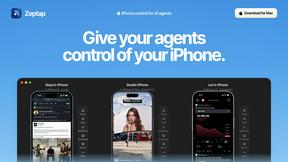
Zeptap
Zeptap lets AI use your real iPhone like you do: open apps, read the screen, tap, swipe and type. Reply to DMs, post Stories, book rides, test apps.
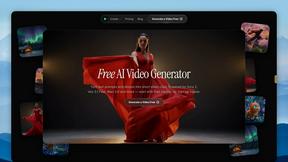
FreeVideoGenerator
Free AI video generator for text and photos, powered by Sora 2, Veo 3.1 and Wan. Get free starter credits and watermark-free downloads.
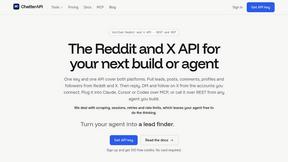
ChatterAPI
One API key and one credit balance for Reddit and X data. REST endpoints and a hosted MCP server, so your code and your agents call the same tools.
BacklinkBot
AI SEO agent that finds pages ranking for your keywords, pitches the people behind them from your inbox, and follows up. You approve every send.