
Latest Tools Worth a Look
Track the newest tools added to We Like Tools across productivity, marketing, design, and developer categories.

ImageAgent
Create and edit AI images through conversation, using text or reference images and refining results in chat.

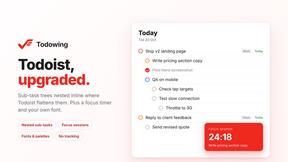
Todowing
Chrome extension that nests sub-tasks under their parents in Todoist's Today, Upcoming, Filter and board views. Free tier, $19.99 lifetime unlock.

CloneWebsite
Clone any webpage pixel-perfect, export HTML/CSS/ZIP or React/Vue components.

Uniclip
Clip pages, take full-page screenshots and batch-capture list data to Notion, Feishu, Obsidian, Markdown, CSV or JSON.

GenX
All-in-one AI workspace to generate images, videos, and audio with multiple leading AI models.

TroveKey
Search tabs, Chrome bookmarks and history, run browser commands, and save webpages and social posts locally—no account.
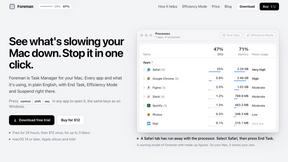
Foreman
See every app and what it's using in plain English, and end or slow down the one that's hogging your Mac.

Wordler
Wordler is an online destination for daily word challenges, unlimited puzzles, and brain-teasing games.

Dot & Dash
Learn Morse code on a machine you can press. Write and send messages, turn Morse into text and back, and key Morse in any app on your Mac.
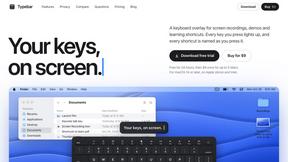
Typebar
Every key you press lights up on an on-screen keyboard, and each shortcut is named. For screen recordings, demos and learning shortcuts.

AppIconGenerator
Generate iOS and Android app icons from any image and export all platform sizes for free.

AiAgeFilter
Free AI age filter: upload an adult portrait, add 10-40 years, meet your older self. No app needed.

Growth Audit
Audit SEO, speed, accessibility and conversions, with prioritized fixes and an AI Coach.


Notchpals
Little characters peek out of your Mac's notch to remind you to drink water, eat, sit up and get to bed. Quiet during calls. $4.99 once.

LightScroll
Native iOS and macOS app for healthier screen time


Bloom
An adaptive AI tutor that turns topics or your materials into courses, lessons, and answers tailored to how you learn.


CADCraft
Free, open-source 2D CAD in Rust for precise drafting, layers, dimensions, DWG/DXF, PDF/SVG/PNG, desktop, web, and AI automation.

Drafto
Browser tools for Indian SMBs and CAs: GST, Tally, bank statements. Bank Statement Converter and Meesho Label Crop. Free daily limit.

Intertakt
Runs like a planetarium show: voice and beeps over your music, screen off, exact resume. HIIT and Tabata intervals.



Budgetpixel AI
Create AI images, videos, music, and designs in one workspace with multiple models, powerful editing tools, and API access.
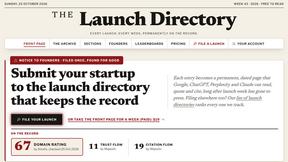
The Launch Directory
The Launch Directory: permanent, dated pages for every product launch. Week-by-week record, archive, and rankings.

Lemongraph
Almost every conversation ends with a promise. Lemongraph keeps track of them for you and lines up your day the way you would.

Kovnerov
Personal site of Vlad Kovnerov: analytics dashboards, web development, Telegram bots and browser tools for sellers and subscription tracking.

PracticeNetworking
Master networking with interactive, hands-on practice directly in your browser. Solve real terminal challenges, debug routes, and build core IT skills

Nano AI
Create and edit AI images, generate videos, and compare models in one creative workbench.
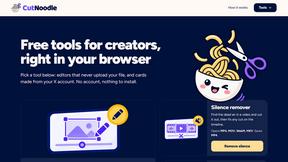
CutNoodle
Free browser tools for creators: edit video and audio locally, create subtitles, and turn public X activity into shareable visuals. No account.



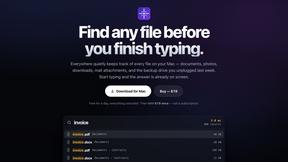
Everywhere
Fast file search for the Mac. Results as you type, files inside Mail and Photos, works with Wi-Fi off. $19 once.

Basalt
Eighteen PDF tools in one native Mac window: merge, split, compress, OCR, Bates numbering, forms, signing and redaction. Offline. $29 once.

Voice Keyboard Pro
Hold a key, say what you mean, let go. Clean, punctuated text lands at the cursor in any app on your Mac or iPhone.

Mainspring
Mainspring turns the settings macOS hides into 90+ one-click, fully reversible power-ups for Finder, Dock, screenshots and more. $29 once.

Browse Tools by Category
About Latest tools
The latest page tracks newly added tools in We Like Tools so you can review recent launches, newly listed products, and fresh alternatives in the categories you already care about.
Every new tool is reviewed by our editorial team before it appears here, so you can trust that recent additions meet our standards for quality, accuracy, and relevance. New listings span a wide range of categories and pricing models, giving you early access to emerging options that may not yet appear in broader search results or mainstream review sites.
Check back regularly to see the newest tools added to the directory.
Frequently Asked Questions
How fresh are the listings on this page?
This page shows the most recently added tools. We update it multiple times per week as new tools pass our review process.
What review criteria do you use?
We evaluate tools based on functionality, user experience, reliability, and overall value. Tools that pass our review meet a consistent quality bar.
Is there a cost to have a tool listed?
We offer both free and premium listing options. Visit our submit page for details on getting your tool featured in our directory.
Can I suggest improvements to a listing?
Yes. If you notice incorrect or outdated information, please reach out through our contact page and we will update it.
Are new listings verified before appearing here?
Yes. Every tool goes through our editorial review process to verify accuracy, functionality, and relevance before it is published. Only approved listings appear on the latest page.
How are the newest listings sorted?
Listings are displayed in reverse chronological order with the most recently published tools shown first. This ensures you always see the freshest additions at the top of the page.