
AI Formatter
Transform raw text into polished professional documents effortlessly with AI Formatter’s intuitive tools and templates.
VisitPublished on:
October 14, 2025
Pricing:
About AI Formatter
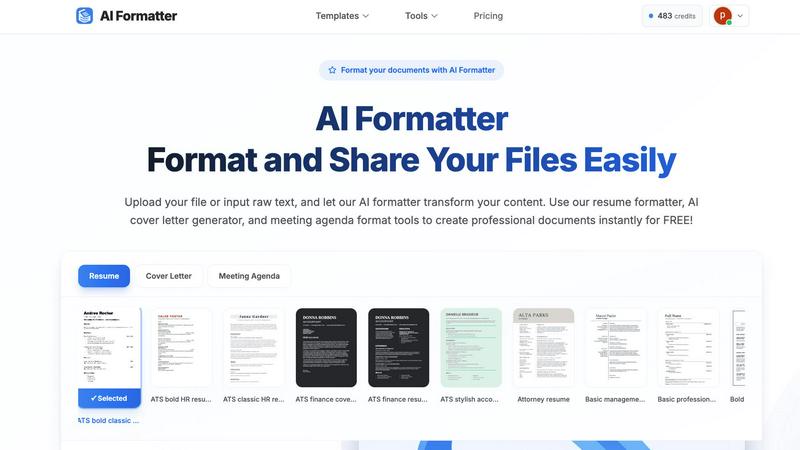
AI Formatter from Sun Sky LLC is an innovative cloud-based SaaS platform designed to alleviate the frustration of document formatting. If you've ever spent hours perfecting your content, only to face the daunting task of making it visually appealing, this tool is a breath of fresh air. With AI Formatter, users can upload files in various formats such as Word, PDF, or TXT, or simply input raw text. Within seconds, the AI processes this content and transforms it into a polished, professional document tailored to specific needs. Its standout feature is the ATS optimization, boasting a 95%+ pass rate on Applicant Tracking Systems, ensuring that resumes and other professional documents not only look good but are also seen by potential employers. Whether you're a job seeker struggling with endless templates, a business professional needing consistent documentation, or an academic aiming for streamlined reports, AI Formatter serves as your personal formatting assistant, saving you precious time and enhancing your professional image. With an initial offering of 10 free credits to explore its capabilities, trying out AI Formatter is a no-brainer for anyone serious about their documentation needs.
Features of AI Formatter
Template Selection
AI Formatter offers an extensive library of 162 professional templates, specifically designed for ATS optimization. This ensures that your resumes and cover letters not only meet aesthetic standards but also pass through automated screening processes effectively.
Automatic Formatting
Once you upload your content or input raw text, the AI Formatter takes over, applying professional formatting and structure instantly. This feature minimizes manual work, allowing users to focus on the quality of their content rather than the complexities of formatting.
Intuitive Editing Tools
After the AI processes your document, you can review and customize it using an intuitive editor. This feature lets you make necessary adjustments easily, ensuring that the final output aligns with your vision and brand.
Multiple Format Downloads
AI Formatter allows users to download their polished documents in various formats such as Word and PDF. This flexibility ensures that you can choose the best format for your needs, whether for print or digital sharing.
Use Cases of AI Formatter
Job Seekers
For job seekers, AI Formatter provides a reliable way to create ATS-optimized resumes and cover letters that stand out in competitive job markets. The ability to transform raw content into professional documents quickly can significantly enhance your job application process.
Business Professionals
Business professionals can utilize AI Formatter to produce consistent invoices, meeting agendas, and reports. The tool ensures that all documents maintain a professional appearance, reinforcing brand identity and credibility.
Academics and Researchers
Academics can streamline their report writing and presentation materials using AI Formatter. By transforming raw notes and drafts into well-structured documents, they can focus on research and analysis instead of formatting headaches.
Freelancers and Entrepreneurs
Freelancers and entrepreneurs benefit from AI Formatter by creating polished proposals and contracts. The tool helps ensure that all client-facing documents are professional and visually appealing, enhancing the chances of winning new business.
Frequently Asked Questions
How does AI Formatter ensure ATS compatibility?
AI Formatter is designed with ATS optimization in mind, utilizing templates and formatting rules that are recognized by Applicant Tracking Systems, increasing the likelihood of your documents being seen by recruiters.
What file formats does AI Formatter support?
AI Formatter supports a variety of file formats including PDF, DOC, DOCX, and TXT, making it versatile for different types of documents and user preferences.
Is there a limit to the number of documents I can format?
While users receive 10 free credits to start, additional details regarding formatting limits or subscription options can be explored within the platform to accommodate various needs.
Can I edit my documents after formatting?
Yes, AI Formatter provides an intuitive editing tool that allows you to customize your formatted documents, ensuring that you can make any necessary adjustments before finalizing your output.
Similar to AI Formatter
Lemongraph
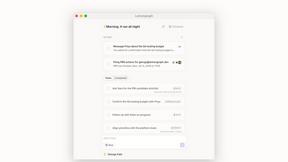
Almost every conversation ends with a promise. Lemongraph keeps track of them for you and lines up your day the way you would.

Kovnerov
Personal site of Vlad Kovnerov: analytics dashboards, web development, Telegram bots and browser tools for sellers and subscription tracking.
Everywhere
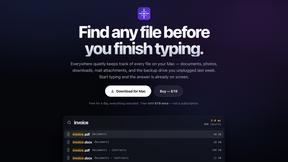
Fast file search for the Mac. Results as you type, files inside Mail and Photos, works with Wi-Fi off. $19 once.
Basalt
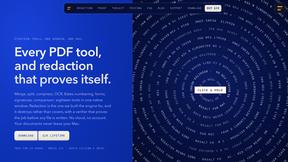
Eighteen PDF tools in one native Mac window: merge, split, compress, OCR, Bates numbering, forms, signing and redaction. Offline. $29 once.
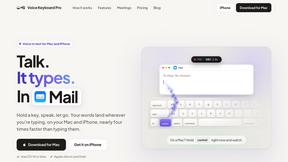
Voice Keyboard Pro
Hold a key, say what you mean, let go. Clean, punctuated text lands at the cursor in any app on your Mac or iPhone.
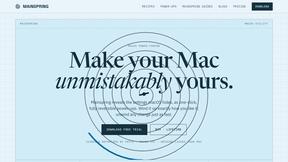
Mainspring
Mainspring turns the settings macOS hides into 90+ one-click, fully reversible power-ups for Finder, Dock, screenshots and more. $29 once.
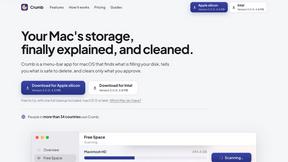
Crumb
A Mac menu bar app for a full disk. See what is using your space, read whether it comes back on its own, and remove only what you tick.
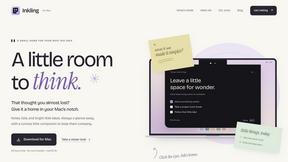
Inkling
Catch a thought without leaving what you are doing. Notes, checklists and a little companion in your Mac's notch. $12 once.