
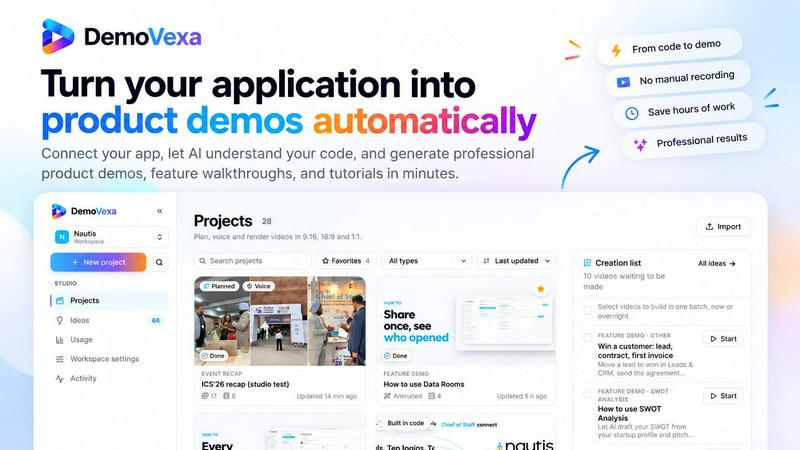
About DemoVexa
DemoVexa is an AI-powered desktop application that transforms your software codebase into professional product demo videos. Built for SaaS founders, developers, product marketers, and agencies, DemoVexa analyzes your code and documentation, generates demo scripts, creates animated UI walkthroughs, and adds natural AI voiceovers.
Unlike traditional screen recording tools, DemoVexa generates code-driven animations, helping teams create polished, consistent product demonstrations without manually recording every interaction. When your product UI changes, you can update your demos through code instead of starting the entire recording process again.
With support for multiple video formats, including 16:9, 9:16, and 1:1, DemoVexa helps you create product launch videos, feature announcements, onboarding tutorials, social media content, and marketing demos. Its desktop-first workflow keeps your source code on your computer while you create videos using your configured AI tools.
Similar to DemoVexa

The Kiss
Turn two photos into a cinematic AI kissing video. Pick one of 13 kiss video templates; 30 free credits on sign-up.

Ozil Goal AI
Turn a portrait photo into a football goal video. One free reference image per verified account; videos use paid one-time credits.

Video Meme Generator
Create AI video memes from photos, clips or text prompts. Free credits to start.
Angry Dance Filter
Upload one photo and get a 15-second angry dance video. Free watermarked preview, then optional one-time video packs.
AIVideoAgent
Turn text ideas or reference images into videos through conversation, with agent-assisted prompts and a choice of video models.
Typing Animation
Create typing animation videos with custom fonts, timing and synchronized keyboard sounds.

GenX
All-in-one AI workspace to generate images, videos, and audio with multiple leading AI models.
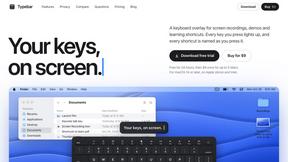
Typebar
Every key you press lights up on an on-screen keyboard, and each shortcut is named. For screen recordings, demos and learning shortcuts.