
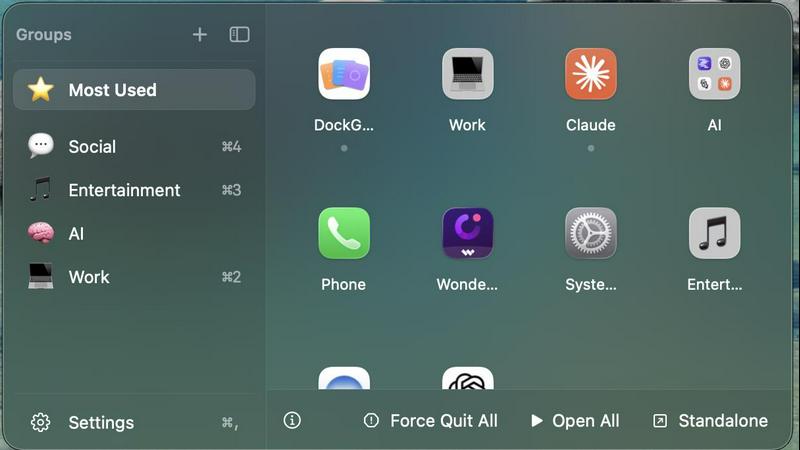
About DockGroups
App Groups
- Organize apps into named groups, each with a custom emoji icon, stored by bundle ID.
- Pin important groups to the top of the sidebar.
- Create and delete groups directly from the main panel — no detour into Settings.
- Default starter groups (Work, Creative, Utilities) appear on first launch.
- Group data is saved atomically with owner-only file permissions, and the app tolerates missing fields so updates never wipe your groups.
The Floating Panel
- A panel anchored next to your Dock that positions itself correctly whether your Dock sits at the bottom, left, or right of the screen.
- Opens from the Dock icon or the menu bar; closes automatically when it loses focus.
- A collapsible sidebar toggles between full labels (with shortcut badges) and a compact icon-only rail.
- Frosted-glass or solid panel style, plus System / Light / Dark themes.
Open All / Close All — the signature feature
- Open All launches every app in a group with a small stagger (so macOS doesn't choke on simultaneous launches).
- Close All does the reverse, and this is something no competing dock app offers:
- Plain click → hides every app in the group
- ⌥-click → quits them gracefully
- ⌘-click → force-quits them
- Live indicators show which apps in a group are currently running, and clicking a running app restores its windows — including minimized ones.
Explore more in this category:
Similar to DockGroups
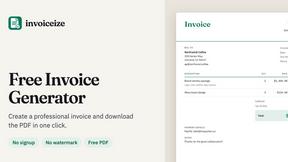
Invoiceize
Free invoice generator with live preview and PDF export. Create invoices, receipts and quotes without signup or watermarks.

Emailyy
Free email tools for signatures, subject lines, HTML previews, word counts, and email headers. Browser-based, simple to use, and no signup required.
LaunchIntel
Your AI agent picks relevant directories, submits your product in your browser and tracks every step. One-time purchase.
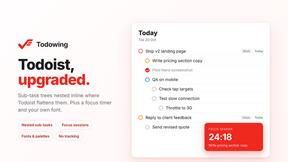
Todowing
Chrome extension that nests sub-tasks under their parents in Todoist's Today, Upcoming, Filter and board views. Free tier, $19.99 lifetime unlock.

CloneWebsite
Clone any webpage pixel-perfect, export HTML/CSS/ZIP or React/Vue components.

Uniclip
Clip pages, take full-page screenshots and batch-capture list data to Notion, Feishu, Obsidian, Markdown, CSV or JSON.
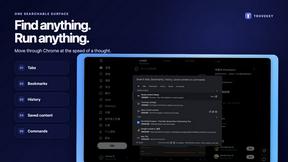
TroveKey
Search tabs, Chrome bookmarks and history, run browser commands, and save webpages and social posts locally—no account.