
AI Quiz Solve
AI Quiz Solve is my go-to Chrome extension for instantly answering online quiz questions with a screenshot across any LMS.
Visit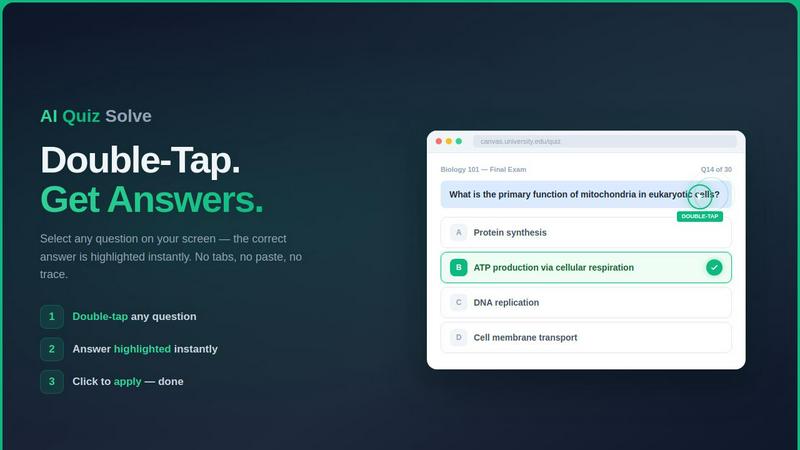
About AI Quiz Solve
Let’s be honest: online quizzes and homework are a grind. You are juggling multiple tabs, copying and pasting questions into ChatGPT, and praying the answer is correct. AI Quiz Solve is the antidote to that chaos. It is a purpose-built Chrome extension that lives inside your Learning Management System (LMS) — think Canvas, Blackboard, Moodle, or Google Forms — and eliminates the need to ever leave your browser. Instead of manually hunting for answers, you simply double-tap any question, and the extension instantly serves you the correct answer alongside a clear, step-by-step explanation. For questions on locked pages, PDFs, or image-based problems, you can use the screenshot mode to draw a box around the problem and let the built-in OCR and AI handle the rest. This tool is built for students who want to study smarter, not harder. It is not about cheating; it is about removing the friction of verification and understanding. Whether you are cramming for a midterm, tackling a tricky organic chemistry problem, or just trying to get through a dense set of multiple-choice questions, AI Quiz Solve is the most efficient study assistant I have personally tested. It supports over 50 subjects and handles MCQs, true/false, matching, short answer, and fill-in-the-blank formats. If you can see it on your screen, this extension can solve it.
Features of AI Quiz Solve
Double-Tap Instant Solve
This is my favorite feature because it is almost magical in its simplicity. While you are inside any quiz on Canvas, Blackboard, or Moodle, you can simply double-tap on a question. The extension instantly highlights the correct answer and provides a full explanation right there in the quiz interface. No tab switching, no copying text, no pasting into another window. It feels like having a tutor sitting next to you who whispers the answer the moment you look at a problem. This feature works seamlessly with multiple-choice, true/false, and matching questions, making it the fastest way to get unstuck during a timed exam or a practice session.
Screenshot and Draw to Solve
Some platforms are locked down. They block text selection or use canvas-rendered questions that you cannot highlight. AI Quiz Solve bypasses all of that with a brilliant screenshot mode. You press a keyboard shortcut (Ctrl+Shift+S), draw a rectangle around the question on your screen, and the AI reads the image using OCR technology. It then returns the correct answer with a full explanation. This is a lifesaver for PDFs, lecture slides, handwritten problems, and even math equations or graphs. If you can see it, you can solve it. This feature alone makes the tool worth having.
Multi-Platform LMS Support
The extension is not a one-trick pony that only works on a single platform. AI Quiz Solve supports an extensive list of learning management systems and educational sites. It works natively on Canvas, Blackboard, Moodle, Google Classroom, Brightspace (D2L), Schoology, Coursera, edX, Quizlet, McGraw-Hill, Pearson, Google Forms, Microsoft Forms, Kahoot, Udemy, Khan Academy, and Chegg. This broad compatibility means you do not have to switch tools depending on your class. One extension handles all your coursework, which is exactly the kind of unified experience students need.
AI-Powered Explanations
Getting the answer is great, but understanding why it is correct is what helps you learn. Every answer generated by AI Quiz Solve comes with a detailed, step-by-step explanation. For example, if you ask about oxidizing a secondary alcohol, the tool will not just tell you the answer is PCC; it will explain why PCC is the best choice and why other reagents like KMnO4 would cause over-oxidation. This turns a quick answer into a mini-tutorial, helping you retain the knowledge for your actual exams.
Use Cases of AI Quiz Solve
Crushing Timed Online Exams
When the clock is ticking on a Canvas or Blackboard exam, every second counts. Instead of panicking over a tricky multiple-choice question or wasting time Googling, you double-tap the question. The answer appears instantly, along with the reasoning. This allows you to move through the exam with confidence and speed, reducing anxiety and ensuring you do not get stuck on a single problem. It is the ultimate tool for high-stakes, timed assessments.
Unlocking Locked Question Content
Many professors use platforms that prevent you from selecting or copying text on quiz pages. This is incredibly frustrating when you just want to look up a concept. AI Quiz Solve’s screenshot mode bypasses these restrictions entirely. You simply capture the screen, draw a box around the question, and the OCR reads it. This is perfect for locked quizzes, PDF-based assignments, or any content that is rendered as an image. It turns a barrier into a non-issue.
Mastering Complex STEM Subjects
Subjects like organic chemistry, physics, and advanced mathematics often involve diagrams, equations, and graphs that are hard to type into a search engine. With the Draw to Solve feature, you can draw a rectangle around a chemical structure, a physics diagram, or a handwritten equation. The AI interprets the visual data and provides the correct answer with an explanation. This makes AI Quiz Solve an indispensable study companion for STEM students who deal with visual and symbolic problems.
Efficient Homework and Assignment Verification
Homework is meant for practice, but sometimes you just need to check if your reasoning is correct. Instead of waiting for office hours or posting on a forum, you can use AI Quiz Solve to verify your answers instantly. The explanations help you understand where you went wrong, turning a simple check into a learning opportunity. This is great for self-paced study, late-night cram sessions, or when you are working through a stack of assignments and want to ensure accuracy before submission.
Frequently Asked Questions
Is AI Quiz Solve free to use?
Yes, AI Quiz Solve offers a free tier that gives you 5 questions per day and 2 screenshot solves per day. This is enough to test the tool and handle light coursework. For students who need more, the Pro plan starts at $6.99 per month and unlocks unlimited questions and unlimited screenshot solves, making it ideal for heavy course loads or multiple exams.
Does AI Quiz Solve work on locked or text-blocked pages?
Absolutely. This is one of the extension’s strongest features. If a platform blocks text selection or uses canvas-rendered questions, you can use the Screenshot and Draw to Solve mode. You capture the screen, draw a box around the problem, and the AI reads the image. As long as you can see the question, the extension can solve it.
What types of questions does it support?
The extension supports a wide variety of question formats. It handles multiple-choice, true/false, matching, short answer, and fill-in-the-blank questions. It also works with image-based questions, diagrams, graphs, and handwritten problems through the screenshot mode. It covers over 50 subjects, from biology and chemistry to history and literature.
Will my school or professor know I am using it?
AI Quiz Solve operates as a browser extension, and it does not modify the quiz platform’s code in a way that is detectable by standard proctoring software. However, you should always check your school’s academic integrity policy. The tool is designed as a study aid to help you understand material and verify answers, not to replace your own learning. Use it responsibly.
Similar to AI Quiz Solve
Riff
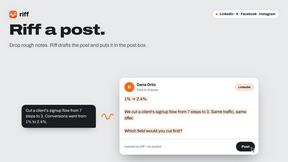
Riff writes replies, DMs and posts with Gemini Nano inside Chrome. Runs on your computer, no account or API key, and never posts for you.
subtitle.im
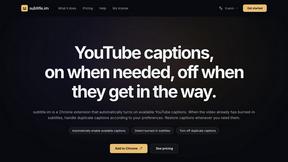
Manage existing YouTube captions and turn off confirmed duplicates.
XreplyAI
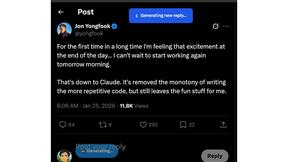
XreplyAI generates authentic, on-brand tweet replies to turn conversations into inbound leads for you.
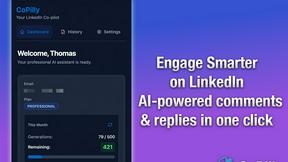
CoPilly
CoPilly is your AI co-pilot for LinkedIn, crafting comments and replies in seconds while ensuring complete safety.

Reddit Post Summarizer
Stop drowning in Reddit threads and get instant AI summaries with one click.
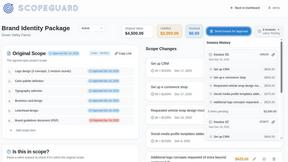
ScopeGuard
ScopeGuard helps freelancers prevent scope creep and recover lost earnings with instant AI contract verification.

Supawazap
Supawazap is my top pick for an all-in-one WhatsApp CRM that brilliantly automates your marketing and workflows.
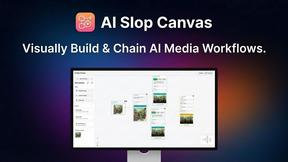
AI Slop Canvas
AI Slop Canvas is my favorite free Chrome extension for visually creating AI images and videos.