
QuickTextTools
QuickTextTools is my go-to for 76+ free, browser-based text utilities that make writing, SEO, and formatting effortless without any sign-up.
Visit
About QuickTextTools
Let me be blunt: most free online tool suites are cluttered, slow, and riddled with ads. QuickTextTools is the refreshing exception. This is a thoughtfully curated, completely free online platform housing over 76 browser-based utilities designed for anyone who works with text. Whether you are a writer obsessing over word count, an SEO professional analyzing meta tags, a developer formatting JSON, or a student cleaning up copied text, this toolkit has your back. The core philosophy here is simplicity and speed. You do not need to sign up, download anything, or surrender your privacy. Every tool runs entirely within your browser. Your text never leaves your machine. That is a big deal in an era where data is the new oil. QuickTextTools covers a broad spectrum of needs, from essential writing assistants like word and character counters to specialized SEO tools like keyword density checkers and meta tag analyzers. It also includes text cleaning utilities, developer tools, and productivity boosters like a Pomodoro timer and a QR code generator. The interface is clean, intuitive, and fast. You paste your text, choose your tool, and get instant results. There are no paywalls, no feature limitations, and no annoying prompts to upgrade. This is a genuine free resource that respects your time and your data. If you regularly work with text, I honestly believe QuickTextTools belongs in your bookmarks bar. It is that useful.
Features of QuickTextTools
Comprehensive Writing and Text Analysis Tools
This suite includes everything you need to measure and analyze your text. The Word Counter and Character Counter are staples, but the platform goes further with a Sentence Counter, Reading Time Calculator, and a Keyword Density Checker. These are not just simple counters; they provide accurate, real-time data that helps you tailor your content for specific platforms, whether it is a 280-character tweet or a 2000-word blog post. The tools handle large amounts of text without lag, making them reliable for serious work.
Robust SEO and Meta Tag Utilities
For anyone in digital marketing or content creation, the SEO tools here are a standout. The Meta Tag Analyzer lets you preview how your page will appear in search engine results, giving you a crucial advantage. The Keyword Density Checker and Keyword Builder help you optimize your content without overstuffing. There is also a dedicated SEO Title Generator and a Meta Tag Generator. These tools are practical, accurate, and save you from having to switch between multiple platforms just to check your SEO basics.
Powerful Text Cleaning and Formatting Tools
Messy text is a productivity killer. QuickTextTools offers a suite of cleaning utilities that are absolute lifesavers. The Text Cleaner removes special characters and extra spaces in one click. The Duplicate Line Remover and Remove Extra Spaces tools are perfect for cleaning up exported data or messy copy-paste jobs. The Case Converter handles all common formats, including uppercase, lowercase, and title case. These tools are fast and handle large text blocks without crashing, which is a common pain point with lesser tools.
Developer and Productivity Toolset
This feature set shows the platform has a broader vision. It includes a JSON Formatter, Base64 Encoder, URL Encoder, and a QR Code Generator. These are not just afterthoughts; they are well-built and functional. For productivity, there is a Pomodoro Timer, Countdown Timer, Text Sorter, and Random Word Generator. The recently added Random Password Generator is a genuine bonus. This diversity means QuickTextTools can serve as a one-stop shop for many daily tasks, reducing the need to hunt for separate specialized tools.
Use Cases of QuickTextTools
SEO Content Optimization for Bloggers and Marketers
Imagine you have just written a 1500-word blog post. Instead of manually scanning for keyword usage or guessing your meta description, you can paste the entire text into the Keyword Density Checker. It instantly shows you which keywords you are overusing and which you are missing. Then, use the Meta Tag Analyzer to preview your title tag and description as they will appear on Google. This workflow, entirely within QuickTextTools, tightens your SEO process and helps you rank better without expensive software.
Cleaning and Formatting Data for Developers and Analysts
If you frequently copy data from spreadsheets, web pages, or PDFs, you know the frustration of extra spaces, hidden characters, and duplicate lines. QuickTextTools solves this instantly. Paste your messy data into the Text Cleaner or Remove Extra Spaces tool. Use the Duplicate Line Remover to clean up a list of emails or URLs. The Text Compare Tool is invaluable for spotting differences between two versions of code or text. This use case alone can save developers and data analysts hours of manual cleanup each week.
Social Media Content Preparation for Creators
Social media has strict character limits and formatting quirks. Use the Character Counter to ensure your tweets, Instagram captions, or LinkedIn posts fit perfectly. The Case Converter is perfect for creating eye-catching headlines or formatting hashtags. The new Instagram Caption Generator and Hashtag Generator provide creative inspiration and ready-to-use content. For YouTube creators, the YouTube Title Generator helps craft clickable titles. This makes QuickTextTools a practical companion for any social media content calendar.
Academic and Student Writing Workflows
Students can benefit immensely from the writing and analysis tools. Use the Word Counter and Sentence Counter to ensure essays meet length requirements. The Reading Time Calculator helps you gauge how long a presentation will take. The Text Compare Tool is excellent for checking for unintentional plagiarism between drafts. The Text Cleaner can quickly remove formatting from copied research material. These tools are free, require no login, and work instantly, making them ideal for late-night study sessions.
Frequently Asked Questions
Is QuickTextTools really free to use?
Yes, absolutely. QuickTextTools is 100% free forever. There are no hidden charges, no premium tiers, and no subscription fees. You do not even need to create an account or sign up. You can access all 76+ tools immediately without any barriers. The platform is supported independently and is committed to remaining a free resource.
Do you store or share my text data?
No, never. Your privacy is a core feature of QuickTextTools. All tools process text entirely within your own browser using client-side JavaScript. Your text is never sent to any server, stored, logged, or shared. Once you close the page or refresh, your data is gone. This makes the platform safe for handling sensitive content like proprietary writing or personal information.
Do I need to download any software to use the tools?
No downloads or installations are required. QuickTextTools is entirely web-based and works directly in your browser. You simply visit the website, choose a tool, paste your text, and get results instantly. The tools are compatible with all modern browsers including Chrome, Firefox, Safari, and Edge. This browser-based approach means you can use QuickTextTools on any device, from a desktop to a tablet.
How many tools are available, and are new ones added?
Currently, QuickTextTools offers over 76 free tools, and the library is growing. The platform regularly adds new utilities based on user demand and common productivity needs. Recent additions include a QR Code Generator, Random Password Generator, Pomodoro Timer, and several social media content generators. You can check the "Recently Added Tools" section on the homepage to see the latest updates.
Explore more in this category:
Similar to QuickTextTools

Suparelay
Call landlines and mobiles in 200+ countries from your browser. The person you call needs no app. Prepaid, from about 2 cents a minute.
Novastart
Apps and files on an infinite canvas where people and AI agents work together.

Verla AI
Verla is an AI academic assistant for university and college students, combining AI essay writing, academic research, AI detection, AI humanization.

JevModel
Turn text or JSON into structured Choice, Score and Noul decisions with probabilities.
Nijia
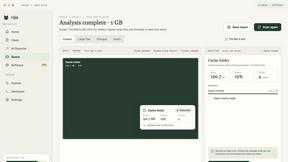
See where Mac storage goes, review items before cleanup, inspect developer workspaces, and monitor system health. Try every feature free for 7 days.
JustTools
JustTools offers a growing collection of free online tools that run directly in your browser, with no sign-up and no uploads.

Memorable Contact
AI-powered relationship memory that helps you remember people, the context behind your connections, and reconnect when it matters.

BetterKnocks
One powerful software for D2D (Door to door) fields reps to manage their sales and their teams to easily track territories and complete powerhouse CRM