

Alternatives to QuickTextTools
QuickTextTools is my go-to for 76+ free, browser-based text utilities that make writing, SEO, and formatting effortless without any sign-up.
20 alternatives found

Suparelay
Call landlines and mobiles in 200+ countries from your browser. The person you call needs no app. Prepaid, from about 2 cents a minute.

Verla AI
Verla is an AI academic assistant for university and college students, combining AI essay writing, academic research, AI detection, AI humanization.

JevModel
Turn text or JSON into structured Choice, Score and Noul decisions with probabilities.
Nijia
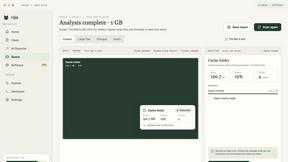
See where Mac storage goes, review items before cleanup, inspect developer workspaces, and monitor system health. Try every feature free for 7 days.
JustTools
JustTools offers a growing collection of free online tools that run directly in your browser, with no sign-up and no uploads.

Memorable Contact
AI-powered relationship memory that helps you remember people, the context behind your connections, and reconnect when it matters.

BetterKnocks
One powerful software for D2D (Door to door) fields reps to manage their sales and their teams to easily track territories and complete powerhouse CRM

DebutPin
A launch platform where products keep collecting visibility, feedback and connections long after launch day.

Product Launch Checklist
A free launch checklist for SaaS, apps, AI tools and more. Every step says why it matters and when you can skip it.

Kody Tools
Free collection of online developer utilities, code formatters, and digital converters designed to streamline your daily workflow.

tallycounterweb.com
Online tally counter for tracking attendance, workouts, inventory, sports scores, visitors, habits, and everyday counting tasks.
Forms Plugin
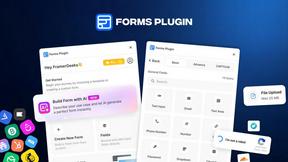
The #1 Native Form Builder Plugin for Framer - No Code, No Embeds, No External Platforms.


AutoGeo
GEO SEO platform for creating, reviewing, publishing, and distributing multilingual content optimized for AI search visibility.

Screen Tester
Free online screen tester for checking dead pixels, colors, brightness, contrast, refresh rate, and display quality.
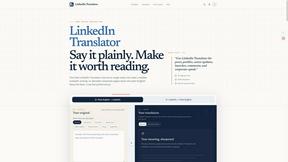
LinkedIn Translator
Turn rough notes into credible LinkedIn writing, or decode professional jargon into plain English.


About QuickTextTools Alternatives
QuickTextTools sits in the increasingly crowded Productivity & Management category, offering a suite of over 76 browser-based utilities designed to make writers, marketers, and developers more efficient. While it is a solid, free option for basic text formatting and SEO analysis, users often start looking for alternatives when they hit specific roadblocks. The most common reasons include a desire for more advanced automation features, the need for a native desktop app that works offline, or frustration with the limitations of a purely web-based toolkit when handling very large data sets. Others might find that the interface, while clean, lacks the deep customization or API access required for integrating into a professional workflow. When evaluating a replacement, you should prioritize tools that align with your specific pain point rather than trying to match every single utility. For example, if your primary need is robust keyword management and bulk editing, look for a tool that excels in that niche rather than a generalist platform. Pay close attention to the export options and data handling capabilities, as some tools lock your work into proprietary formats. I personally recommend testing the free tier of any potential alternative thoroughly, focusing on speed and the precision of the text manipulation tools, as many free platforms sacrifice quality for quantity. Ultimately, the best choice will offer a more intuitive workflow for your most frequent tasks, whether that is bulk case conversion or deep meta tag analysis.
FAQs about QuickTextTools Alternatives
What is QuickTextTools?
QuickTextTools is a free, user-friendly online platform that features over 76 browser-based tools designed to enhance productivity for writers, marketers, developers, students, and SEO professionals. It provides a comprehensive toolkit for text formatting, SEO analysis, writing assistance, keyword management, and developer utilities. The platform aims to simplify workflows and save time by offering practical solutions that operate directly in your browser without requiring complicated setups or software downloads.
Who is QuickTextTools for?
QuickTextTools is designed for a wide range of users including writers, marketers, developers, students, SEO professionals, and content creators. It is particularly useful for anyone who regularly needs to clean up keyword lists, analyze SEO meta tags, convert text case formatting, or improve their writing process. The tool is built to help these users work smarter and more efficiently by providing fast, easy-to-use utilities that eliminate manual, repetitive tasks.
Is QuickTextTools free?
Yes, QuickTextTools is completely free to use. It offers all of its 76+ online utilities at no cost to the user, with no hidden subscription fees or paywalls. This makes it an accessible option for individuals and small teams who need productivity tools without a financial commitment. The free model allows users to access a wide range of text and SEO utilities without worrying about pricing or trial limitations.
What are the main features of QuickTextTools?
QuickTextTools provides a diverse set of features including text formatting tools, SEO analysis utilities, writing assistants, keyword management tools, and developer utilities. Key capabilities include cleaning up messy keyword lists, analyzing SEO meta tags, converting text case formatting, and improving writing processes. All tools are browser-based, privacy-focused, and designed to operate quickly without the need for complicated setups or software downloads, ensuring a secure and hassle-free user experience.