
Tool.Video
Tool.Video is my favorite all-in-one AI suite for effortlessly creating stunning videos, images, and music.
Visit
About Tool.Video
Let's cut through the noise: the AI video generation space is flooded with single-purpose tools that force you to juggle a dozen tabs and subscriptions. Tool.Video is the breath of fresh air we've been waiting for. It’s not just another video generator; it’s a meticulously curated, all-in-one creative suite that brings the absolute best AI models—like the phenomenal Sora 2, the incredibly versatile Nano Banana Pro, and the musical genius of Suno 5—under one roof. This platform is built for the modern creator, marketer, and developer who values efficiency and professional output over wrestling with complex, disjointed workflows. Its core value proposition is undeniable simplicity: it demystifies the entire AI content creation process. You don't need to be a prompt engineer or a video editing pro. Tool.Video provides a cohesive environment where you can storyboard, generate stunning video, compose a fitting soundtrack, and design a click-worthy thumbnail, all in a seamless pipeline. For anyone serious about elevating their digital storytelling, whether for viral social clips, compelling ads, or engaging presentations, Tool.Video is the consolidated powerhouse that actually delivers on the promise of AI-assisted creativity.
Features of Tool.Video
Sora 2 Integration
This is the crown jewel of the platform and, frankly, a game-changer. Having direct access to OpenAI's Sora 2 through Tool.Video's interface is a massive advantage. It allows you to generate videos with breathtakingly realistic motion and cinematic quality from simple text prompts. The ability to try their pre-built examples like "A cinematic scene of ocean waves" is a fantastic way to learn what this model can do and jumpstart your own incredible ideas.
Nano Banana Pro for Images
While Sora handles video, Nano Banana Pro is your go-to for generating every visual asset around that video. Need a storyboard image to plan your scene? A stunning key visual for a thumbnail? This high-quality text-to-image and image-to-image model is integrated perfectly. It’s incredibly fast and produces unique, creative visuals that maintain a professional aesthetic, making it indispensable for the pre-and-post-production phases.
Suno 5 AI Music Generator
An often-overlooked part of video creation is audio, but Tool.Video nails it with Suno 5. This isn't just generic background loops; it's a full-fledged AI music composer. You can generate complete songs with melodies, arrangements, and even lyrics in any genre. For creators, this means you can score your Sora 2-generated cinematic scene with an equally epic, custom soundtrack, creating a perfectly harmonious final product without ever leaving the platform.
All-in-One Creative Workflow
This isn't just a feature list; it's a philosophy. The dedicated "AI Creation Workflow" that guides you from Storyboard to Thumbnail is Tool.Video's secret sauce. It contextualizes all the powerful individual tools into a logical, production-ready pipeline. This structured approach prevents creative block and ensures you consider every element of a compelling video, making professional results accessible and repeatable for users of any skill level.
Use Cases of Tool.Video
Crafting Viral Social Media Content
For social media managers and influencers, speed and visual appeal are everything. Tool.Video is perfect for rapidly ideating and producing eye-catching short-form videos for TikTok, Instagram Reels, or YouTube Shorts. Use a trending audio style in Suno 5, generate a captivating visual narrative with Sora 2, and top it off with an AI-generated thumbnail designed for maximum clicks. You can go from idea to published post in a fraction of the traditional time.
Producing AI-Powered TV Commercials (TVCs)
The dedicated AI TVC Generator is a marketer's dream. Small businesses or agencies can now prototype and produce high-concept advertisement videos without a six-figure production budget. Imagine scripting a commercial, visualizing it with Sora 2's realistic scenes, adding a persuasive voice-over and jingle with Suno, and having a professional-grade ad ready for testing or deployment in a matter of hours, not months.
Streamlining Video Pre-Production
For filmmakers and content teams, the storyboarding and planning phase is critical. Tool.Video revolutionizes this by allowing you to use Nano Banana Pro to generate consistent, high-quality concept art and storyboard images based on your script. This visual blueprint makes it easier to communicate vision, secure buy-in, and plan shoots, even before you generate a single second of final footage with Sora.
Enhancing Existing Video Projects
Tool.Video isn't just for generating from scratch. Its utilities are incredibly practical for polishing any video. Use the Video Thumbnail Generator to extract the perfect engaging frame, add a logo watermark with the Watermark Adder, or trim clips precisely with the Video Trimmer. It even includes a Sora Watermark Remover, which is a thoughtful touch for creators wanting a clean, professional final output for client work.
Frequently Asked Questions
What AI models does Tool.Video use?
Tool.Video aggregates top-tier, cutting-edge AI models to provide the best results in each category. For video generation, it leverages OpenAI's advanced Sora 2 model. For images, it uses the high-quality Nano Banana Pro. For music and audio, it integrates Suno 5. This multi-model approach ensures you have access to specialized, state-of-the-art tools for every part of the creative process.
Do I need technical skills to use Tool.Video?
Absolutely not. In fact, eliminating the technical barrier is Tool.Video's primary mission. The platform is designed with an intuitive interface and a guided workflow that takes you from storyboard to final thumbnail. The tools use simple text prompts, and the all-in-one dashboard means you don't need to manage APIs or switch between complex software. It's built for creators, not coders.
Can I use Tool.Video for commercial projects?
Yes, the content generated through Tool.Video's platform is intended for commercial use. This makes it an ideal tool for marketers, agencies, and businesses to create advertising content, social media assets, and promotional videos. Always review the specific terms of service for the latest details on usage rights for the outputs from the integrated AI models.
What makes Tool.Video different from other AI video tools?
The key differentiator is consolidation and curation. Instead of subscribing to separate services for Sora-like video, Midjourney-like images, and an AI music tool, Tool.Video brings them all together in a unified, logical workflow. This saves time, reduces cost complexity, and ensures a cohesive creative process. The addition of practical utilities like thumbnail generation and watermarking makes it a truly complete video production toolkit.
Explore more in this category:
Similar to Tool.Video

ReelsLaunch
AI video workspace for fast H3 Max clips and automated Instagram Reels publishing.
TryKlingAI
Independent Kling AI video generator for text, image, audio, and motion references with Kling 3.0, Lip Sync, and API access.
Z Image Turbo
Create photorealistic images, bilingual posters, ecommerce visuals, and social content online with Z Image Turbo.
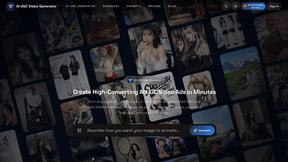
AI UGC Video Generator
Create AI UGC video ads from product URLs, images, or scripts with lifelike creators, voices, captions, and clear calls to action.
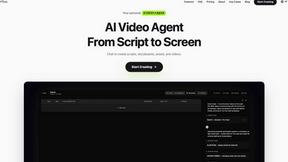
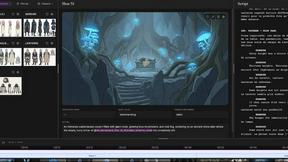
ScreenWeaver
Write the script, build the storyboard from it, and drive AI video prompts, all in one project.