
UseSkill
UseSkill automates your tasks with expert AI workflows across 100+ apps, saving you time and boosting productivity.
Visit
About UseSkill
UseSkill is a transformative AI tool designed to streamline workflows by providing pre-built, expert-tested AI workflows—referred to as "skills." This platform addresses the frustrations that many professionals face when dealing with AI, such as inconsistent outputs and time-consuming manual processes. Instead of getting trapped in the "ChatGPT loop" of crafting prompts and juggling between applications, users can simply select a skill, connect their tools with a one-time secure OAuth integration, and run it to receive reliable results in about 30 seconds. UseSkill is tailored for professionals in various domains, including sales teams, support agents, engineers, and data analysts. By automating repetitive tasks and integrating seamlessly with over 100 applications like Salesforce, Slack, and Gmail, UseSkill transforms the way businesses leverage AI, turning it from a novelty into a dependable productivity enhancer.
Features of UseSkill
Pre-Built AI Workflows
UseSkill offers a curated library of pre-built AI workflows designed by experts, allowing users to automate tasks without the need for technical expertise. This feature enables professionals to efficiently run specific tasks, like lead enrichment or support ticket triage, without starting from scratch.
Seamless Integrations
With over 100 integrations available, including popular tools such as Salesforce, HubSpot, and Jira, UseSkill allows users to connect their existing applications in just one click. This means that users can automate workflows across multiple platforms without the hassle of complicated setups.
User-Centric Design
The platform is built with the user in mind, boasting an intuitive interface that simplifies the process of selecting and running skills. Users can browse through skills relevant to their roles, making it easy to find the right automation for their needs.
Enterprise-Ready Security
UseSkill prioritizes user data security through its Model Context Protocol (MCP), which uses OAuth 2.0 for secure connections. This ensures that user passwords are never stored, and data is processed only during the skill run, offering peace of mind for businesses.
Use Cases of UseSkill
Sales Automation
Sales teams can leverage UseSkill to close deals faster by automating lead enrichment, syncing CRM data, and generating personalized outreach messages. This reduces the need for tedious copy-pasting and allows sales professionals to focus on building relationships.
Customer Support Optimization
Support agents can utilize skills to triage support tickets and manage their inboxes efficiently. By automating these processes, agents can respond to customer inquiries more quickly and improve overall satisfaction rates.
Data Management
Data analysts can use UseSkill to clean and organize messy data sets, allowing for more accurate analysis and reporting. The ability to automate data cleaning processes saves significant time and enhances productivity.
DevOps Automation
Engineering teams can benefit from UseSkill by automating DevOps tasks such as syncing project management tools and monitoring system performance. This automation helps teams to streamline their workflows and reduce downtime.
Frequently Asked Questions
How does UseSkill ensure data security?
UseSkill employs OAuth 2.0 for secure connections, ensuring that user passwords are never stored and that data is processed only during skill execution. This guarantees privacy and security for all users.
Can I try UseSkill for free?
Yes, UseSkill offers a free version that allows users to try various skills without requiring a credit card. This makes it easy for potential users to explore the platform's capabilities.
What types of integrations does UseSkill support?
UseSkill supports over 100 integrations, including popular applications like Salesforce, HubSpot, Slack, GitHub, and Jira, among others. This wide range allows users to easily connect their existing tools.
How quickly can I expect results from UseSkill?
Most skills run in about 30 seconds, providing organized and actionable results promptly. This efficiency allows users to maximize productivity and minimize downtime in their workflows.
Explore more in this category:
Similar to UseSkill
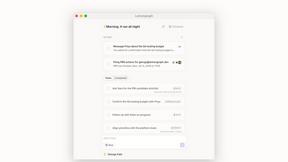
Lemongraph
Almost every conversation ends with a promise. Lemongraph keeps track of them for you and lines up your day the way you would.

Kovnerov
Personal site of Vlad Kovnerov: analytics dashboards, web development, Telegram bots and browser tools for sellers and subscription tracking.
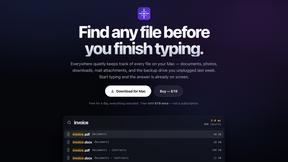
Everywhere
Fast file search for the Mac. Results as you type, files inside Mail and Photos, works with Wi-Fi off. $19 once.
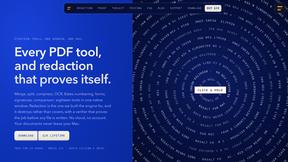
Basalt
Eighteen PDF tools in one native Mac window: merge, split, compress, OCR, Bates numbering, forms, signing and redaction. Offline. $29 once.
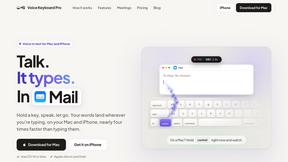
Voice Keyboard Pro
Hold a key, say what you mean, let go. Clean, punctuated text lands at the cursor in any app on your Mac or iPhone.
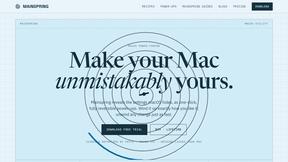
Mainspring
Mainspring turns the settings macOS hides into 90+ one-click, fully reversible power-ups for Finder, Dock, screenshots and more. $29 once.
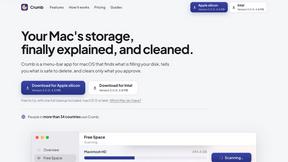
Crumb
A Mac menu bar app for a full disk. See what is using your space, read whether it comes back on its own, and remove only what you tick.
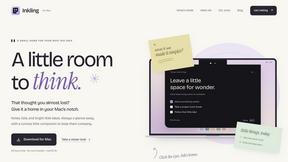
Inkling
Catch a thought without leaving what you are doing. Notes, checklists and a little companion in your Mac's notch. $12 once.